The short answer
There’s no single best fintech kit. It depends on what you’re building and whether you need code.
- Investing, trading or portfolio product, designed in Figma: Viola UI.
- Banking web app that needs React code: AlignUI’s Finance & Banking template.
- Fintech as one part of a bigger SaaS product: Untitled UI.
- Learning, a concept or a personal project on no budget: BankDash or the Modern Fintech UI Kit, both free for personal use.
- Product built on shadcn/ui or Ant Design: the matching Figma kit, then design the finance screens on top.
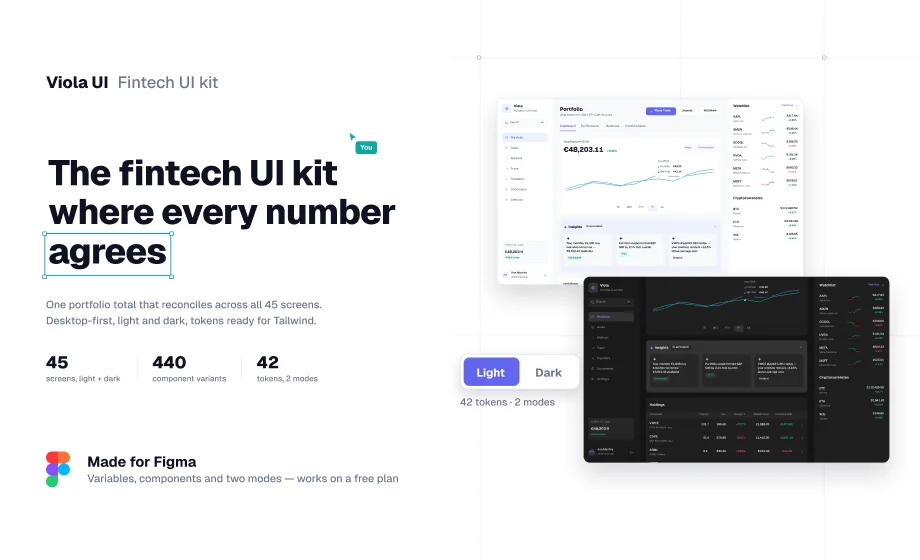
I’m the designer behind Viola UI, so read this with that in mind. Viola UI is listed first because this list is ranked for one job: designing finance screens where the numbers have to hold up. For other jobs, another kit here is the better pick, and I say which.
How we picked
Each kit is checked against six things a fintech product needs, using only what its maker or listing page says. “Not on its page” means the page is silent, not that the kit lacks it.
| Check | Why it matters for fintech |
|---|---|
| Finance flows | A dashboard is reached through sign-up and verification, funded through transfers and left to place a trade |
| Shared data | Totals, tables and charts should agree, or the first demo exposes it |
| Dark mode | Finance apps are checked late at night; dark should be a mode, not a redraw |
| Variables or tokens | Rebranding a kit should mean changing values, not repainting screens |
| Code | Whether developers get components or only the design |
| Licence and price | Several free kits allow personal use only, which rules out client and commercial work |
Third-party pages were read on 14 October 2026. Viola UI facts come from the kit itself.
At a glance
| Kit | Built for | Finance flows | Shared data | Dark mode | Code | Price |
|---|---|---|---|---|---|---|
| Viola UI | Investing, trading, portfolio (desktop web) | KYC, trade ticket, transfers, EUR/USD cash, tax documents | Yes, one portfolio on all 45 screens | Yes, 42 colour tokens | No; tokens named for Tailwind and shadcn | Free version; $49 one user, $179 company |
| AlignUI Finance & Banking | Banking web apps | Cards, transactions, 4-step send money, auth, settings | Not on its page | Yes | React, Next.js, Tailwind | $149 one-time; $299 all templates |
| Untitled UI | Any product | Not the focus | Not on its page | Yes, in PRO VARIABLES | React (paid) | Free version; Figma from $129 |
| shadcn/ui kit for Figma | Products built on shadcn/ui | Not on its page | Not on its page | Yes | Matches shadcn/ui; code access extra | From $119 per user |
| Ant Design System for Figma | Data-heavy enterprise apps | Not on its page | Not on its page | Not on its page | Based on Ant Design (React) | From $149 per user; charts in $299 and $549 bundles |
| Microsoft Fluent 2 | Enterprise web apps | Not on its page | Not on its page | Yes | Maps to Fluent UI React | Free |
| BankDash | Finance dashboards | Dashboard screens | Not on its page | Not on its page | No | Free, personal use |
| Modern Fintech UI Kit | Digital banking | Transactions, investments, savings, loans, auth | Not on its page | Not on its page | No | Free, personal use |
| RioCloud Fintech Dashboard | Fintech dashboards | Not on its page | Not on its page | Not on its page | Not on its page | From $15 |
Figures for the shadcn/ui kit, Ant Design and Fluent 2 come from Untitled UI’s roundup of Figma UI kits, which checked prices in August 2026.
The kits
1. Viola UI
Use it if you’re designing an investing, trading or portfolio product and the numbers will be checked.
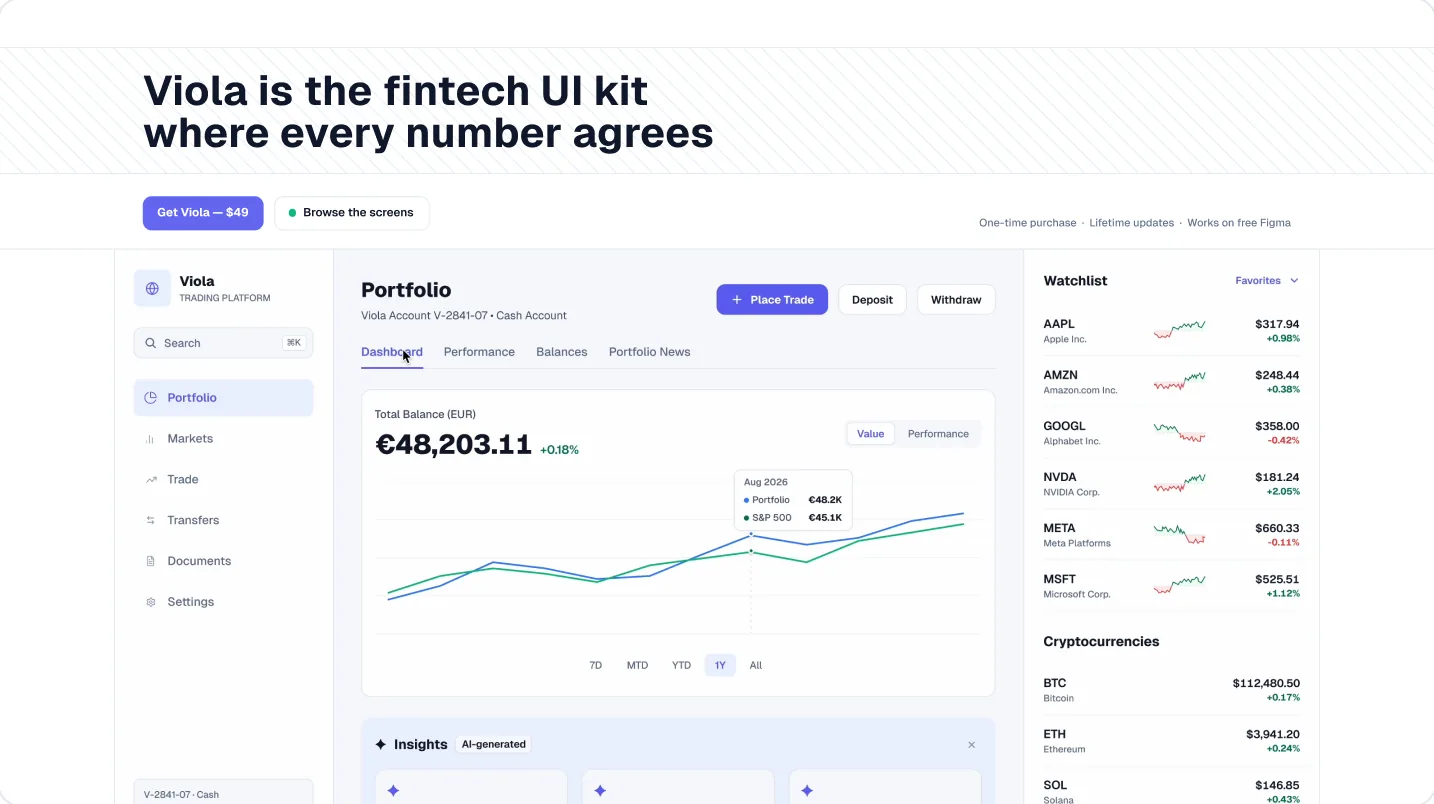
Viola UI is a Figma kit for fintech and AI products: 45 desktop screens in light and dark, 440 component variants, 42 colour tokens and 23 text styles. Every screen runs on one portfolio, so €48,203.11 on the dashboard is €44,330.95 in holdings plus €3,872.16 in cash everywhere it appears. It covers KYC onboarding, markets, fund research, a trade ticket, transfers, EUR/USD cash and tax documents, plus five AI components that are labelled, sourced, dismissible and never give investment advice.
- Watch out for: Figma only, no code. Desktop screens only. Editing the colour values in each mode needs a paid Figma plan; switching modes works on free.
- Price: free version (portfolio dashboard, light and dark); $49 for one designer, $179 for unlimited users in one company.
2. AlignUI Finance & Banking
Use it if you’re building a banking web app and want React code that matches the design.
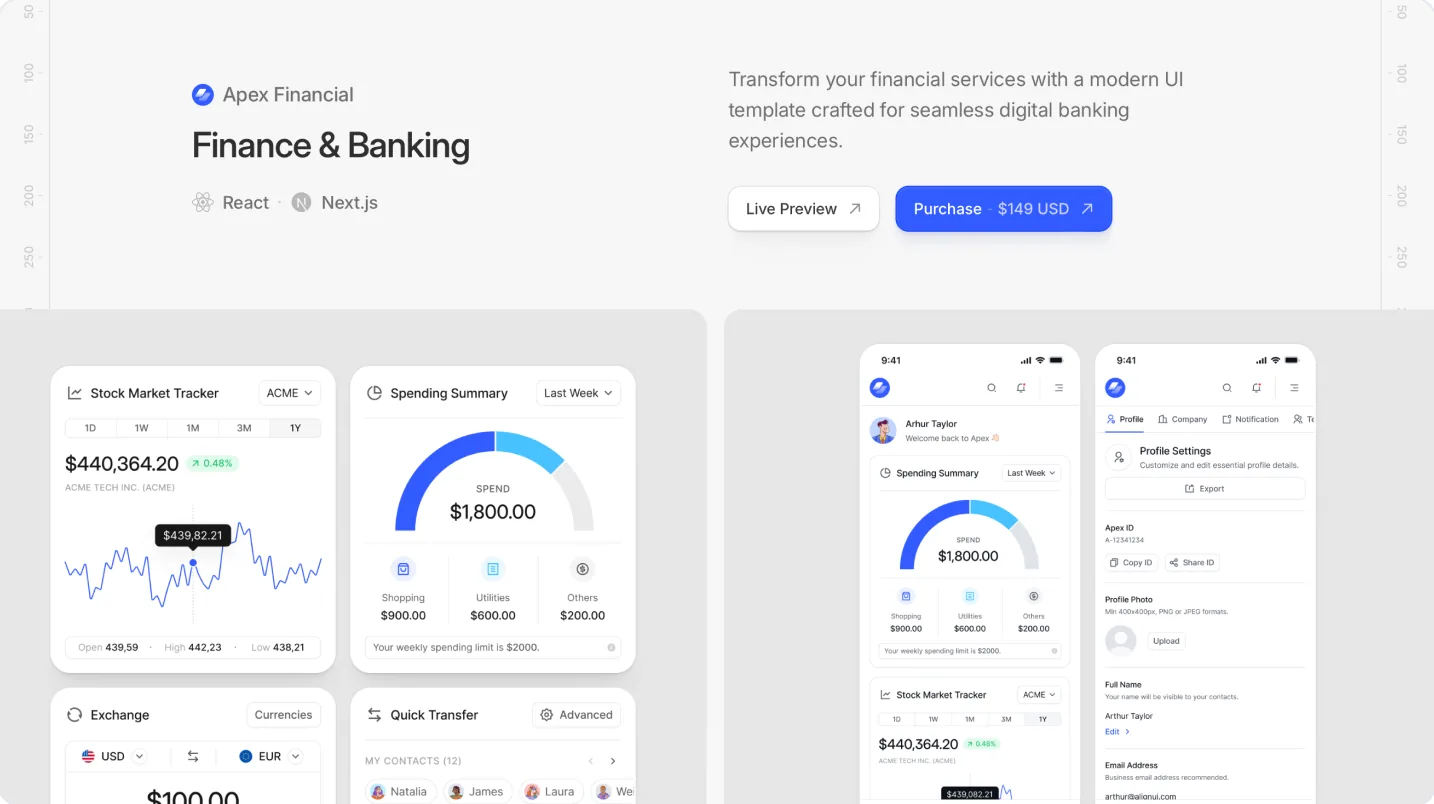
A sector template from AlignUI Pro with My Cards, Transactions, a four-step send-money flow, 4 authentication screens and 7 settings screens. The page lists 14 widgets in its navigation and “over 25” in the description. It supports light and dark mode, and the code uses React, Next.js, Tailwind CSS and Recharts.
- Watch out for: investing and trading screens aren’t listed; it’s built around cards and payments.
- Price: $149 one-time; $299 for all current and future templates. Team licences on request.
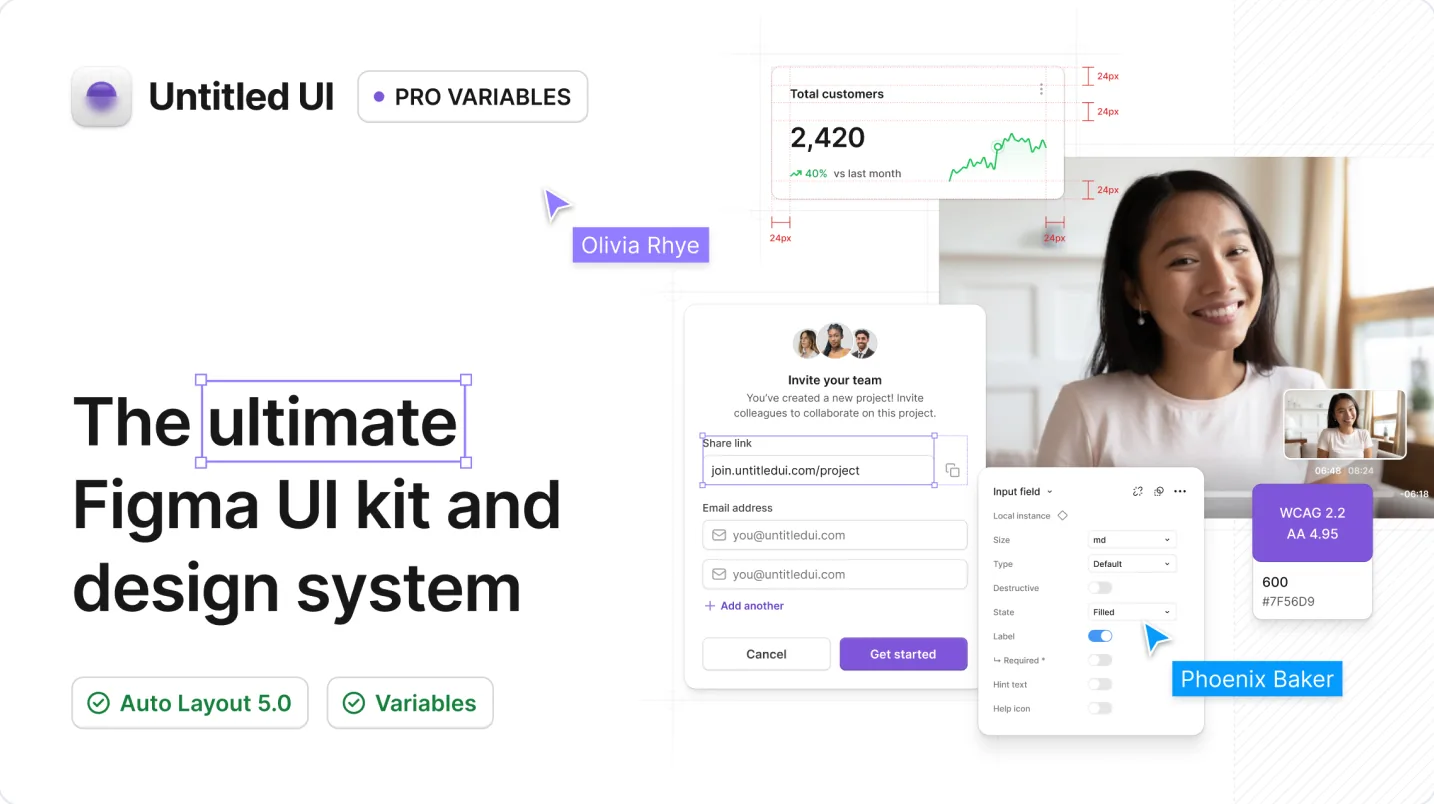
3. Untitled UI
Use it if finance is one part of a bigger SaaS product and you need the rest of the product too.
A general design system with 10,000+ components and variants, 420+ page examples and 60 dashboard examples. The PRO VARIABLES version switches to dark mode with variables, and a React library is sold separately.
- Watch out for: finance flows and a shared dataset aren’t the focus, so you’d design those yourself.
- Price: free Figma version; PRO Figma from $129 for one user, $399 for up to 8.
4. shadcn/ui kit for Figma
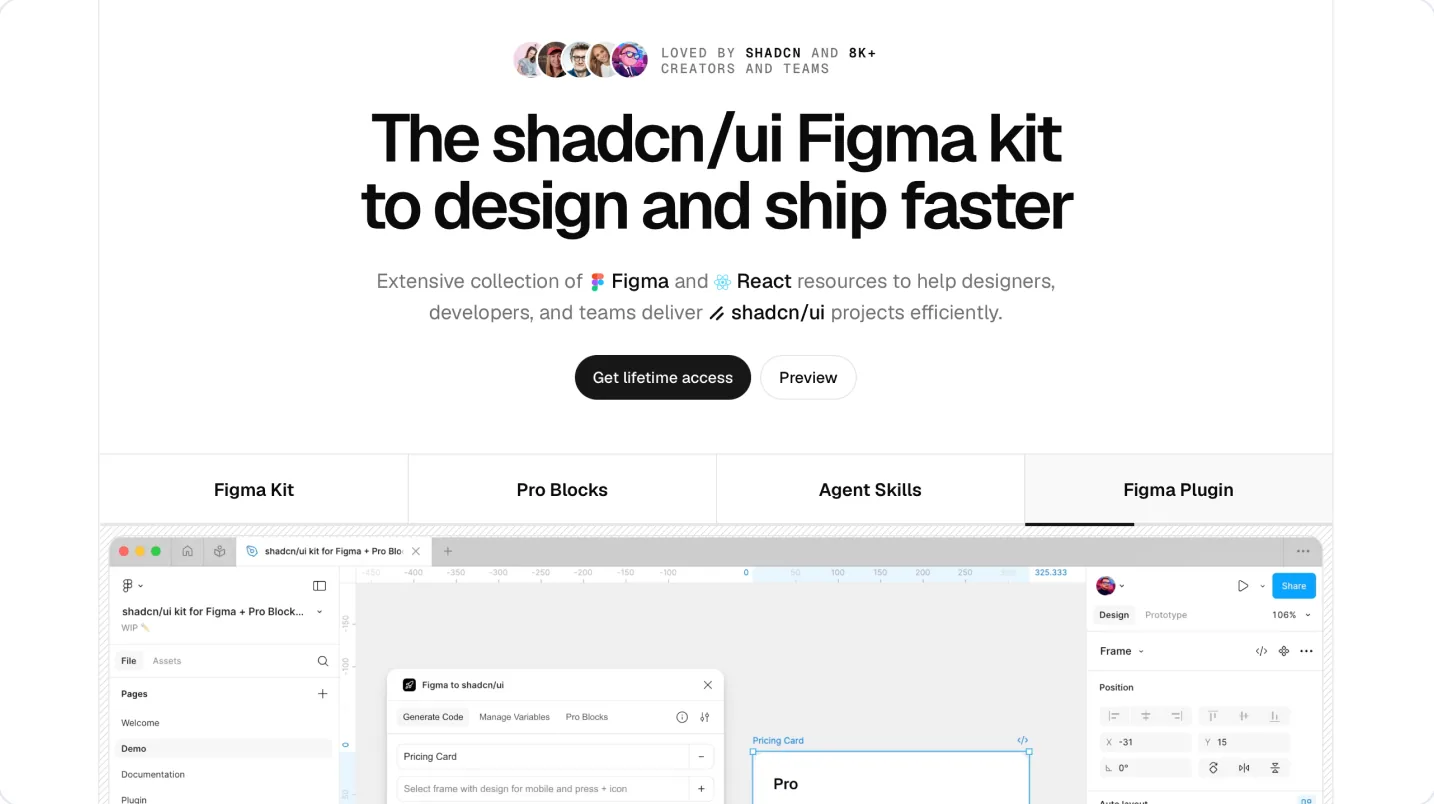
Use it if your developers build on shadcn/ui and you want the Figma file to match it one to one.
A Figma version of shadcn/ui with theming variables, light and dark mode, and charts and graphs. Many finance products now start from shadcn/ui, so designing in the same components shortens the handoff.
- Watch out for: it’s a component kit, not finance screens. Dashboards, flows and realistic data are yours to design. Code access costs extra.
- Price: from $119 per user.
5. Ant Design System for Figma
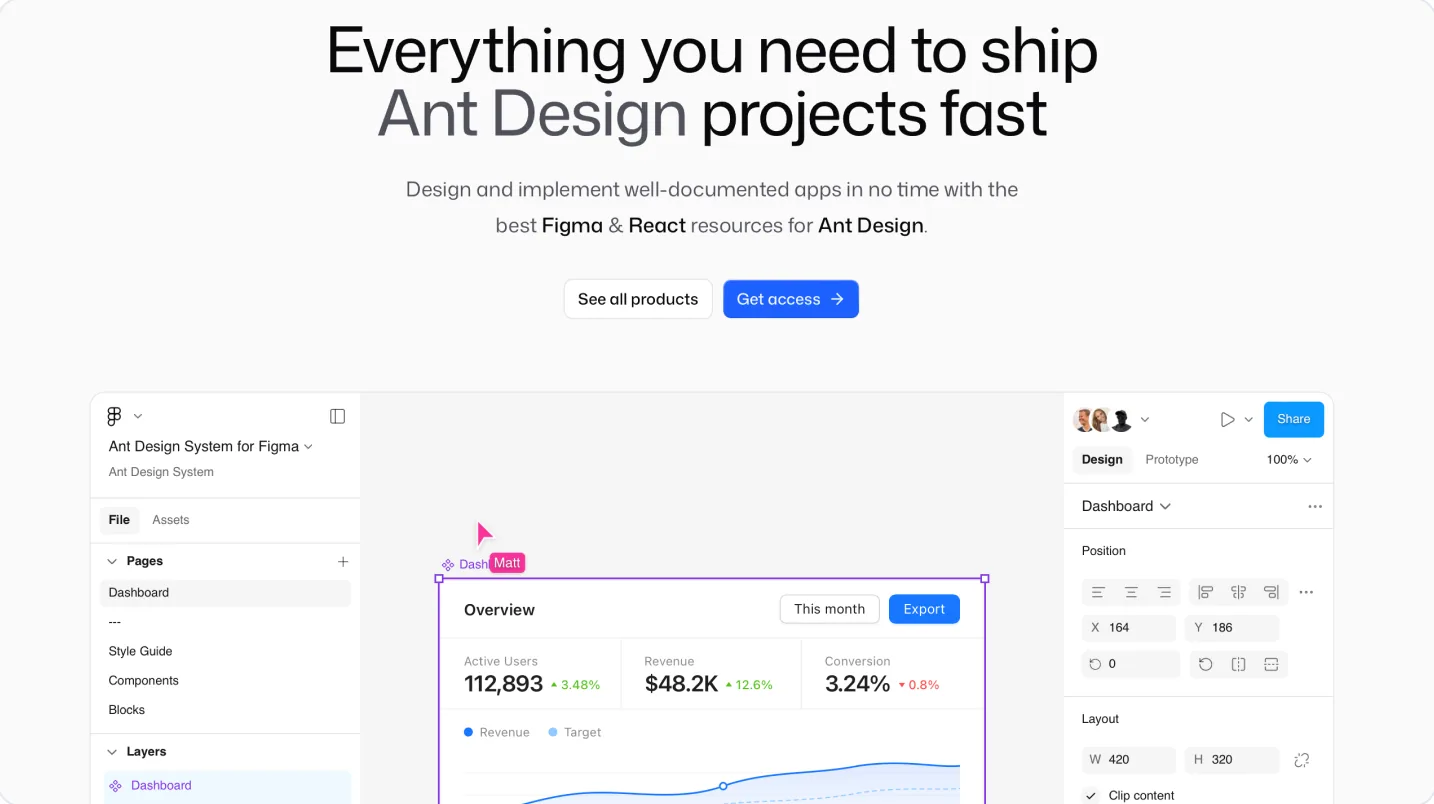
Use it if you’re designing a data-heavy back office or admin tool on Ant Design.
A Figma kit based on Ant Design, the React library widely used for dense enterprise interfaces. The $299 and $549 bundles add Ant Design Charts, useful for reporting and analytics screens.
- Watch out for: its look is recognisably Ant Design, and consumer-facing finance apps usually need more brand work.
- Price: from $149 per user; $299 and $549 bundles.
6. Microsoft Fluent 2
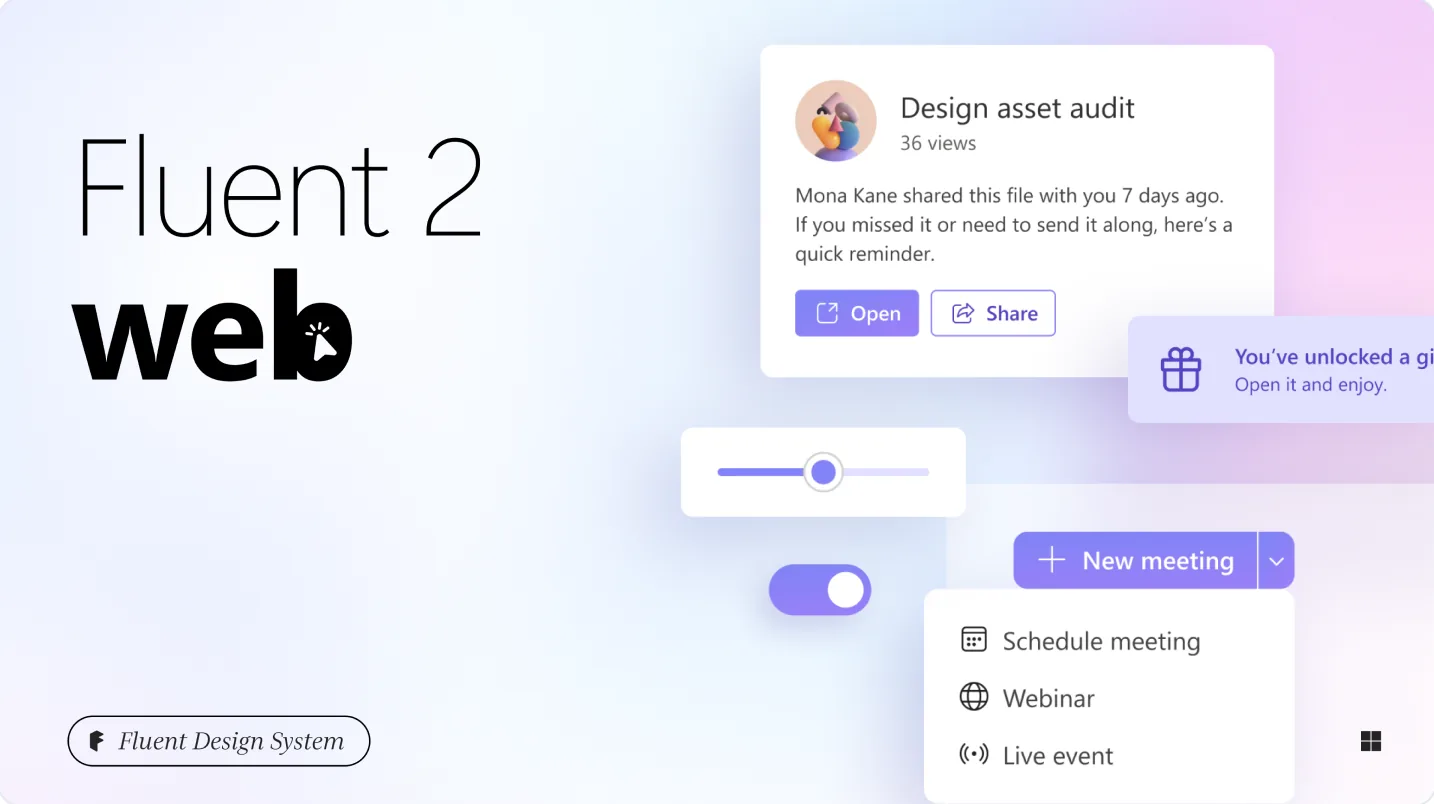
Use it if you need a free, well-structured system for an internal finance or operations tool.
Microsoft’s design system on Figma Community, with global and alias variables, dark mode, and components that map to Fluent UI React.
- Watch out for: it’s built for Microsoft-style enterprise apps, with no finance screens. Expect a Microsoft look unless you rebrand it.
- Price: free.
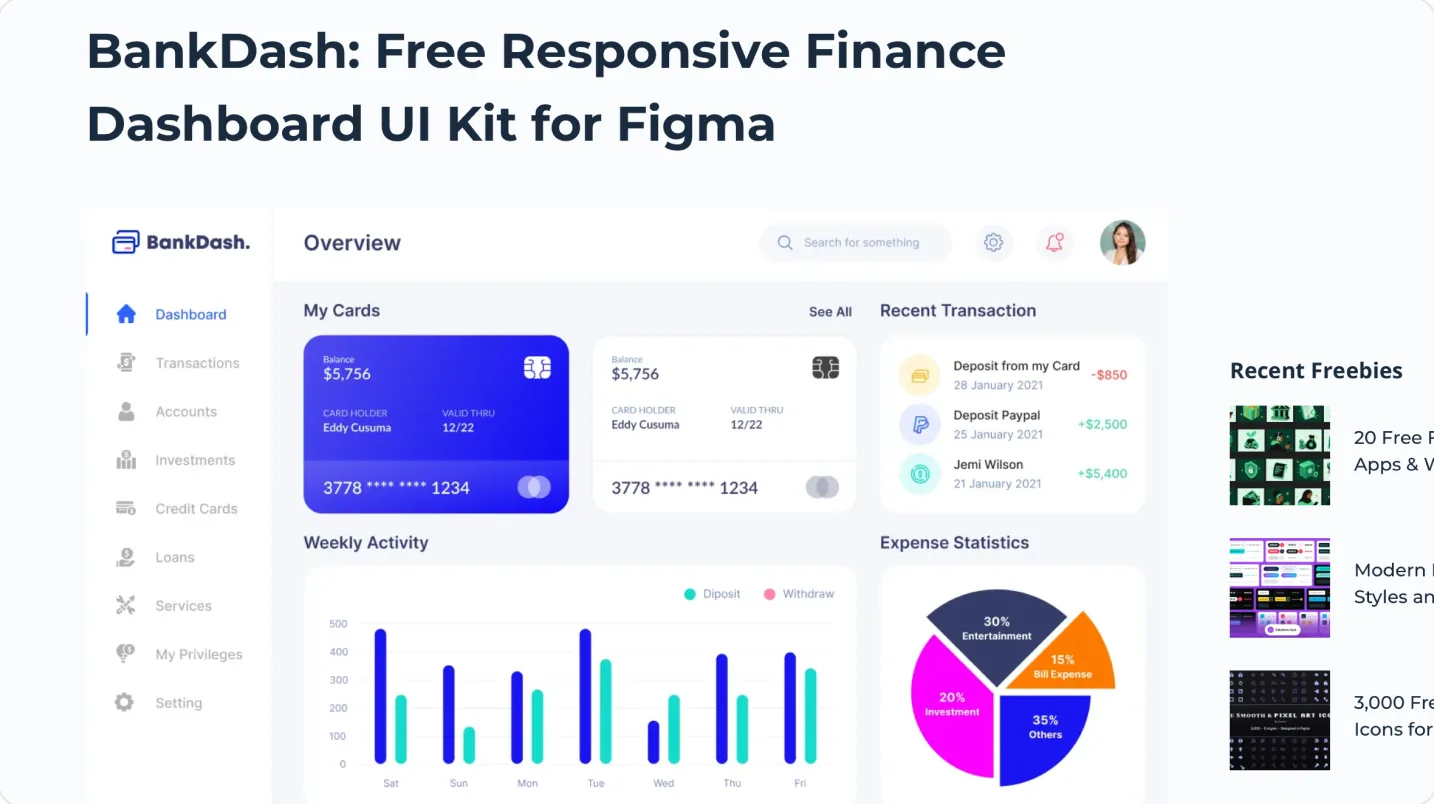
7. BankDash
Use it if you want a free, responsive finance dashboard to learn from or prototype with.
Created by Divus Motion and listed on TitanUI: 120+ components, 200+ icons, Auto Layout for responsive layouts, and design tokens for type, colour and an 8px spacing scale. Also available for Adobe XD and Sketch.
- Watch out for: listed as free for personal projects, so check the licence before client or commercial work. Dark mode isn’t mentioned.
- Price: free.
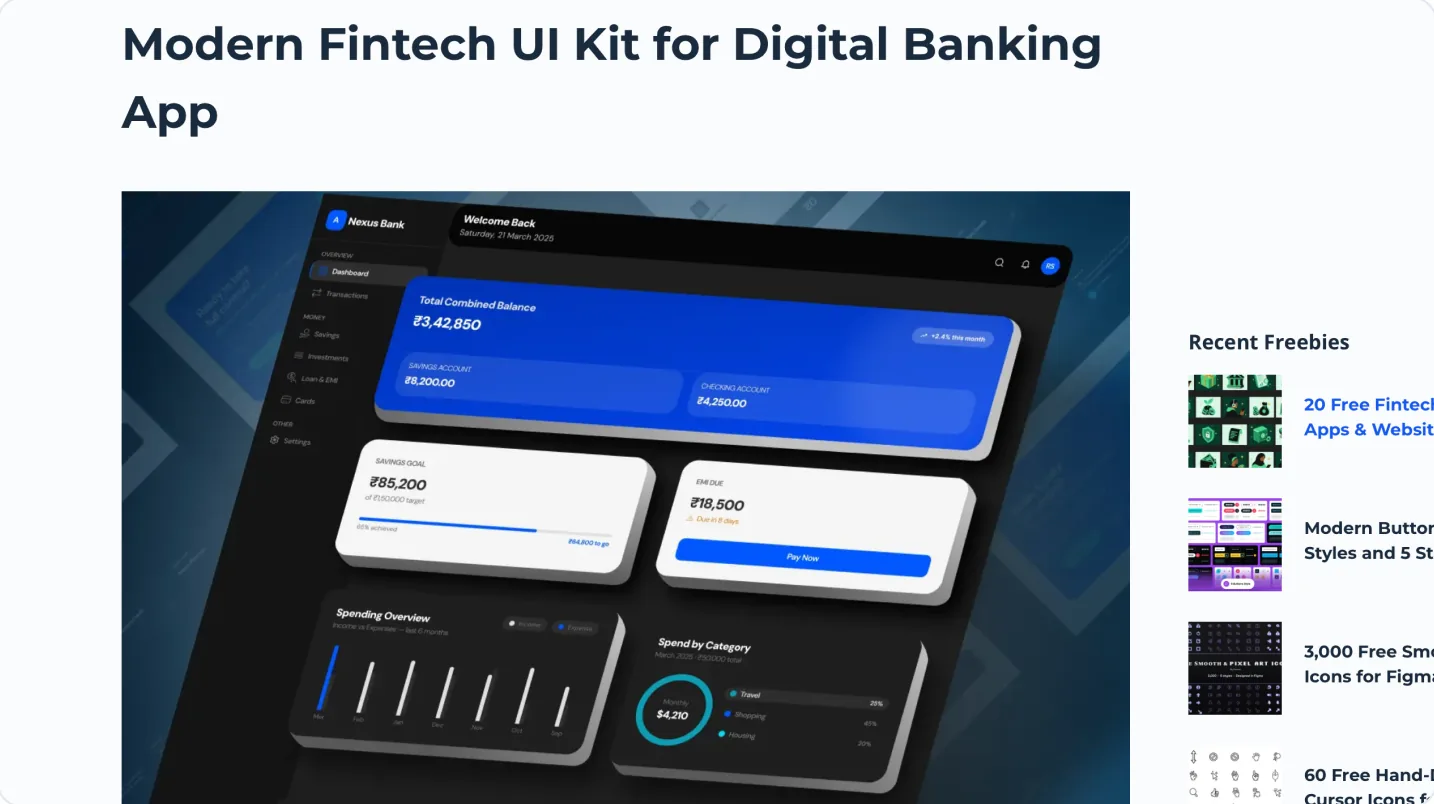
8. Modern Fintech UI Kit
Use it if you’re exploring a digital banking concept and want broad flows for free.
Created by Snigdha and listed on TitanUI, published June 2026. Flows cover a dashboard, transactions, investments, savings, loans, a landing page and authentication, built with reusable components.
- Watch out for: free for personal projects only. Screen count and dark mode aren’t stated.
- Price: free.
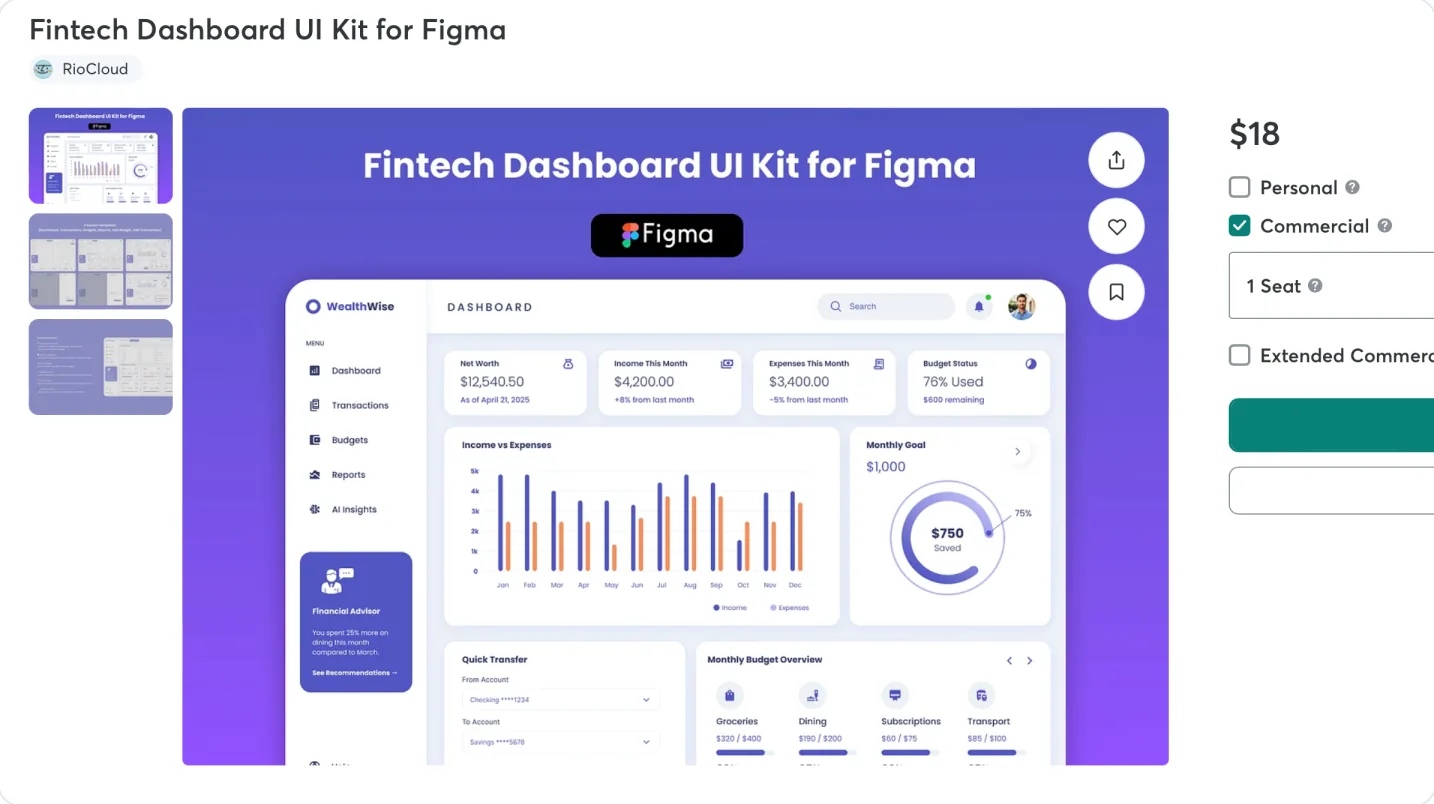
9. RioCloud Fintech Dashboard UI Kit
Use it if you want a low-cost paid starting point for a fintech dashboard.
Sold on Creative Market and described as a “modern and clean fintech dashboard UI kit” for SaaS startups, personal finance tools and mobile banking. Last updated 23 June 2025.
- Watch out for: the listing doesn’t state screens, components, dark mode or variables, so preview it before buying.
- Price: from $15; $18 with a commercial licence.
A five-minute fintech test for any kit
Before buying any kit, open its preview or free version and run these checks. They catch what a gallery of screenshots hides.
- 1. Add up the dashboard. Does the total equal the holdings or accounts listed below it? Does the same figure appear on the detail screens?
- 2. Look at a column of amounts. Do the digits line up? If not, the money styles aren’t using tabular figures.
- 3. Find the colours on money. Are green and red used only for gains and losses, or also for buttons and badges?
- 4. Switch to dark mode. Does it switch through a mode, or is dark a second set of screens to maintain?
- 5. Follow one flow end to end. Sign-up to verification to first deposit. Missing steps are screens you’ll draw yourself.
- 6. Read the licence. “Free for personal use” doesn’t cover client work or a commercial product.
Which kit for your project
| Project | Start from | Why |
|---|---|---|
| Investing or brokerage app | Viola UI | Portfolio, holdings, fund pages and trade ticket share one dataset |
| Trading platform | Viola UI | Markets, order entry and P&L conventions are already designed |
| Banking or payments web app with code | AlignUI Finance & Banking | Cards, transactions and send-money flow, with React code |
| Product already built on shadcn/ui | shadcn/ui kit for Figma | Design in the same components developers use |
| Back office, risk or reporting tool | Ant Design System for Figma | Dense tables and forms, charts in the bundles |
| Internal tool on a zero budget | Microsoft Fluent 2 | Free, with variables and dark mode |
| SaaS product with a billing or revenue page | Untitled UI | Finance is one feature; you need the rest of the product |
| AI features in a finance product | Viola UI | AI components with rules for sourcing and no financial advice |
| Student project or concept | BankDash or Modern Fintech UI Kit | Free for personal use |
| Investor demo on a tight budget | Viola UI | $49, and the numbers hold up when someone checks them |
Weighing Viola UI against Untitled UI in more detail? Read Viola UI vs Untitled UI for a finance dashboard.
FAQ
What is the best Figma UI kit for fintech?
For investing, trading or portfolio products designed in Figma, Viola UI. For a banking web app that needs React code, AlignUI’s Finance & Banking template. For a SaaS product where finance is one feature, Untitled UI.
Is there a free fintech UI kit for Figma?
Yes. BankDash and the Modern Fintech UI Kit are free for personal projects, and Viola UI has a free version for personal and commercial projects with the portfolio dashboard in light and dark.
Can I use a free fintech kit for client work?
Only if its licence allows it. BankDash and the Modern Fintech UI Kit are listed as free for personal projects. Viola UI’s free version allows personal and commercial projects, including client work.
Which fintech kits include code?
AlignUI ships React, Next.js and Tailwind code with its template. Untitled UI sells a React library. The shadcn/ui kit matches shadcn/ui, Ant Design’s kit is based on Ant Design for React, and Fluent 2 maps to Fluent UI React. Viola UI is Figma only, with tokens named to match Tailwind and shadcn.
Do these kits work on a free Figma plan?
You can open them and use the screens. For kits built on variable modes, switching light and dark works on a free plan, while editing the values in each mode needs a paid plan.
What should a fintech kit include that a general kit doesn’t?
Finance flows like verification and transfers, data that agrees across screens, tabular figures on amounts, and colour rules that keep green and red for gains and losses.
Sources
- AlignUI Finance & Banking template, read 14 October 2026
- AlignUI Figma, read 14 October 2026
- Untitled UI and pricing, read 13 October 2026
- BankDash on TitanUI, read 14 October 2026
- Modern Fintech UI Kit on TitanUI, read 14 October 2026
- RioCloud Fintech Dashboard UI Kit on Creative Market, read 14 October 2026
- Untitled UI: Figma UI kits roundup, read 14 October 2026 (source for shadcn/ui kit, Ant Design and Fluent 2)

WRITTEN BY
Kseniya Savitsyna
Product designer working on fintech & AI products, and the designer behind Viola UI.