Everything you’d ship,
already designed
All 45 desktop screens in Viola UI, each designed in light and dark: 90 frames built on one reconciling dataset. The portfolio total is €48,203.11 on every screen that shows it, and the cash ledger runs from a €4,124.16 opening balance to €3,872.16 wherever you look.
8 new screens in this release: four dashboard layouts and four settings pages.
Full changelog →Portfolio
4 screensThe home of the app: one account, one total, four ways to look at it.
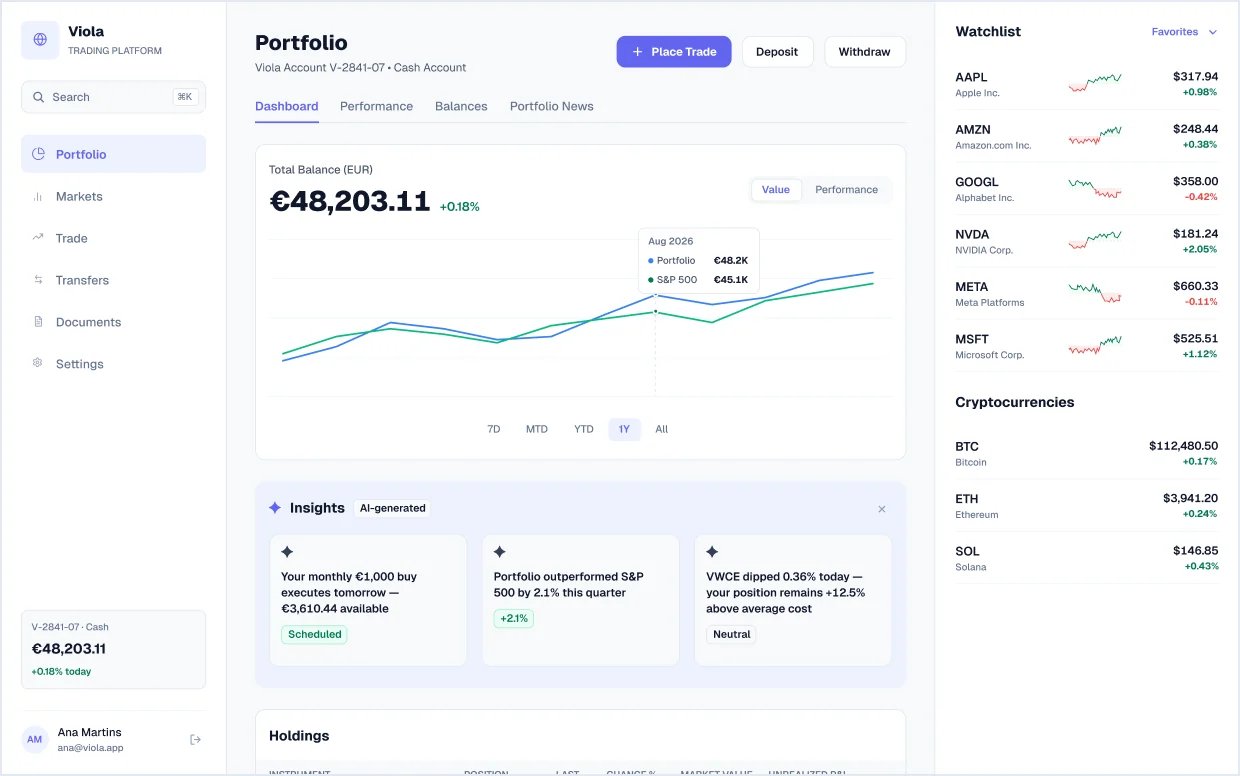
Portfolio dashboard
Total balance charted against the S&P 500, an AI insights strip, holdings and cash tables, and a watchlist with sparklines and crypto prices.
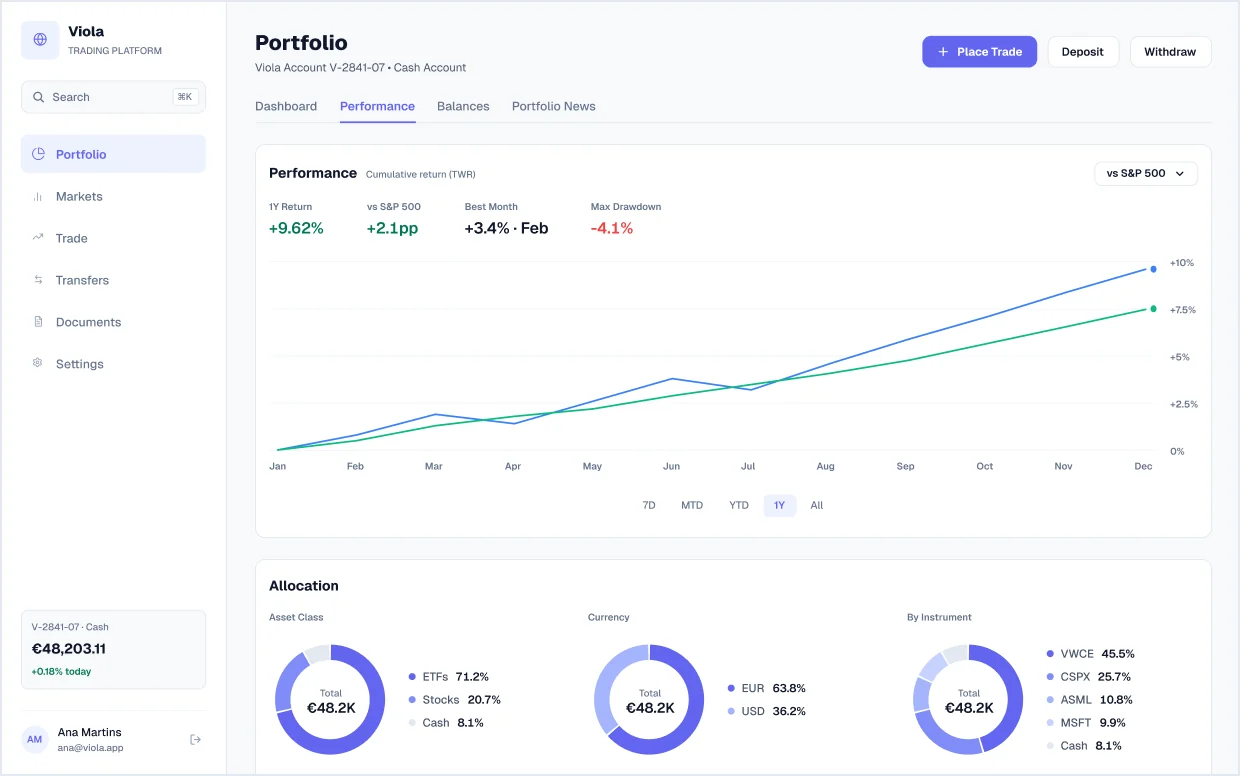
Performance
Cumulative time-weighted return versus the S&P 500 with 1-year return, best month and max drawdown, plus allocation donuts by asset class, currency and instrument.
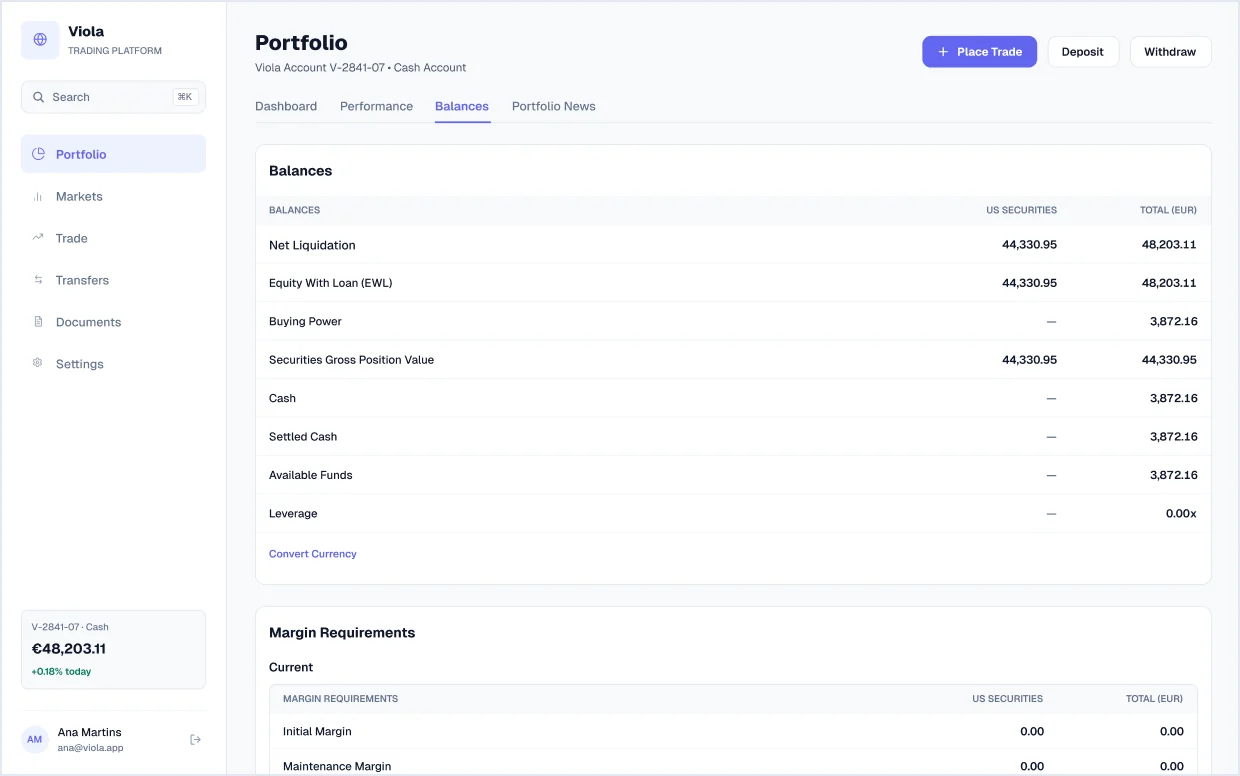
Balances
Net liquidation, buying power, settled cash and leverage, with current and overnight margin requirements. All margin figures read 0.00, because it is a cash account.
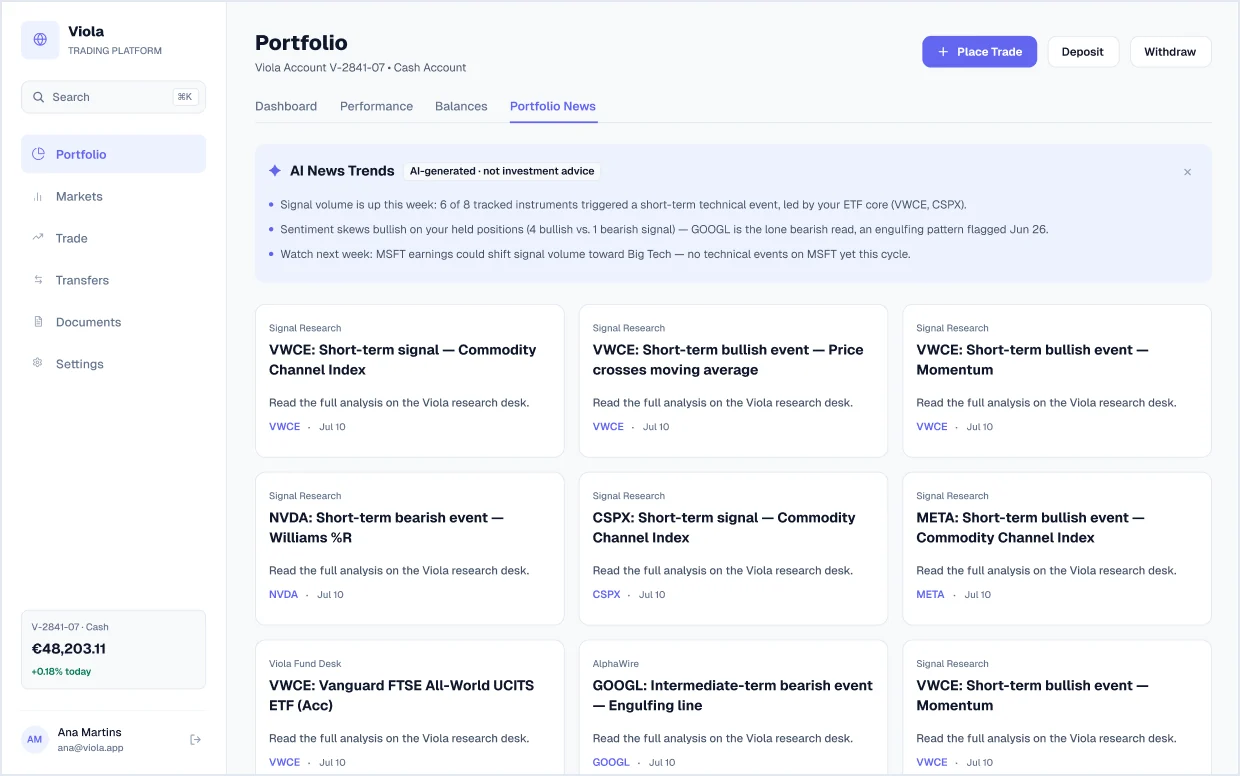
Portfolio news
An AI news-trends summary, labelled as not investment advice, above research and signal cards for each holding.
AI copilot
6 screensAn “Ask Viola” assistant panel that answers from the user’s own account, labels itself as AI, and never gives investment advice.
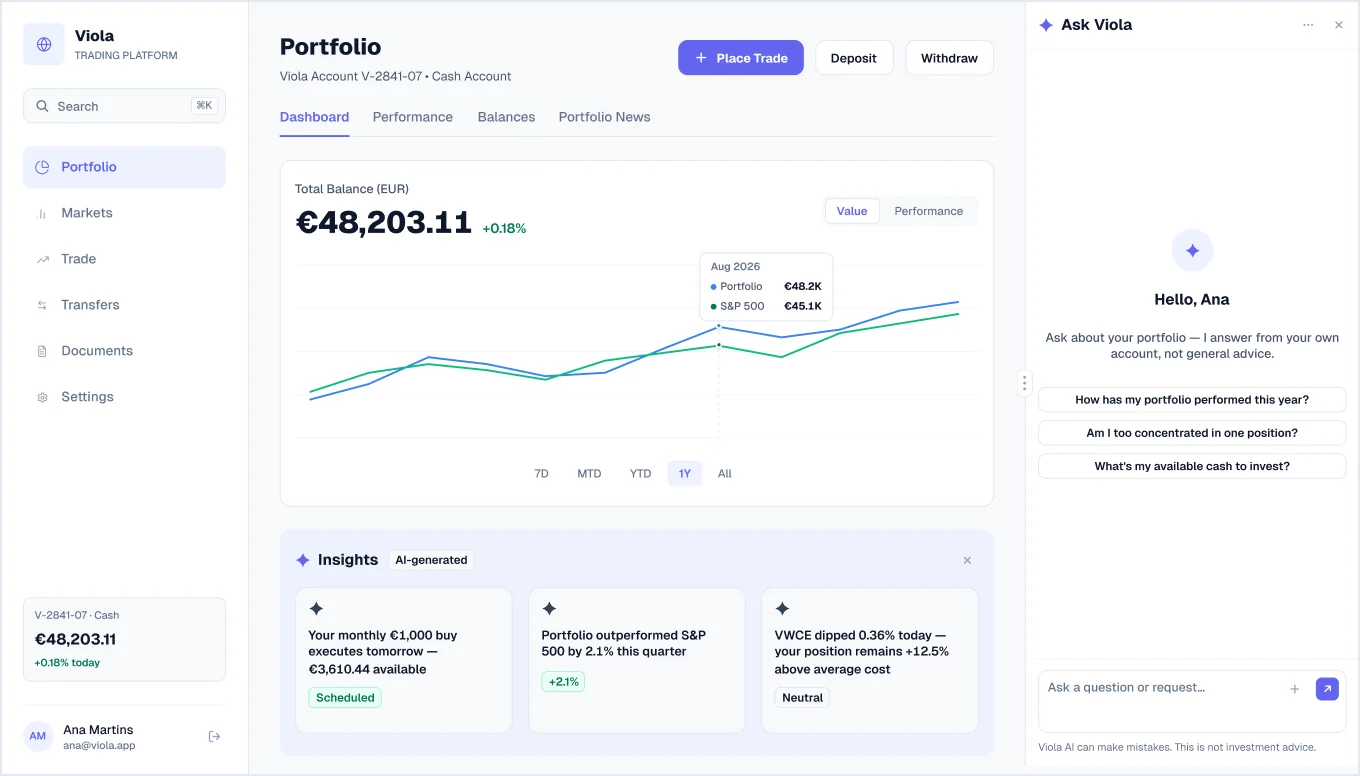
Copilot, welcome
The assistant panel beside the portfolio dashboard, with suggested questions to start from.
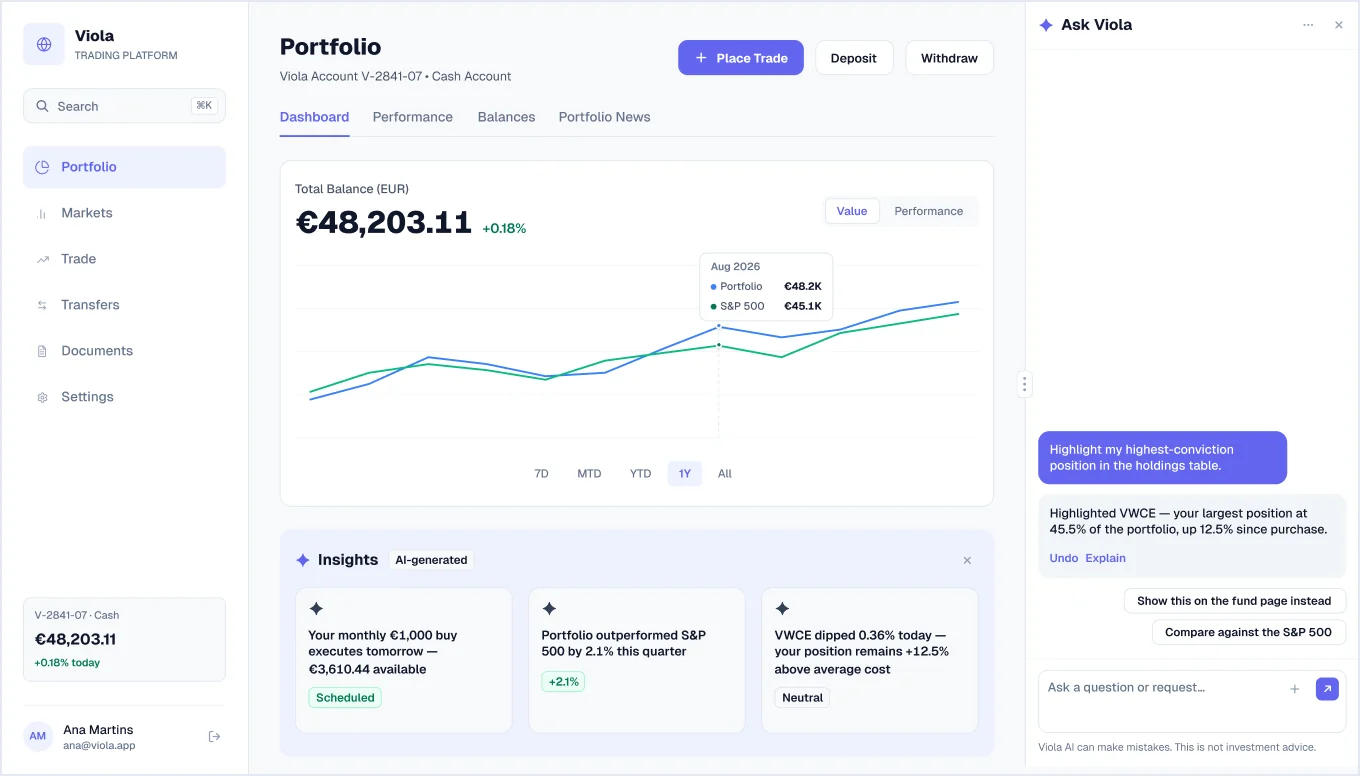
Copilot, action with undo
The assistant highlights a position in the holdings table on request, with Undo and Explain controls and follow-up suggestions.
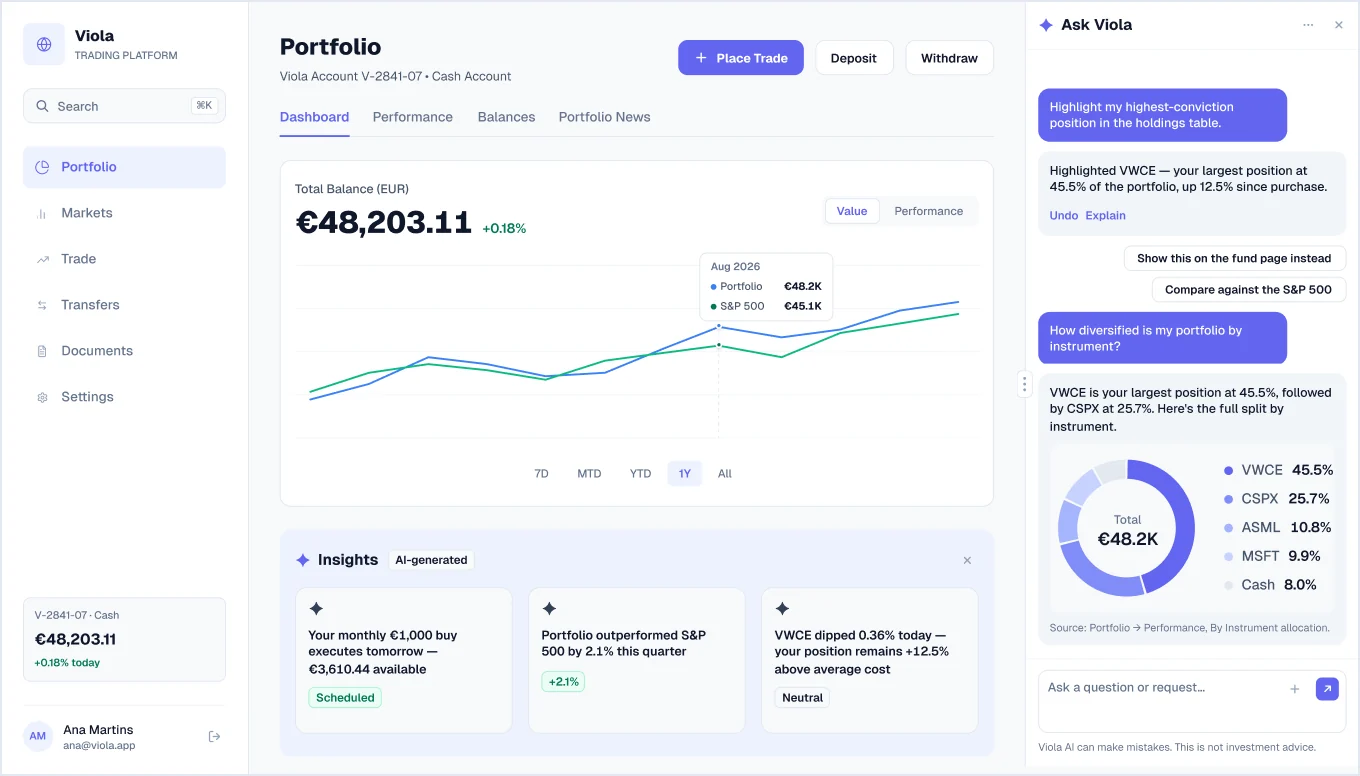
Copilot, chart answer
A follow-up question answered with an allocation donut and a note on where the data came from.
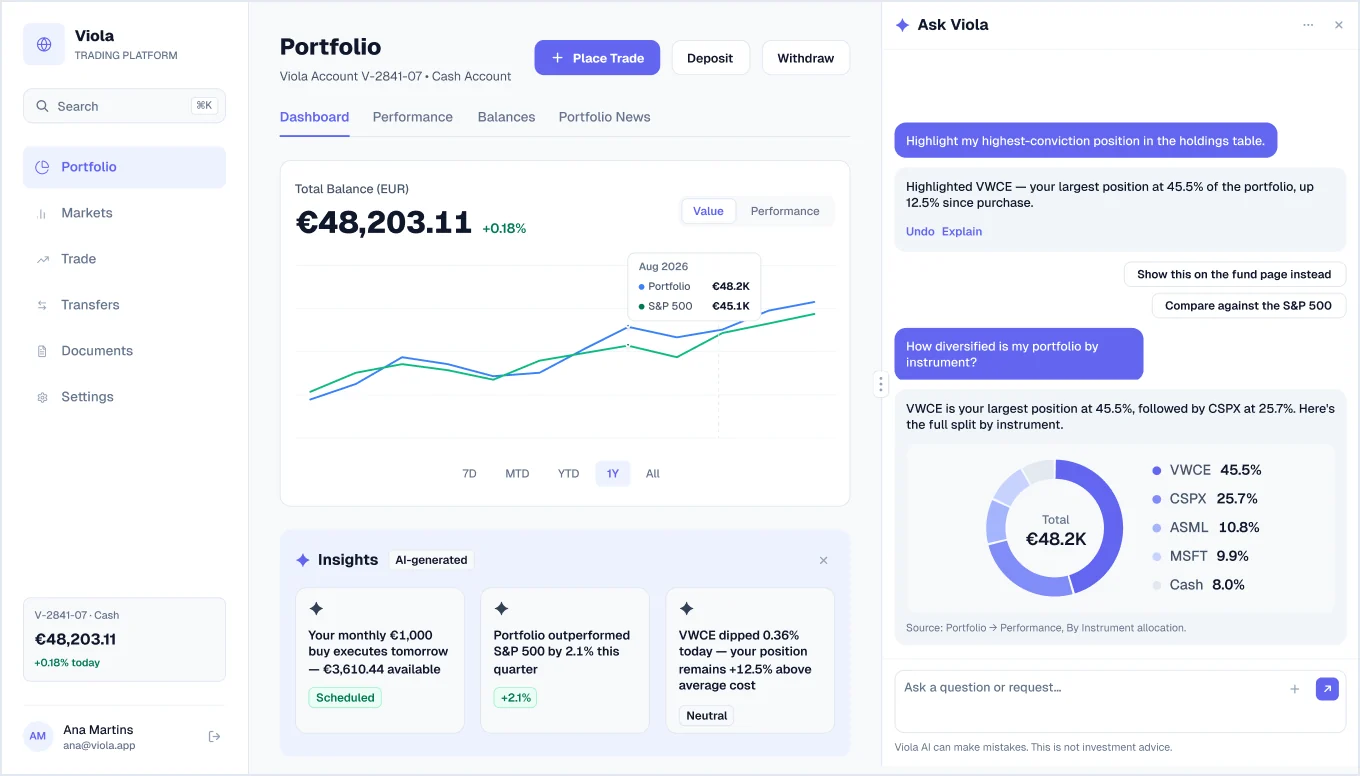
Copilot, wider panel
The same conversation with the panel dragged wider.
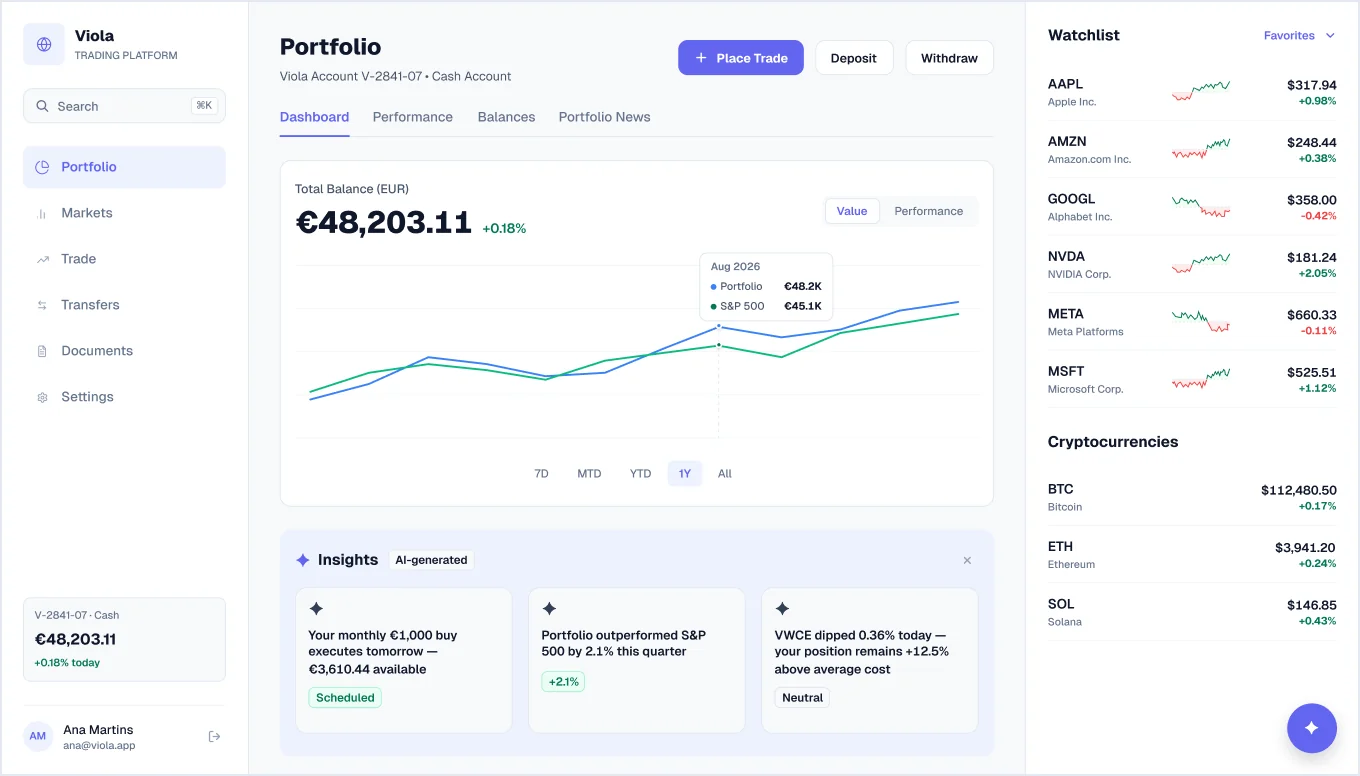
Copilot, collapsed
The panel closed to a floating button, giving the dashboard and watchlist the full width.
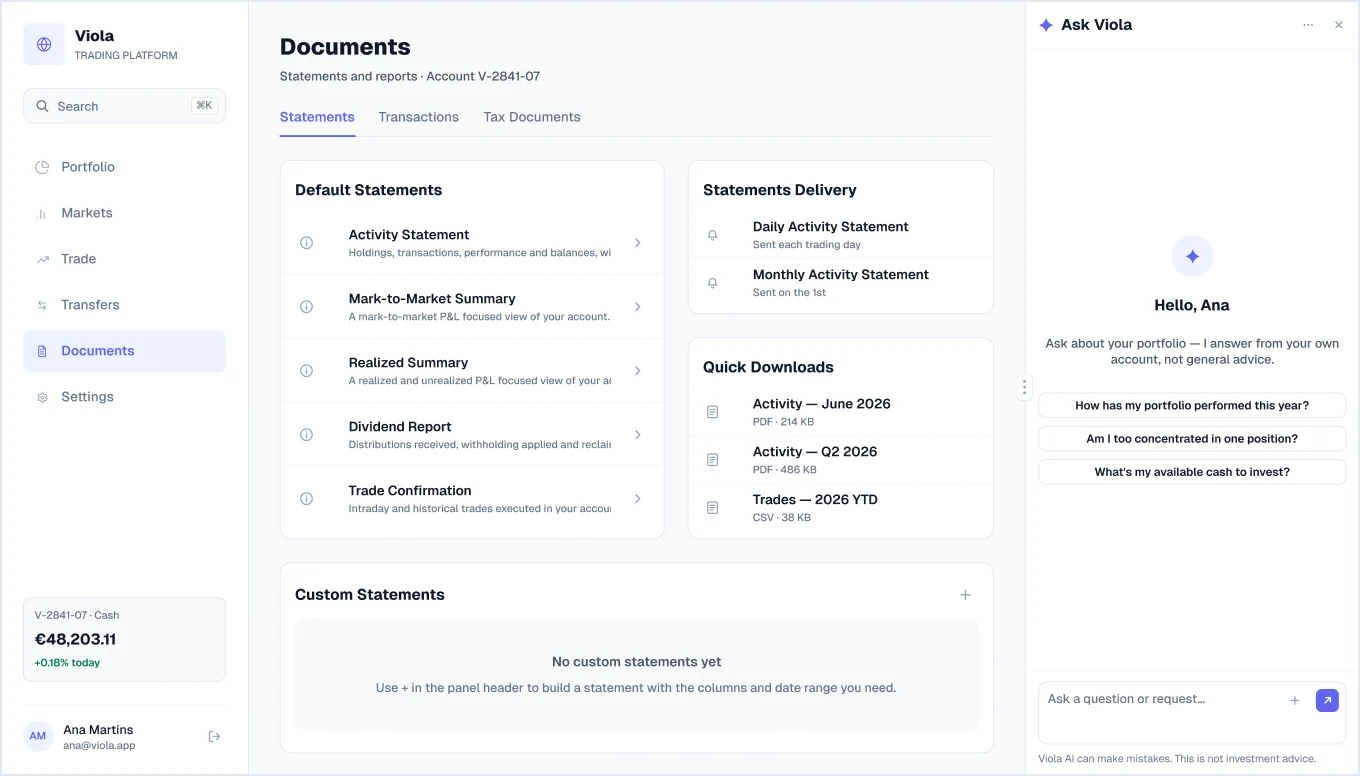
Copilot on Documents
The assistant opened on the Documents page, showing it works across the app.
Dashboards
5 screens · 4 newFive alternative dashboard layouts built from the same components and the same numbers.
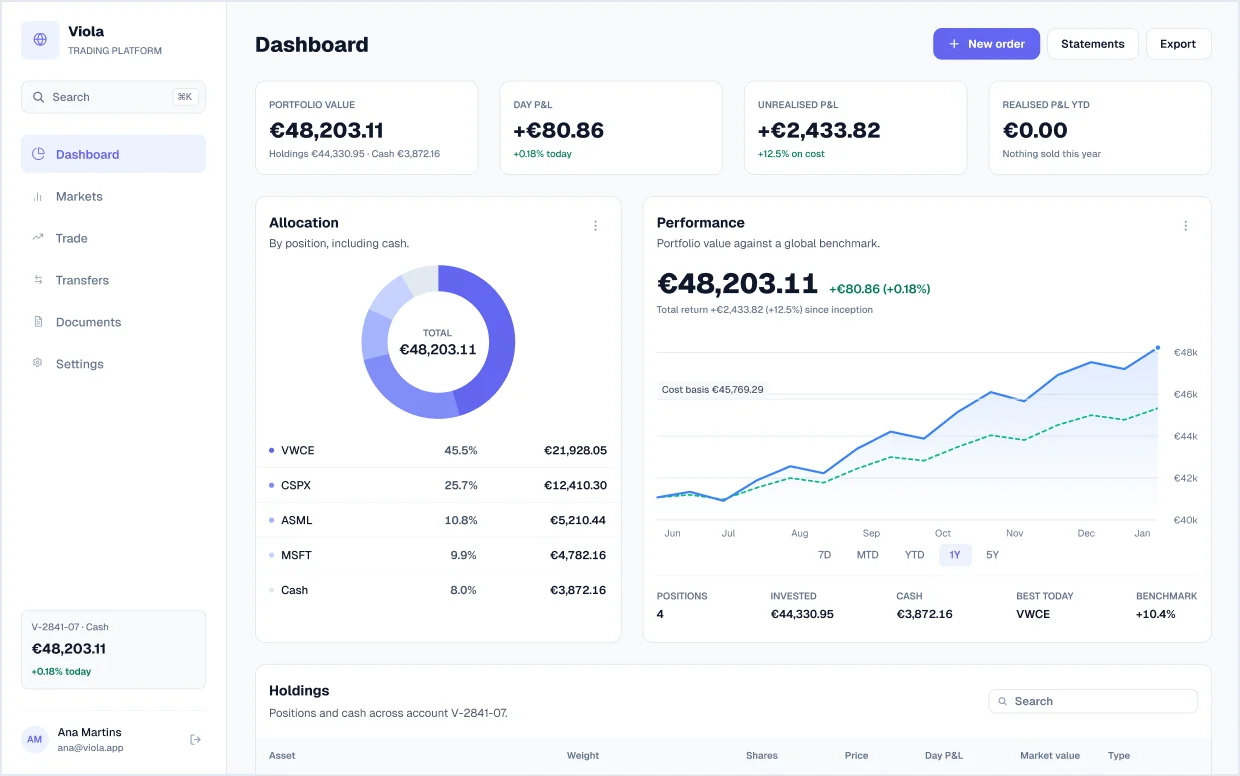
Summary dashboard
Headline KPI tiles, an allocation donut with per-position values, a performance chart against cost basis and benchmark, and a holdings table with weight bars.
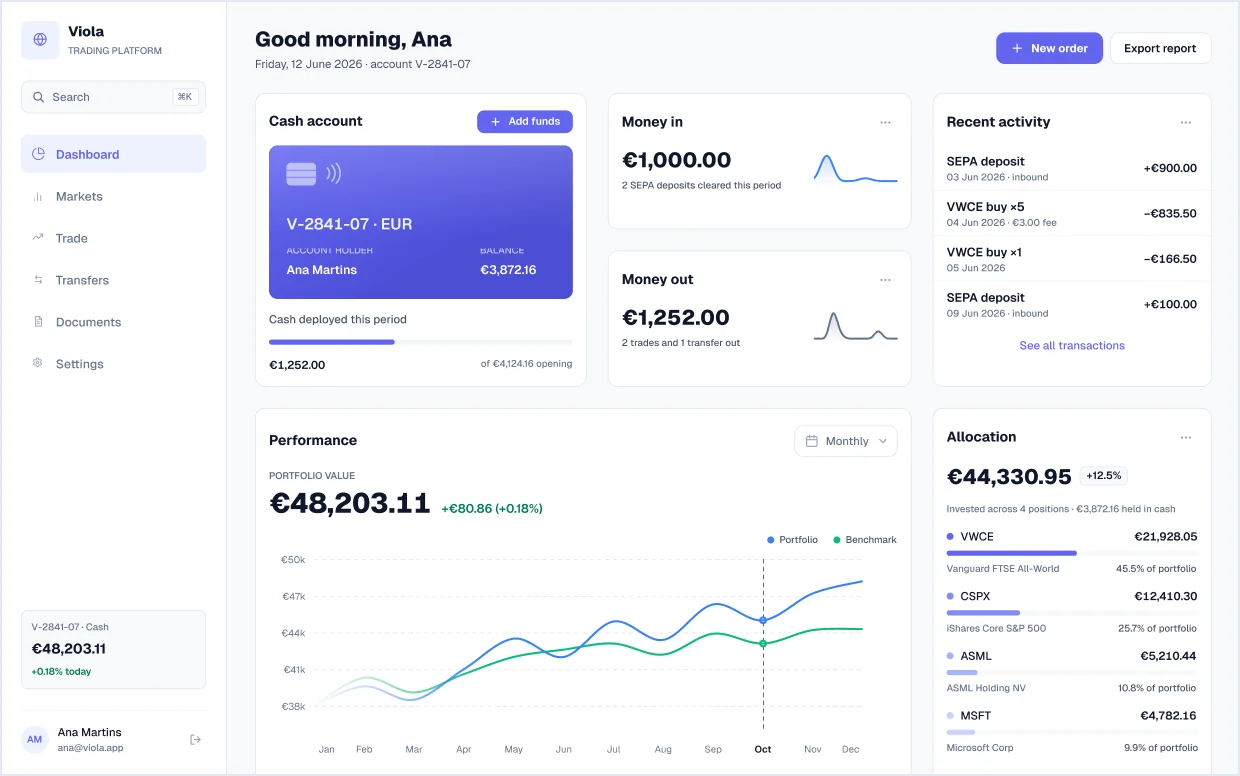
Home dashboard
New in v1.2A personal greeting with the cash account card, money in and money out, recent activity, monthly performance against a benchmark, and allocation by holding.
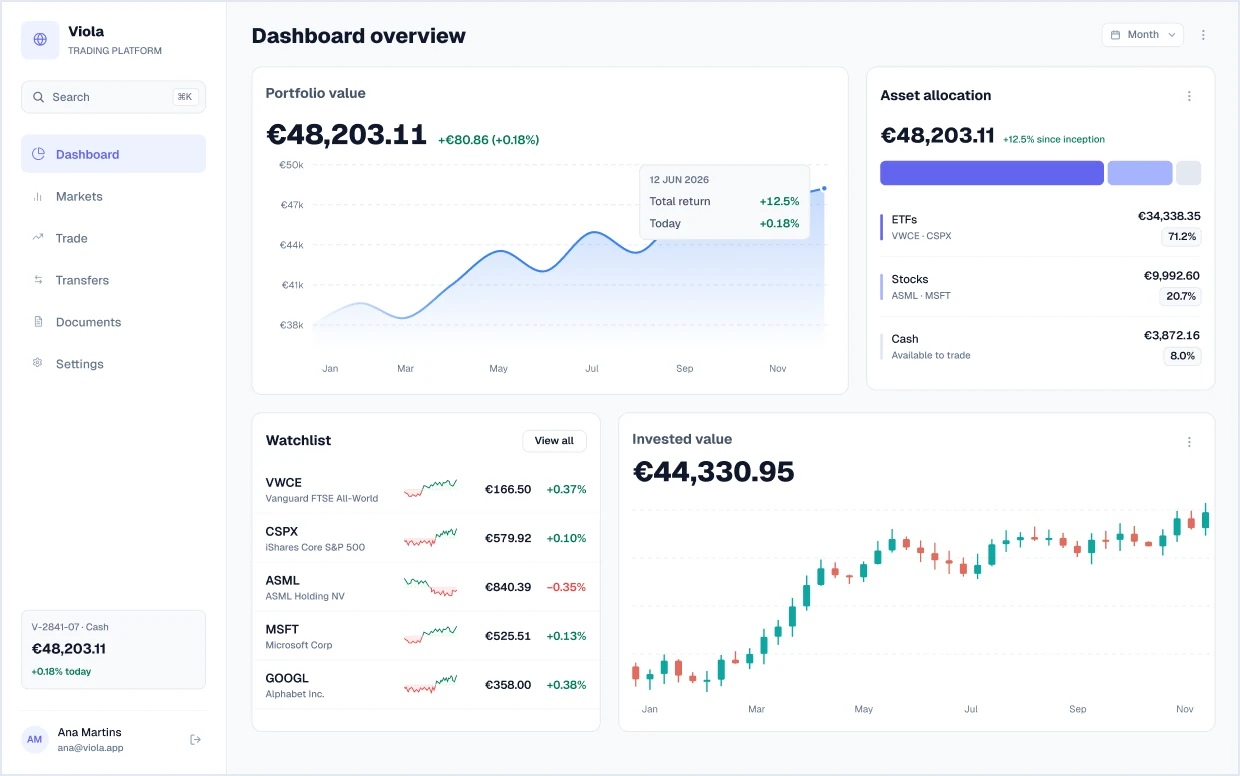
Dashboard overview
New in v1.2Portfolio value area chart, asset allocation split into ETFs, stocks and cash, a watchlist, and invested value as a candlestick chart.
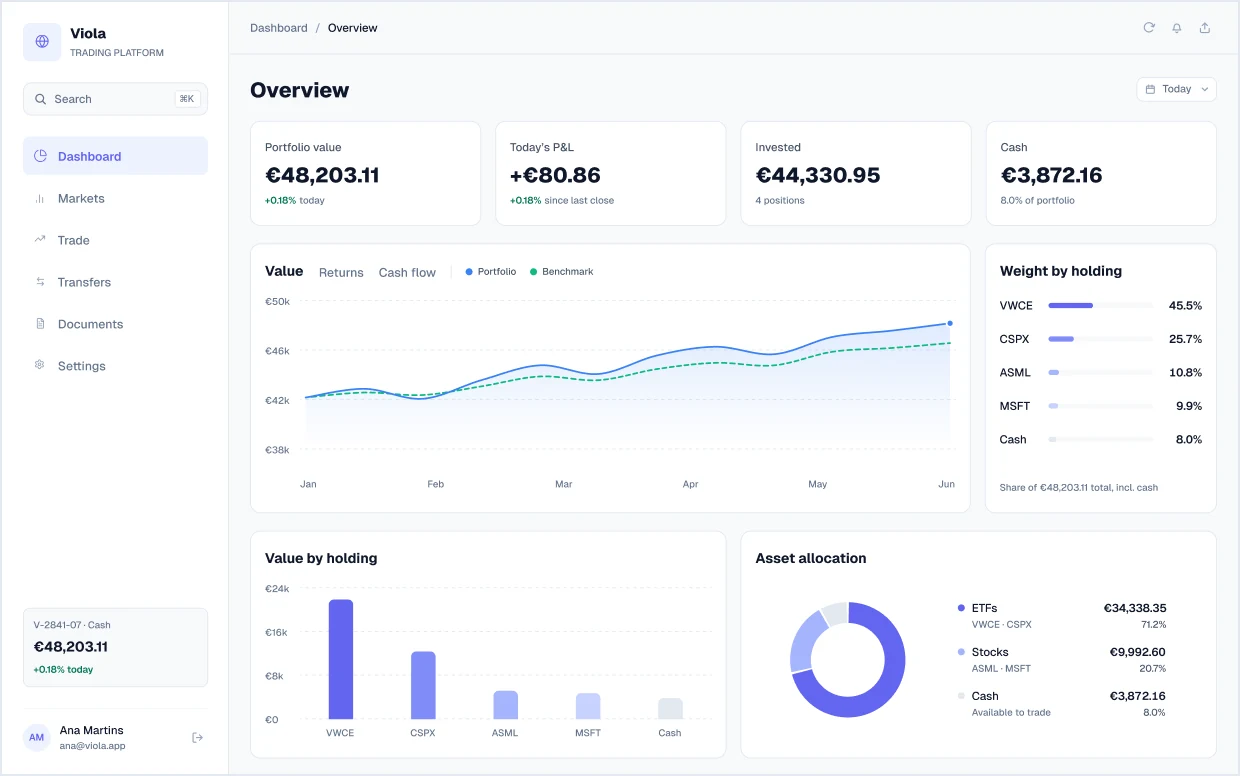
KPI overview
New in v1.2Four KPI tiles (portfolio value, today’s P&L, invested, cash), a value, returns and cash-flow chart, weight and value by holding, asset allocation and holdings.
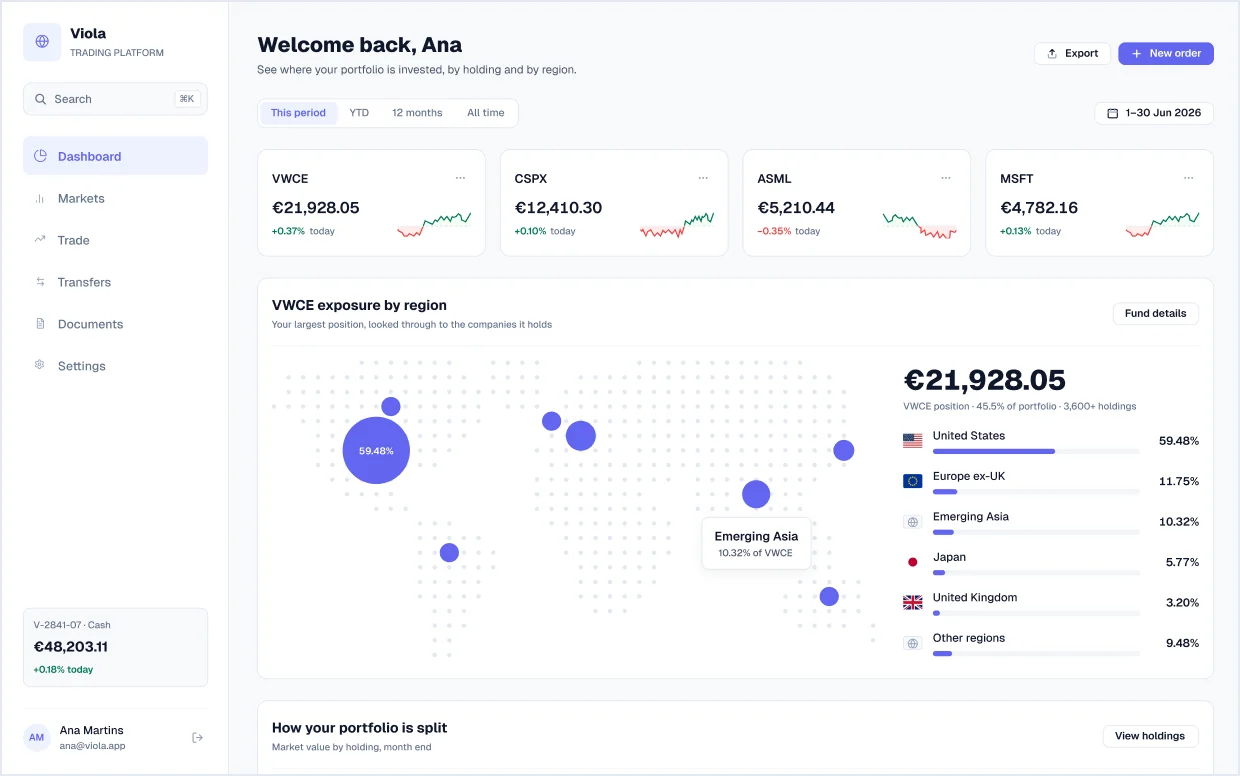
Exposure dashboard
New in v1.2Holding cards with sparklines, the largest position’s exposure by region on a dot map, and a month-by-month stacked chart of how the portfolio is split.
Fund page
5 screensA full instrument page for an ETF, from quote to fundamentals.
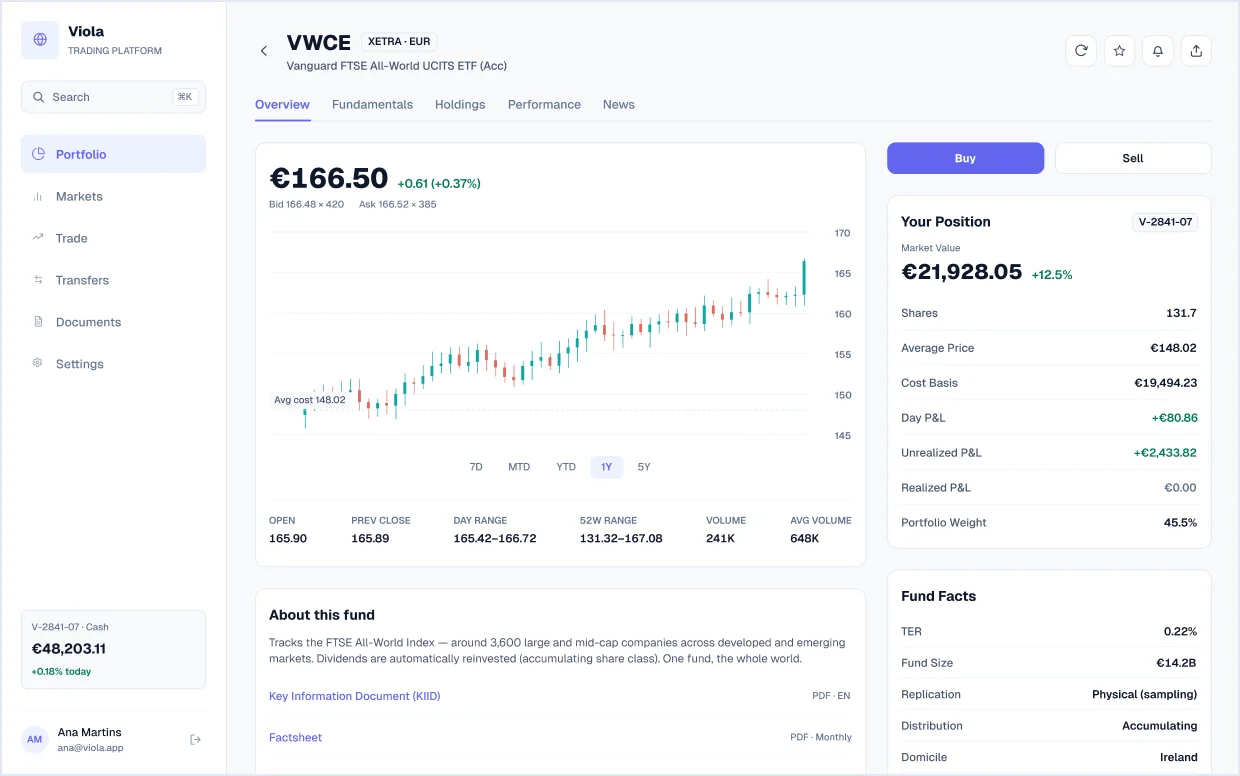
Fund overview
Quote with a candlestick chart and average-cost line, day and 52-week ranges, your position and P&L, fund facts (TER, size, domicile) and document links.
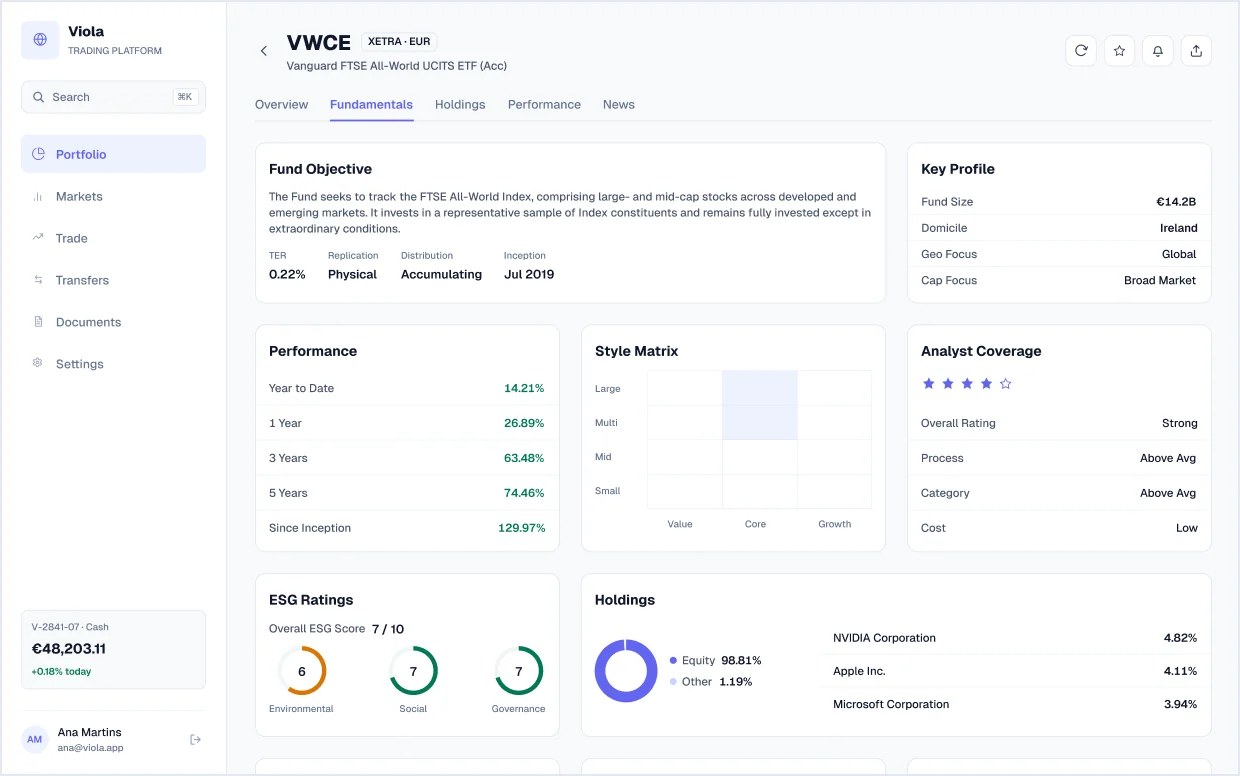
Fundamentals
Fund objective and key profile, trailing performance, a style matrix, analyst coverage, ESG ratings, risk statistics, key ratios and dividend policy.
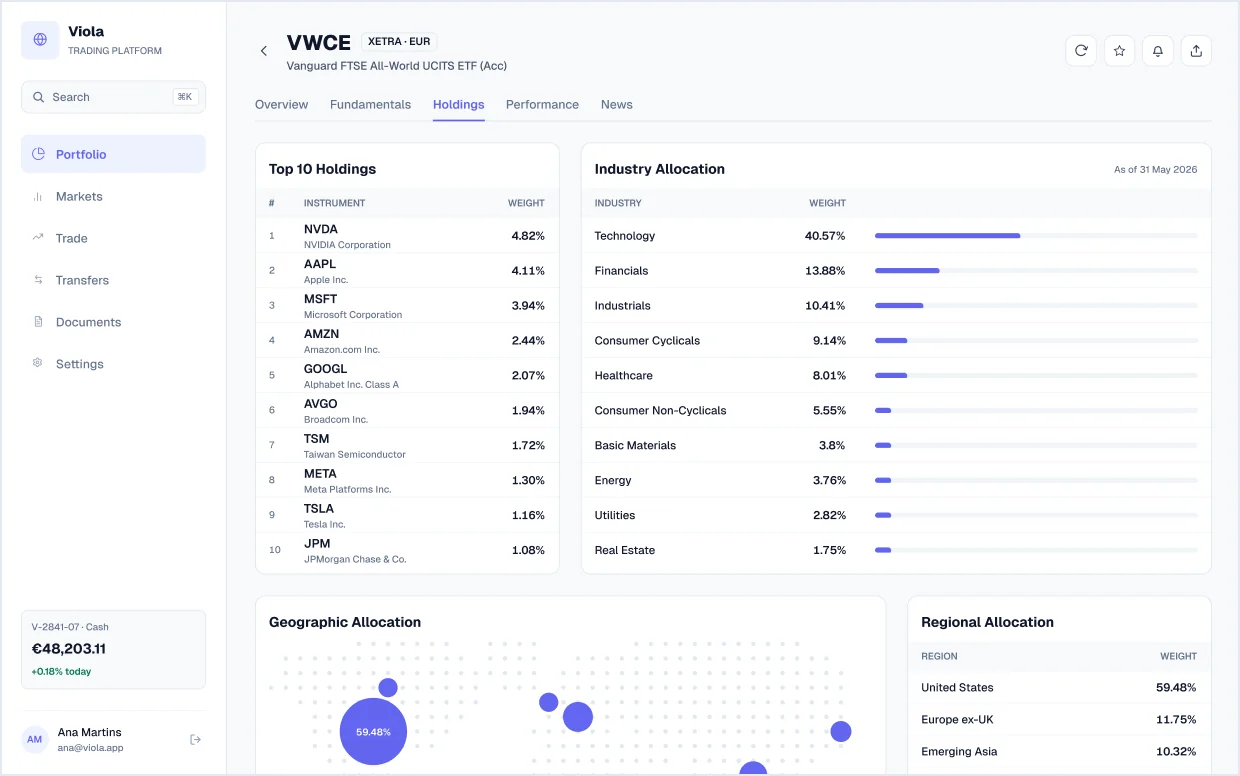
Fund holdings
Top 10 holdings, industry allocation bars, a geographic bubble map with regional weights, and country and currency allocation tables with flags.
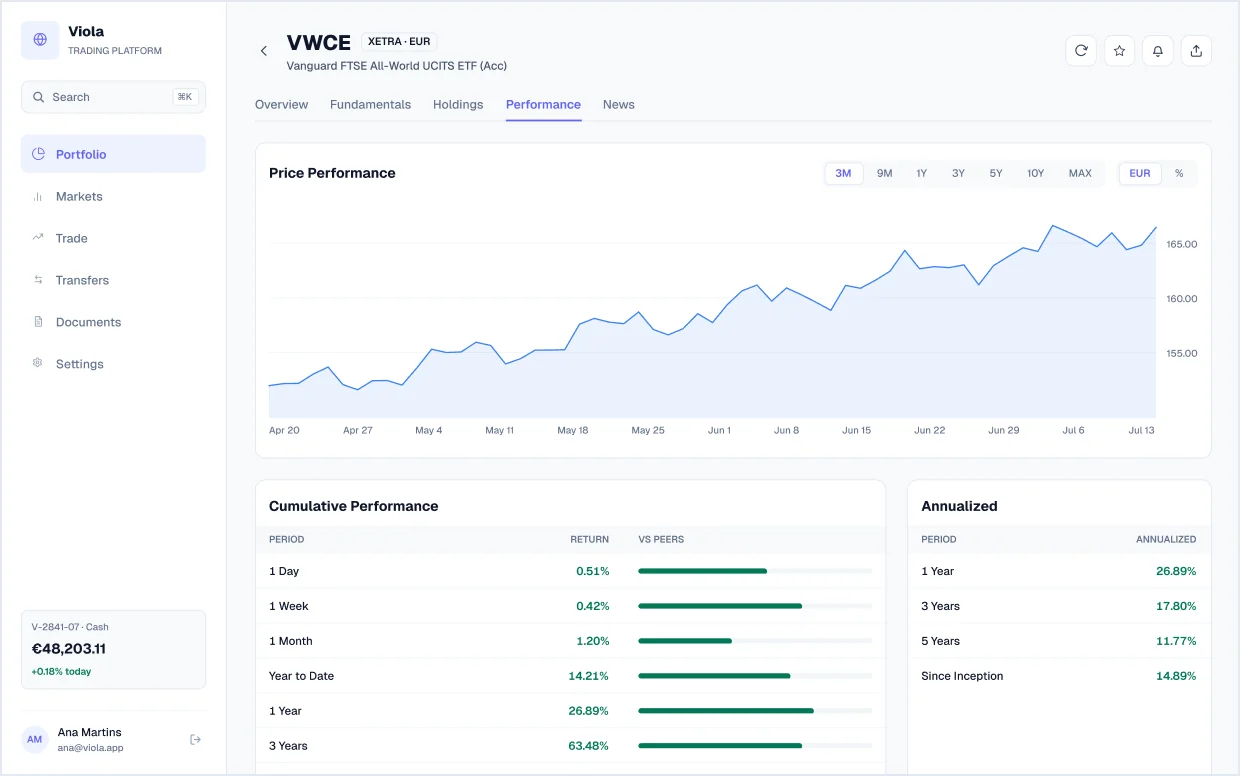
Fund performance
Price chart with range and currency toggles, cumulative and annualised returns against peers, and risk and statistical analysis tables.
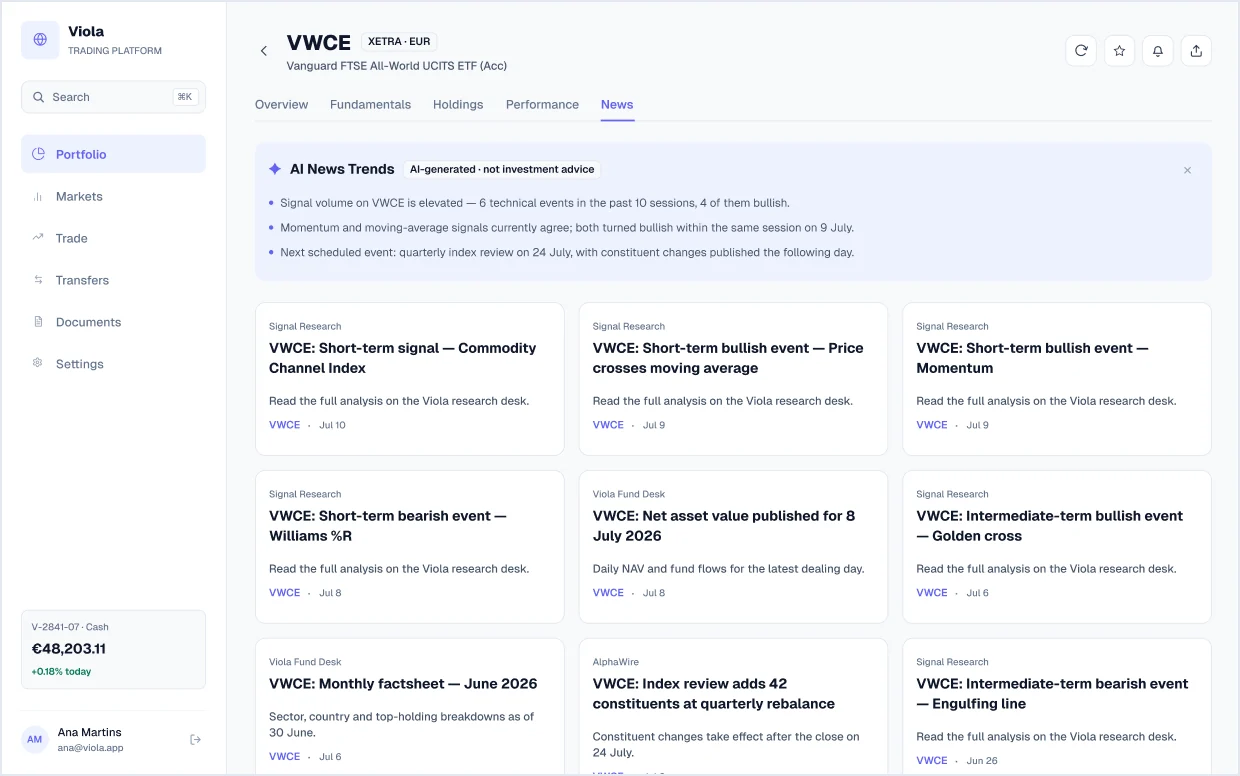
Fund news
AI news trends for a single fund above research, fund-desk and newswire cards.
Markets
1 screenBrowse and filter instruments across regions.
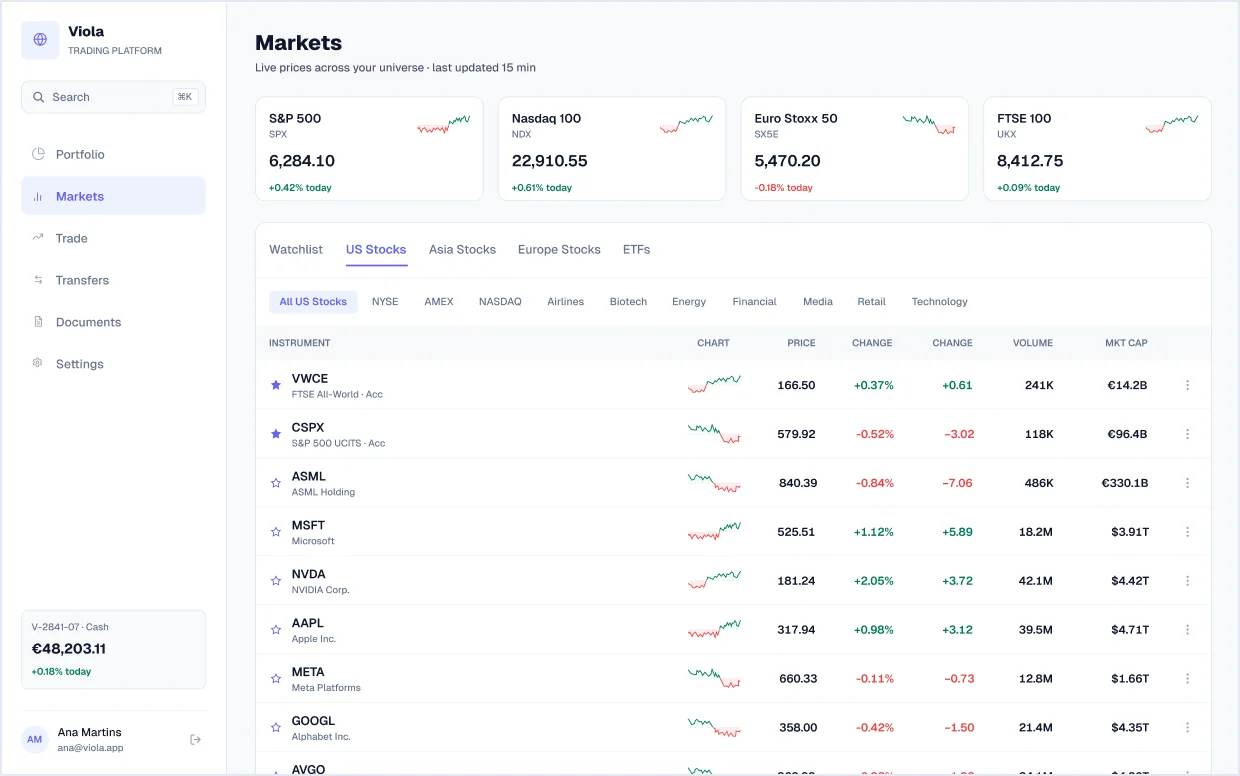
Markets
Index tiles with sparklines, an instrument table with region tabs, exchange and sector filters, watchlist stars and pagination, and an AI news-trends panel.
Trade
6 screensA full-page trade screen and a compact order ticket, each empty, buying and selling.
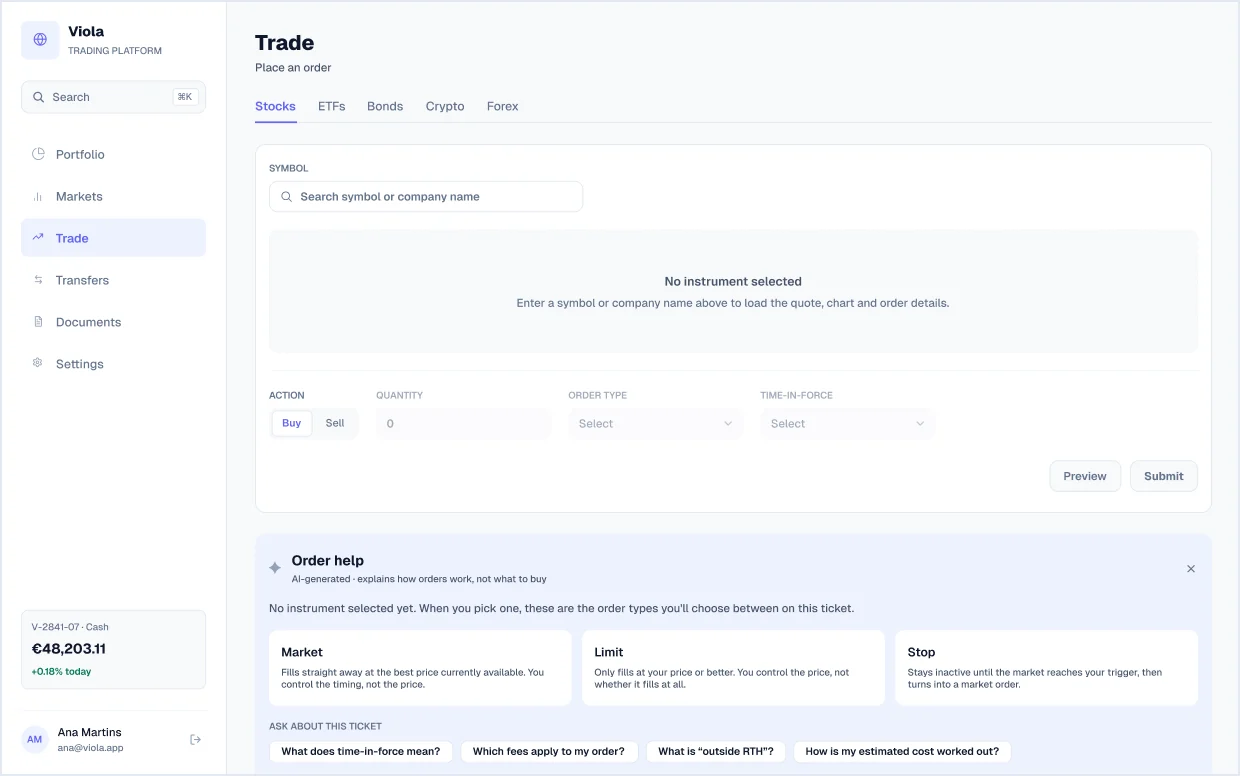
Trade, empty state
The order form before an instrument is chosen, with an AI order-help panel that explains market, limit and stop orders without recommending what to buy.
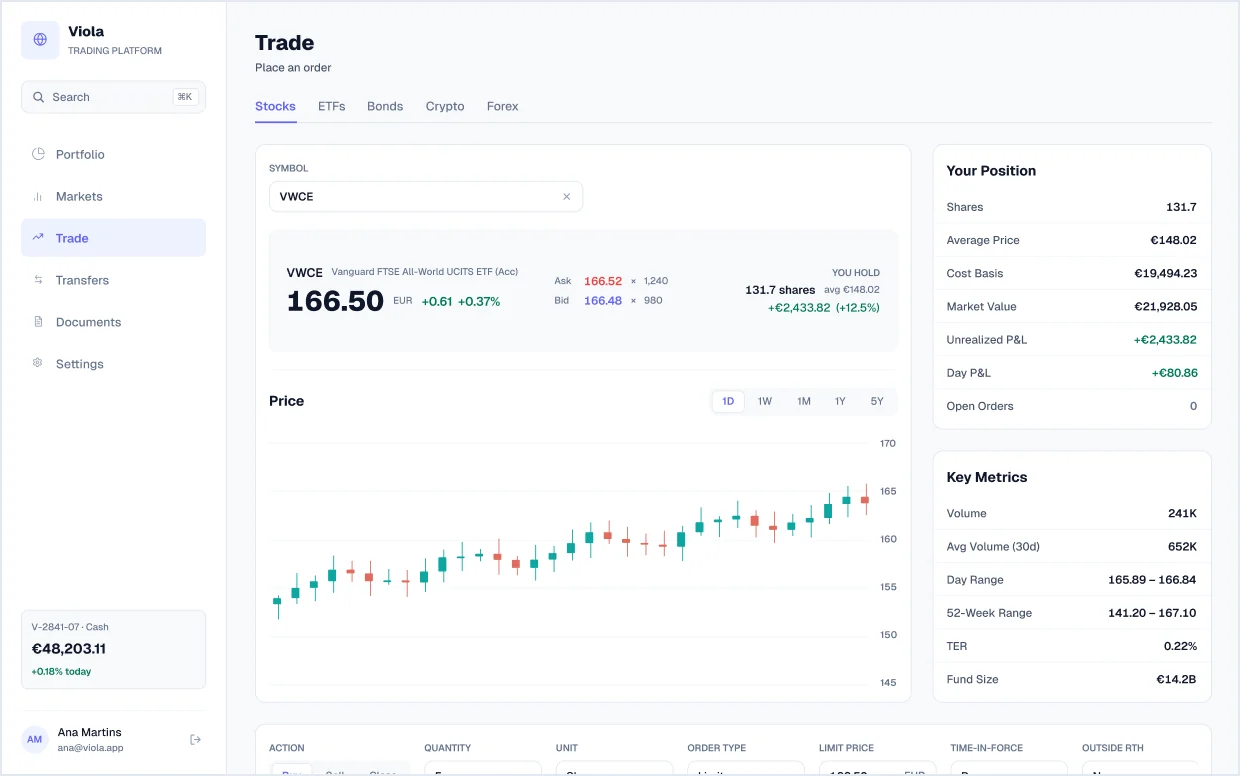
Trade, buy order
A limit buy of 5 VWCE: quote with bid and ask, candlestick chart, your position, key metrics and an order bar with an estimated cost of €832.50.
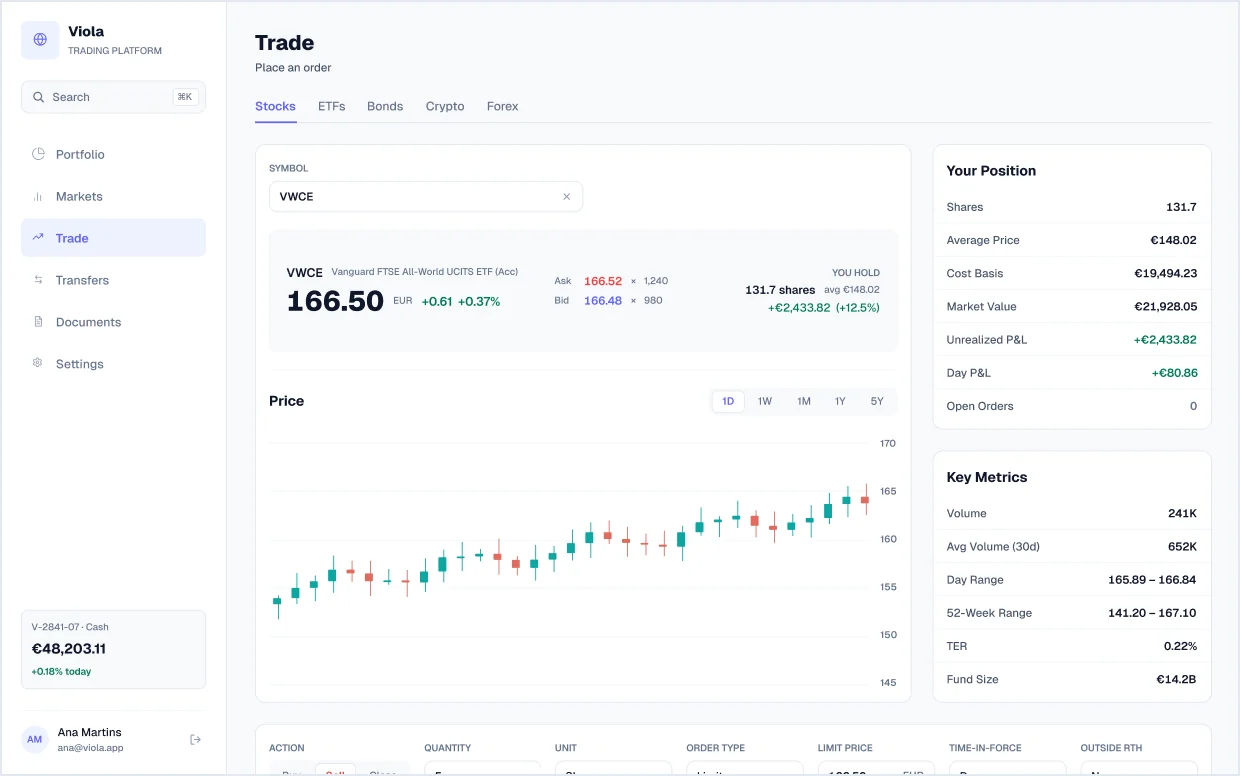
Trade, sell order
The same order as a sell, showing estimated proceeds instead of cost, plus a link to select tax lots.
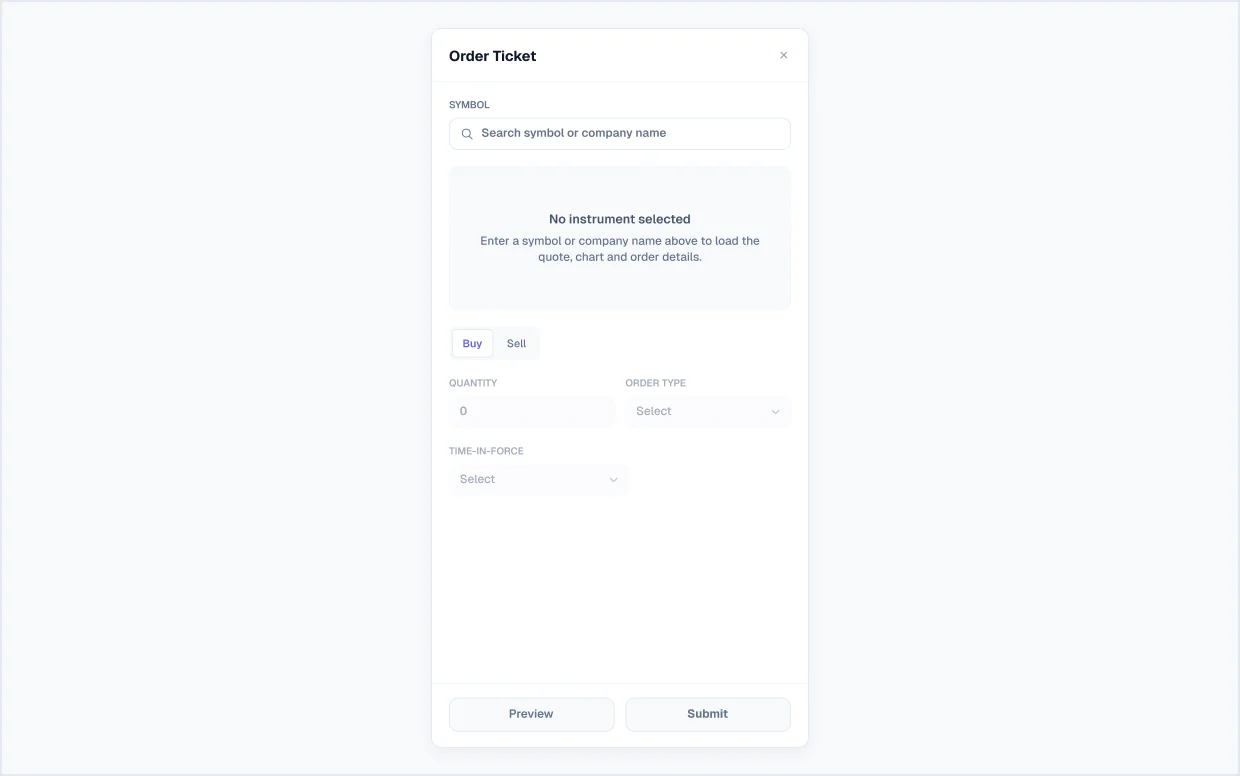
Order ticket, empty
A compact order-ticket drawer that opens over any screen, shown before a symbol is chosen.
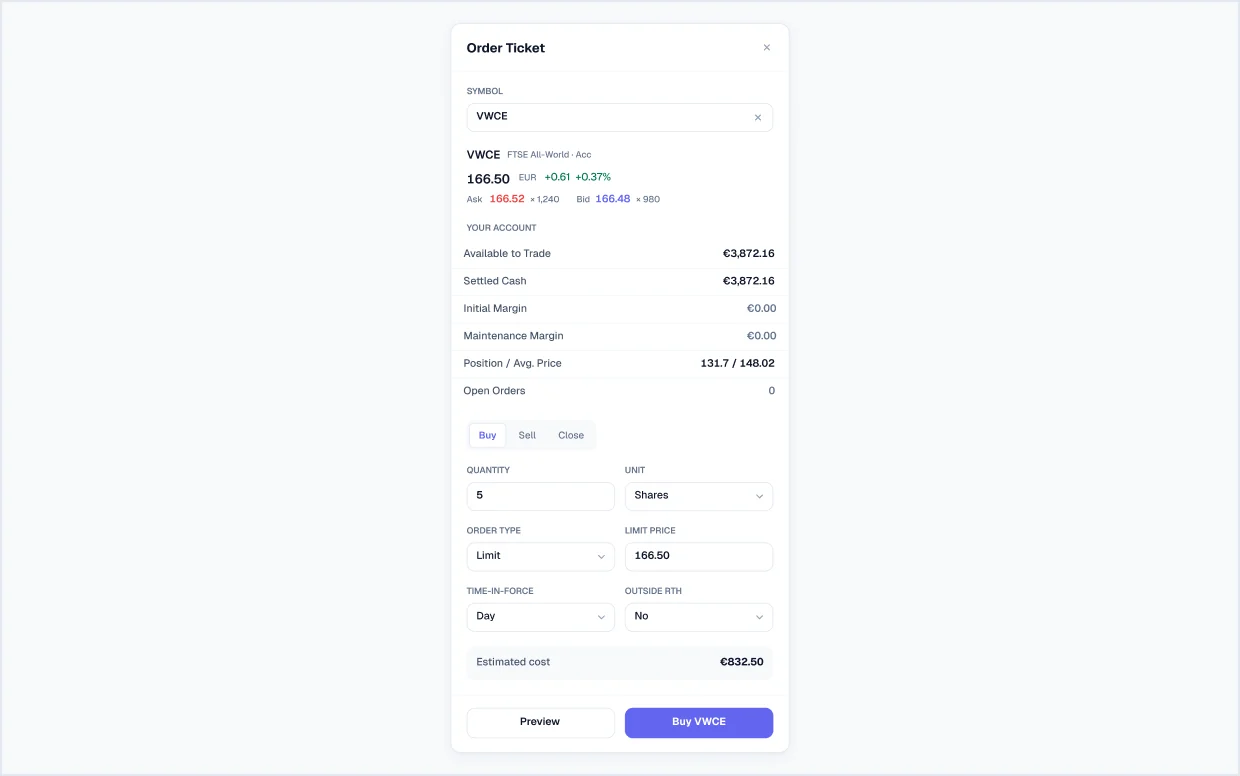
Order ticket, buy
Quote, available cash, margin and current position, then quantity, limit price, time-in-force and outside-hours options with the estimated cost.
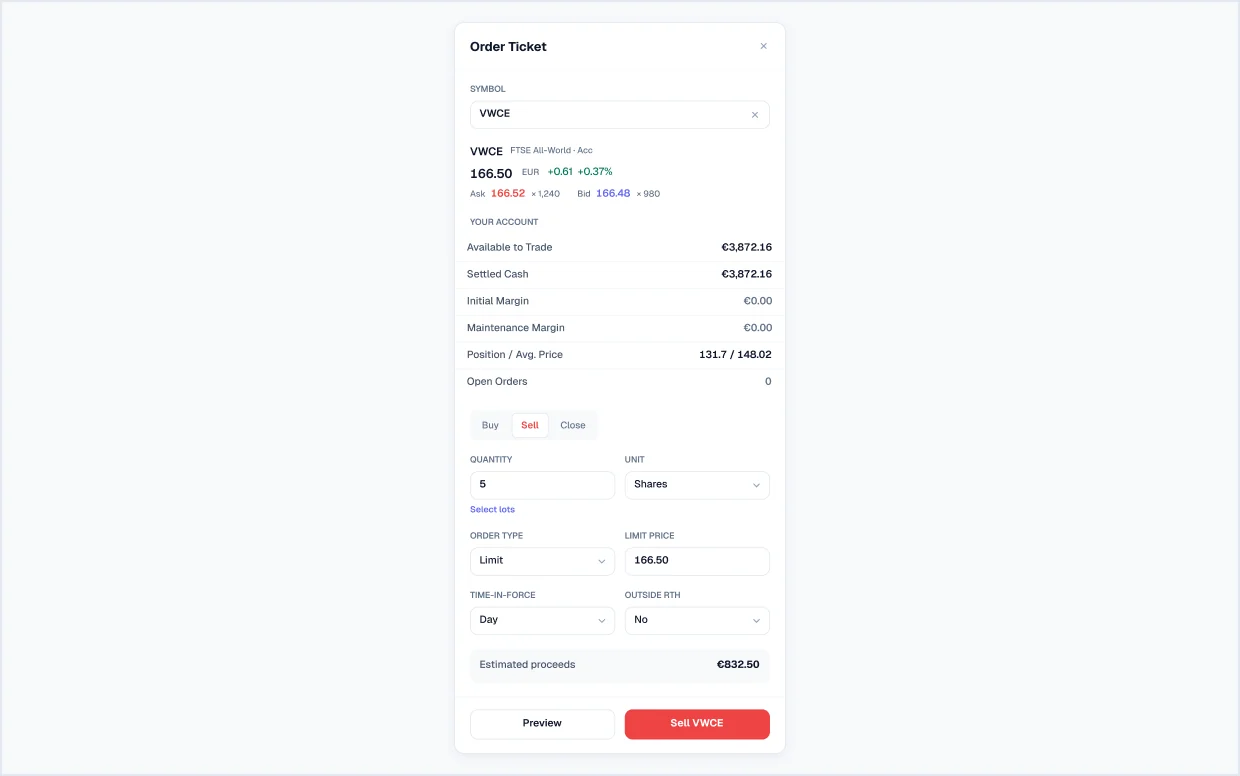
Order ticket, sell
The sell version with lot selection, estimated proceeds and a red sell button.
Cash & transfers
4 screensMoney in and out of the account, reconciled to the cent.
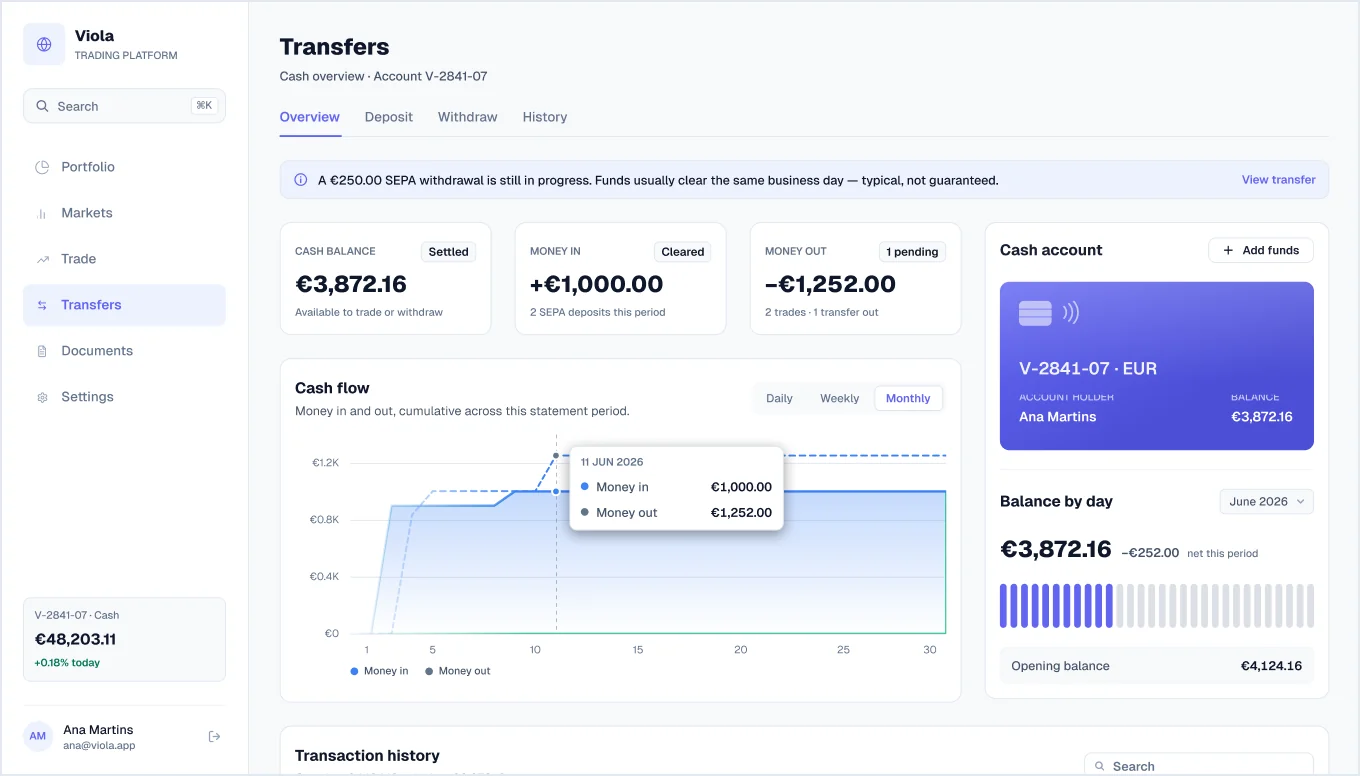
Cash overview
Cash balance, money in and out, a cumulative cash-flow chart, the cash account card, balance by day, and a transaction history from the €4,124.16 opening to the €3,872.16 closing balance.
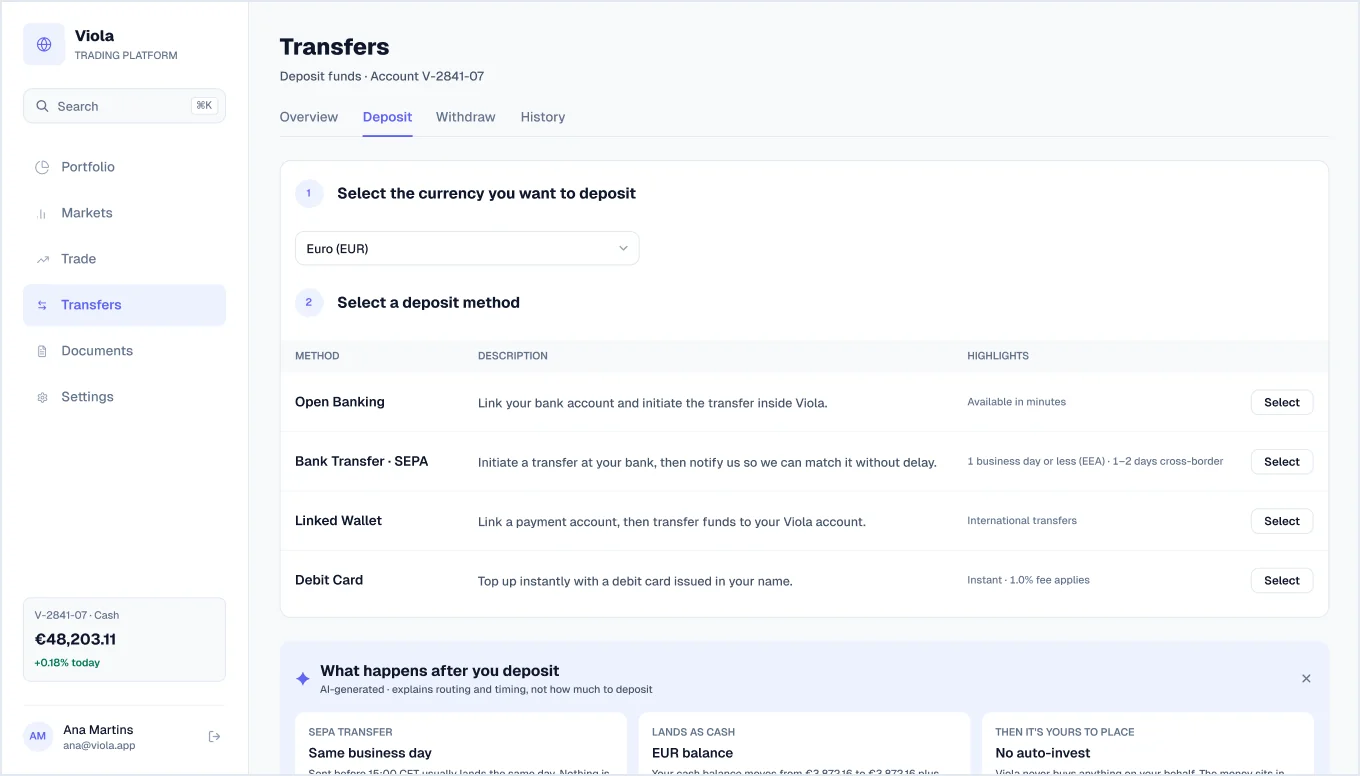
Deposit
Currency picker and deposit methods (open banking, SEPA, linked wallet, debit card) with an AI panel explaining what happens after you deposit.
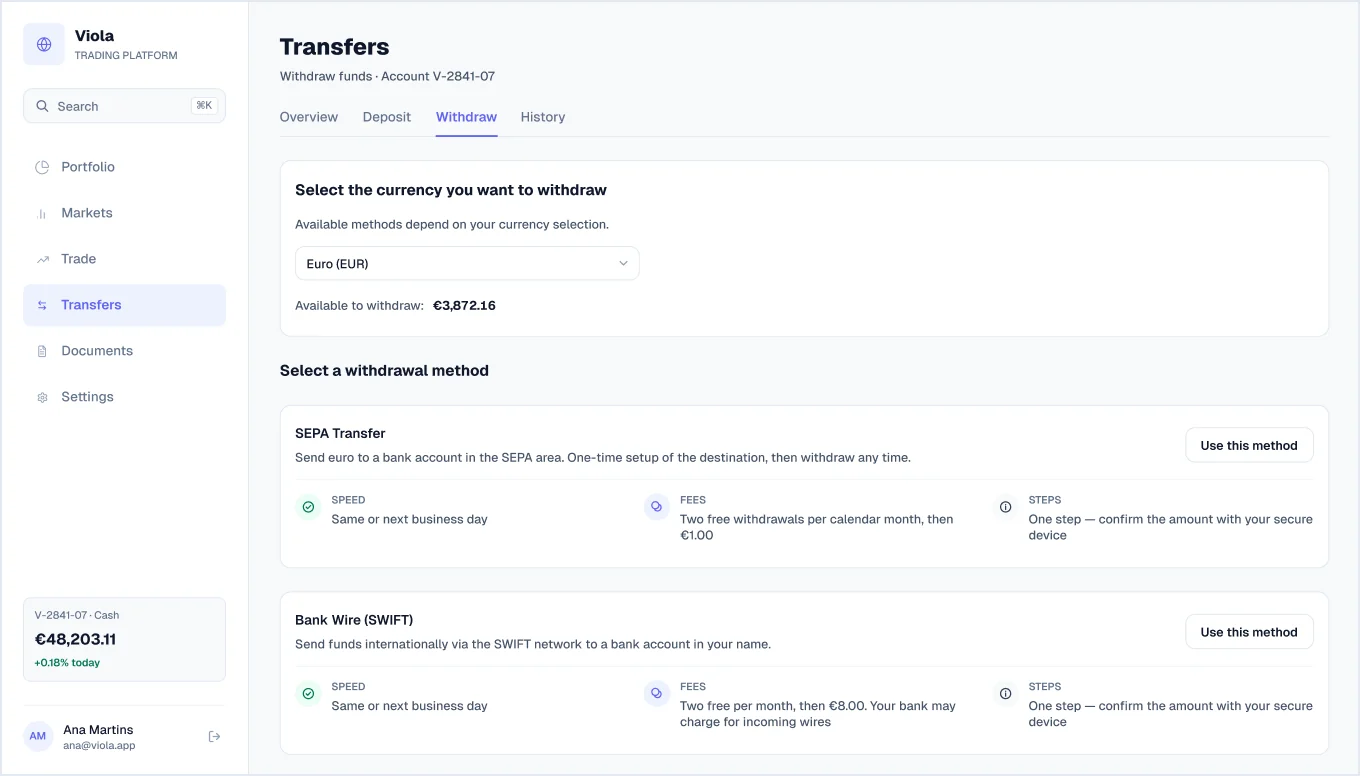
Withdraw
Available-to-withdraw balance and SEPA, SWIFT and linked-wallet methods, each with speed, fees and steps.
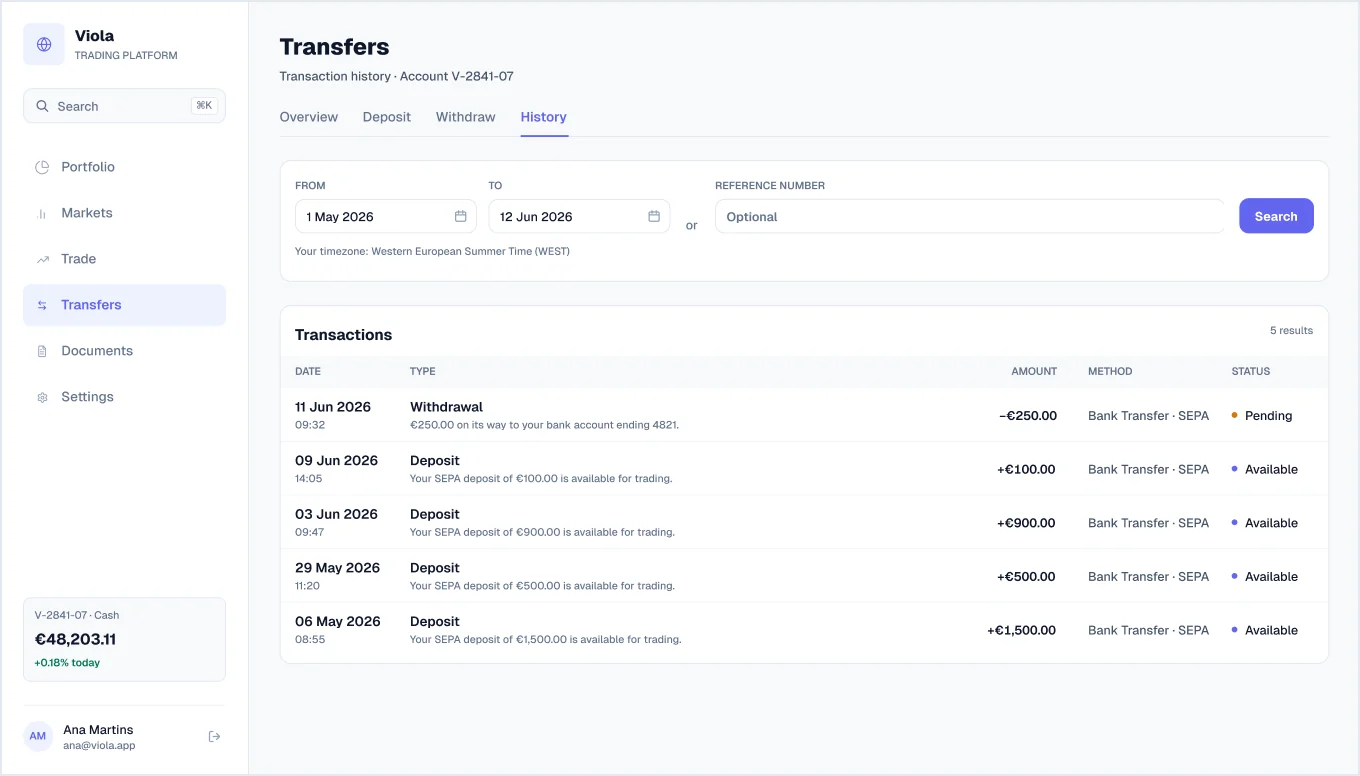
Transfer history
Date-range and reference search above a list of deposits and withdrawals with methods and pending or available statuses.
Documents
3 screensStatements, transactions and tax paperwork.
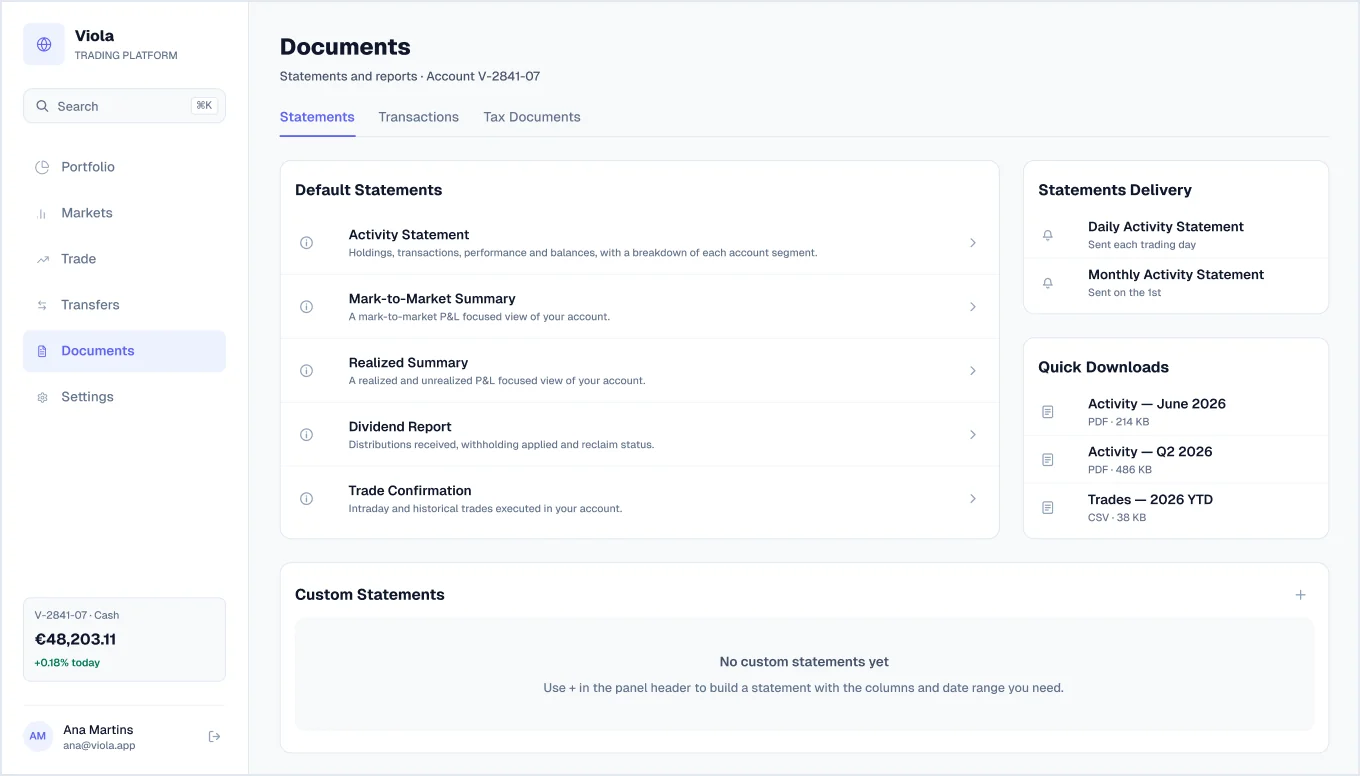
Statements
Default statements, a delivery schedule, quick downloads and an empty state for custom statements.
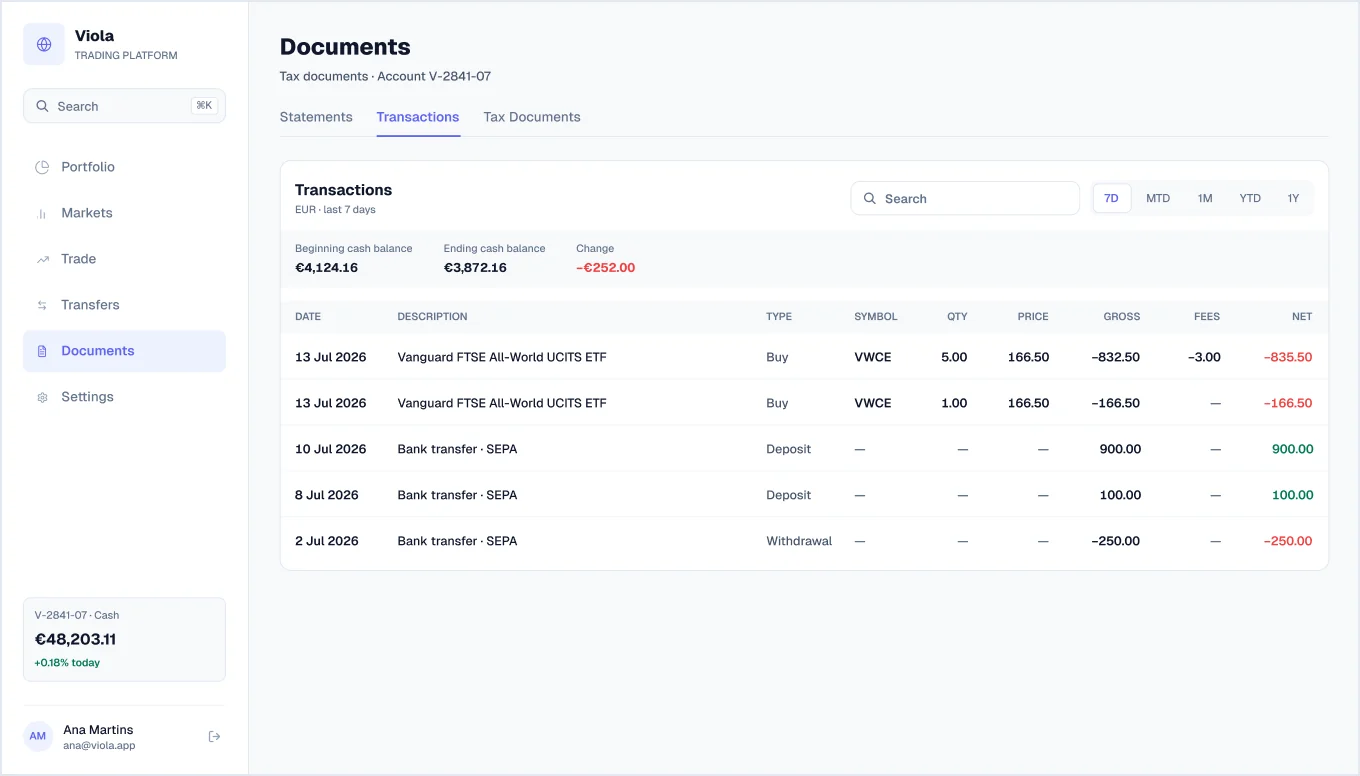
Transactions
Trades, deposits and withdrawals with quantity, price, gross, fees and net, plus beginning and ending cash balance.
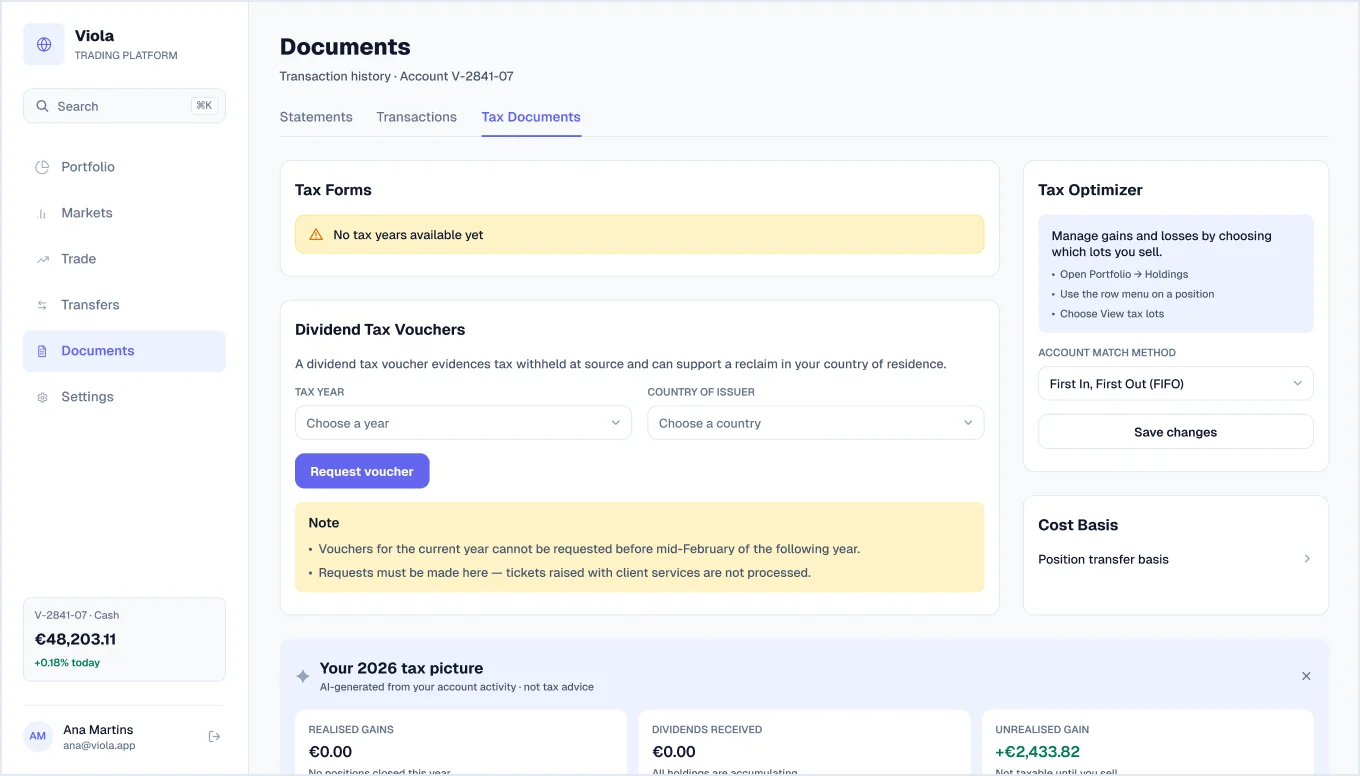
Tax documents
Tax forms, dividend tax vouchers, a cost-basis method picker and an AI tax summary that reports the user’s own figures and is clearly marked as not tax advice.
Settings
6 screens · 4 newSix account settings pages that share one tab bar.
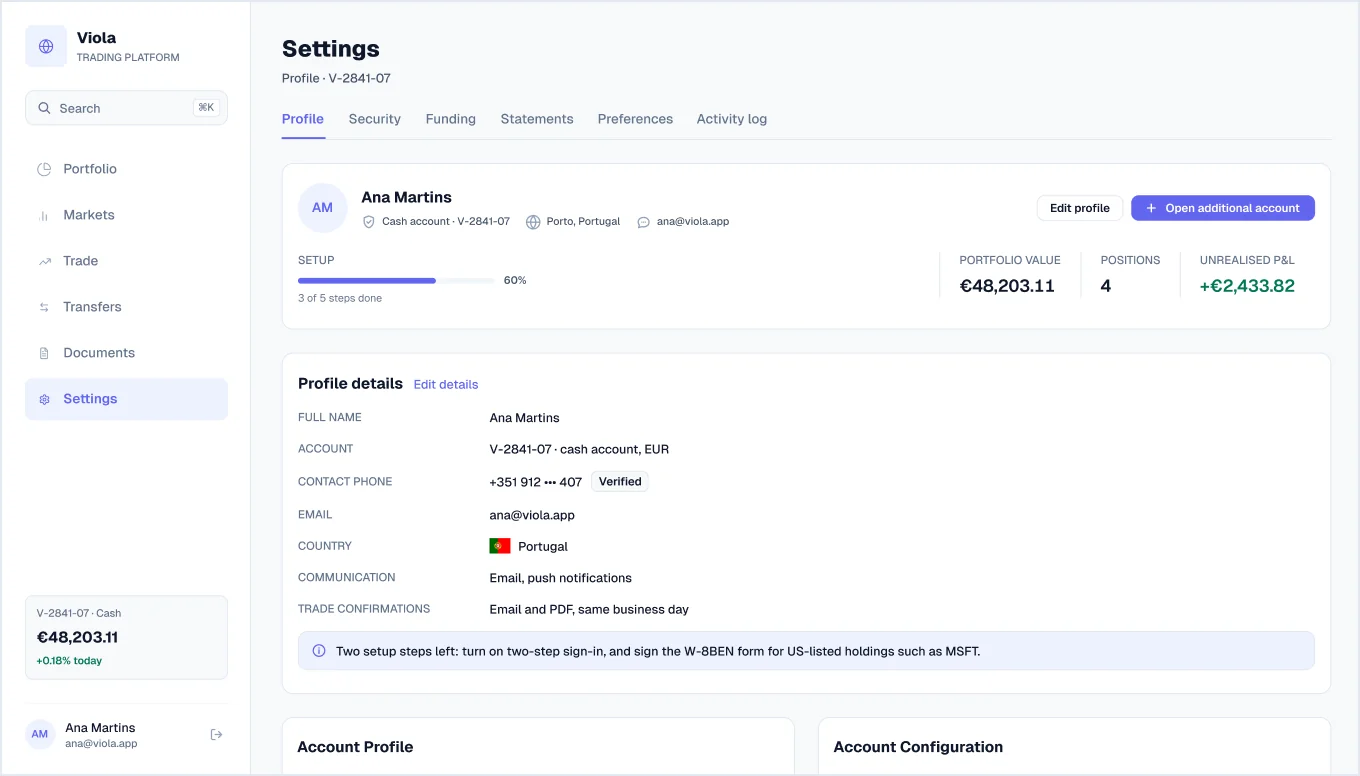
Profile
Account header with setup progress, profile details, account profile and configuration, a cumulative return chart, recent orders and holdings.
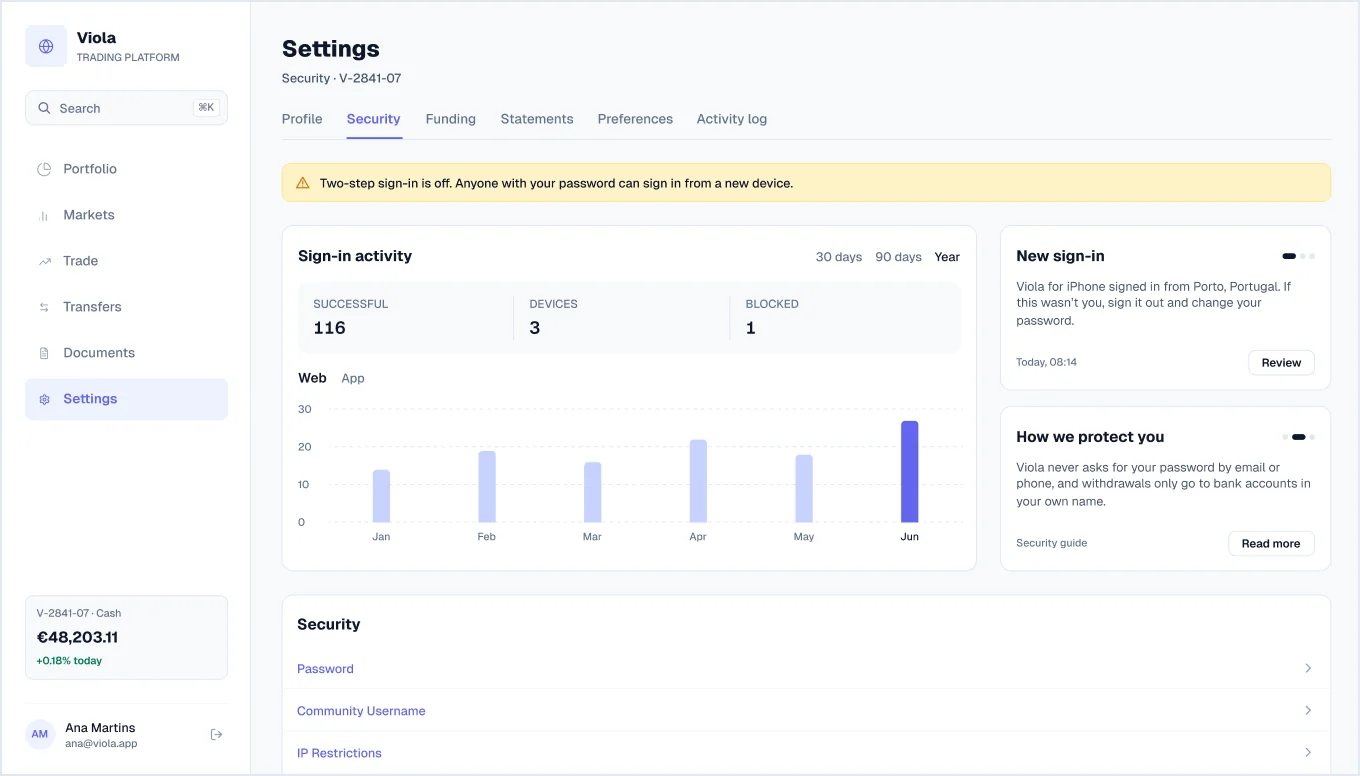
Security
Two-step sign-in warning, a sign-in activity chart, security settings, signed-in devices and a security log.
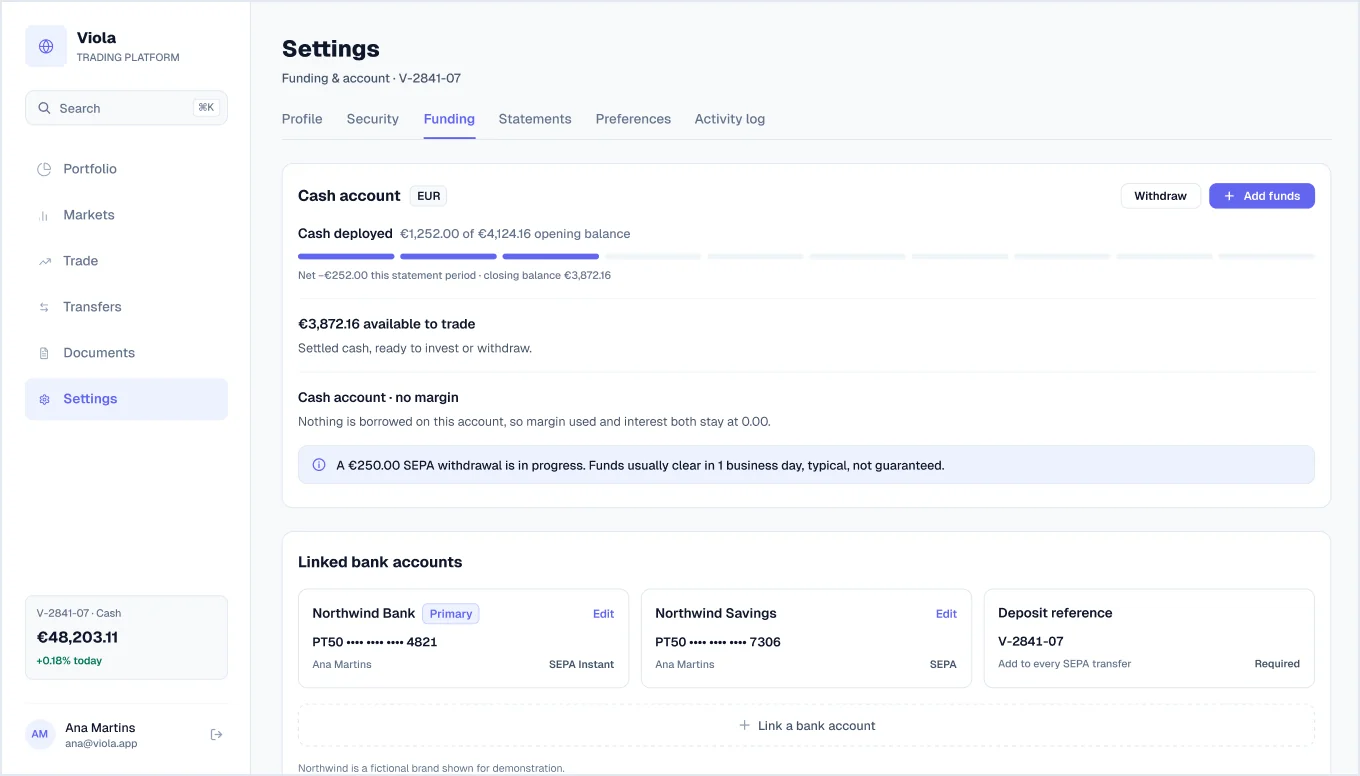
Funding
New in v1.2Cash account status, linked bank accounts, address and tax residence, and a list of confirmations and receipts.
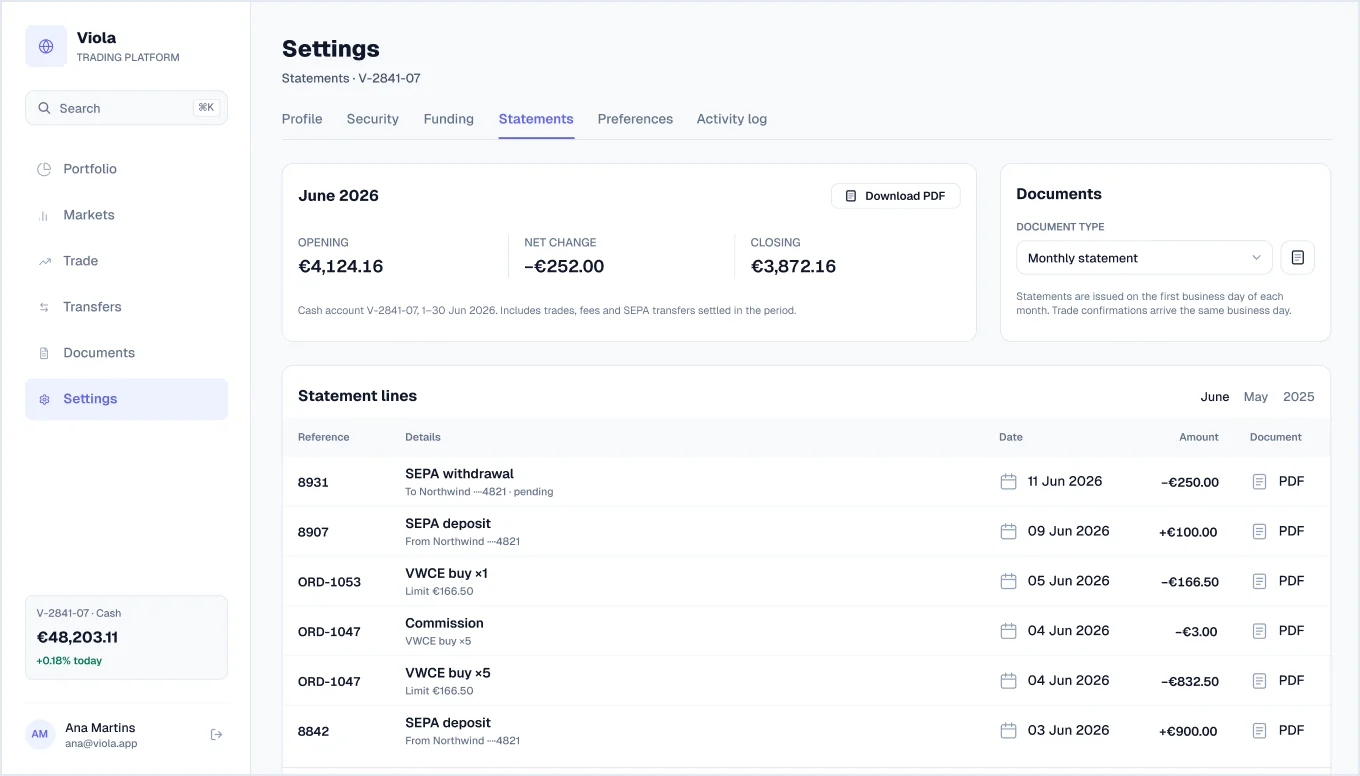
Monthly statement
New in v1.2Opening balance, net change and closing balance for the month, line-by-line entries including commissions, and reporting settings.
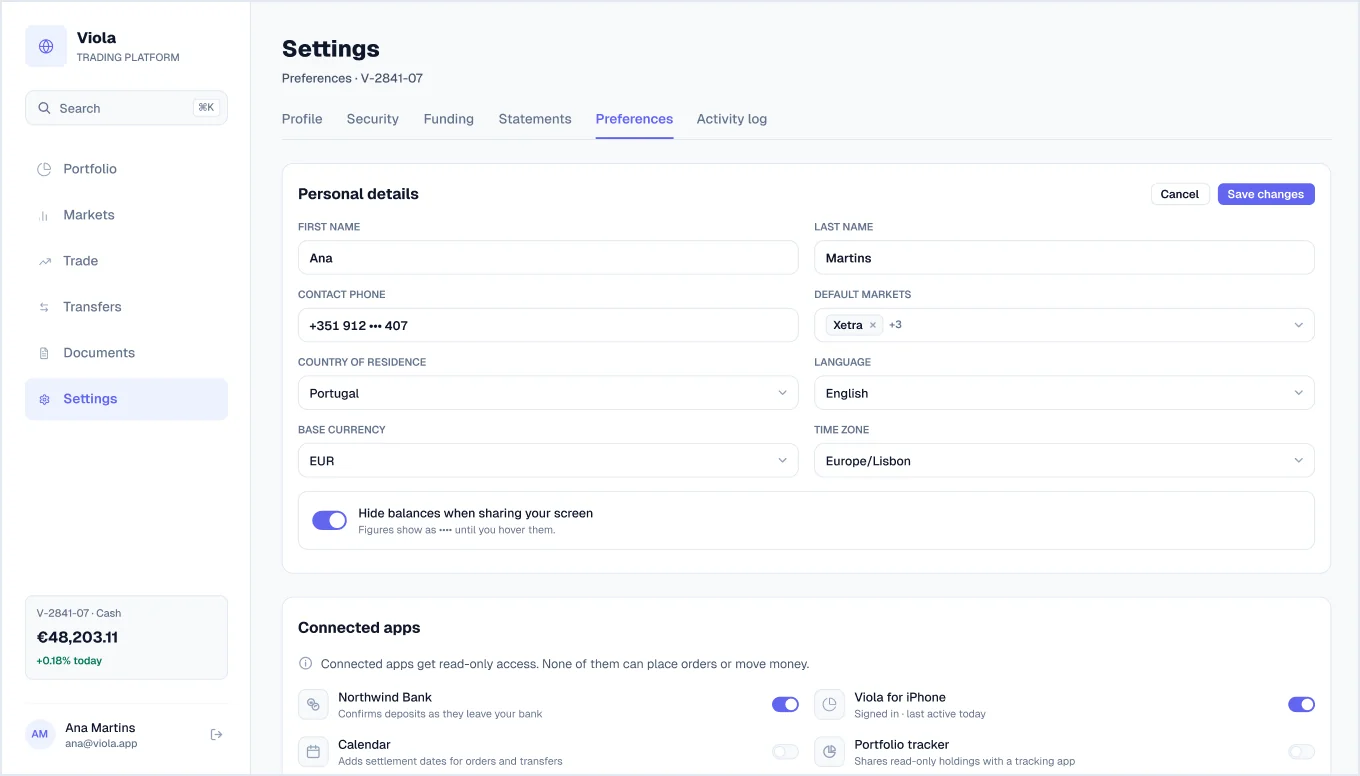
Preferences
New in v1.2Personal details form, connected apps, trading and platform settings, email updates, a notification matrix and a close-account flow.
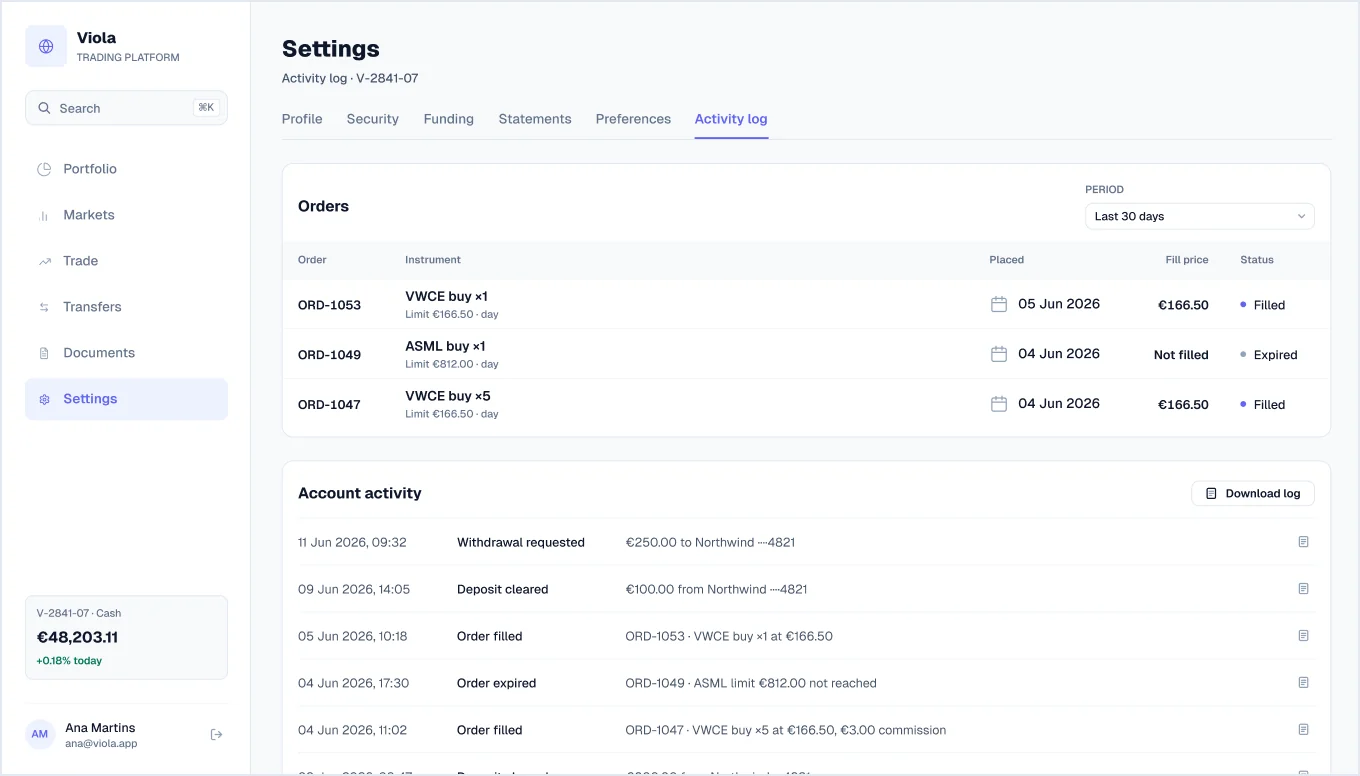
Activity log
New in v1.2Recent orders with fill status and a timestamped log of account activity.
Onboarding (KYC)
3 screensA three-step account-opening flow with a stepper and save-and-exit.
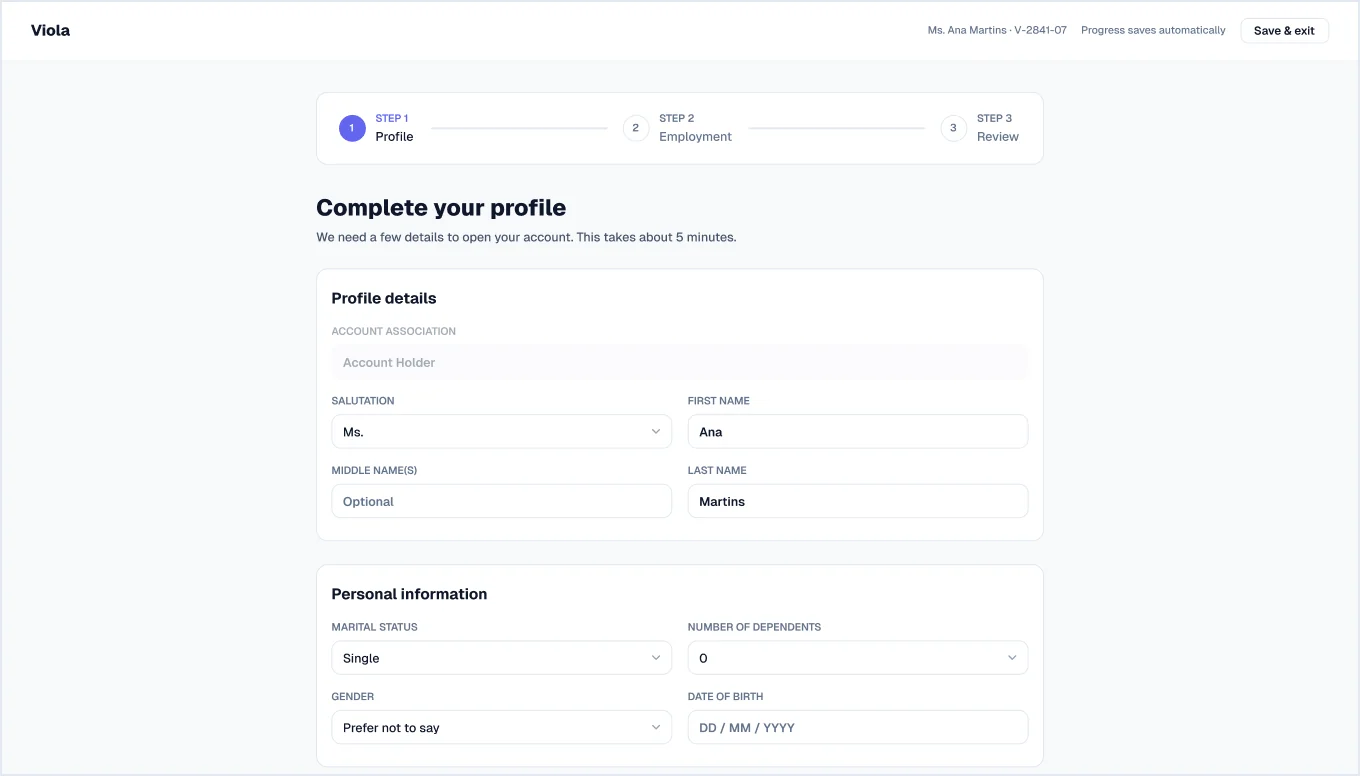
Step 1: Profile
Profile details, personal information and citizenship.
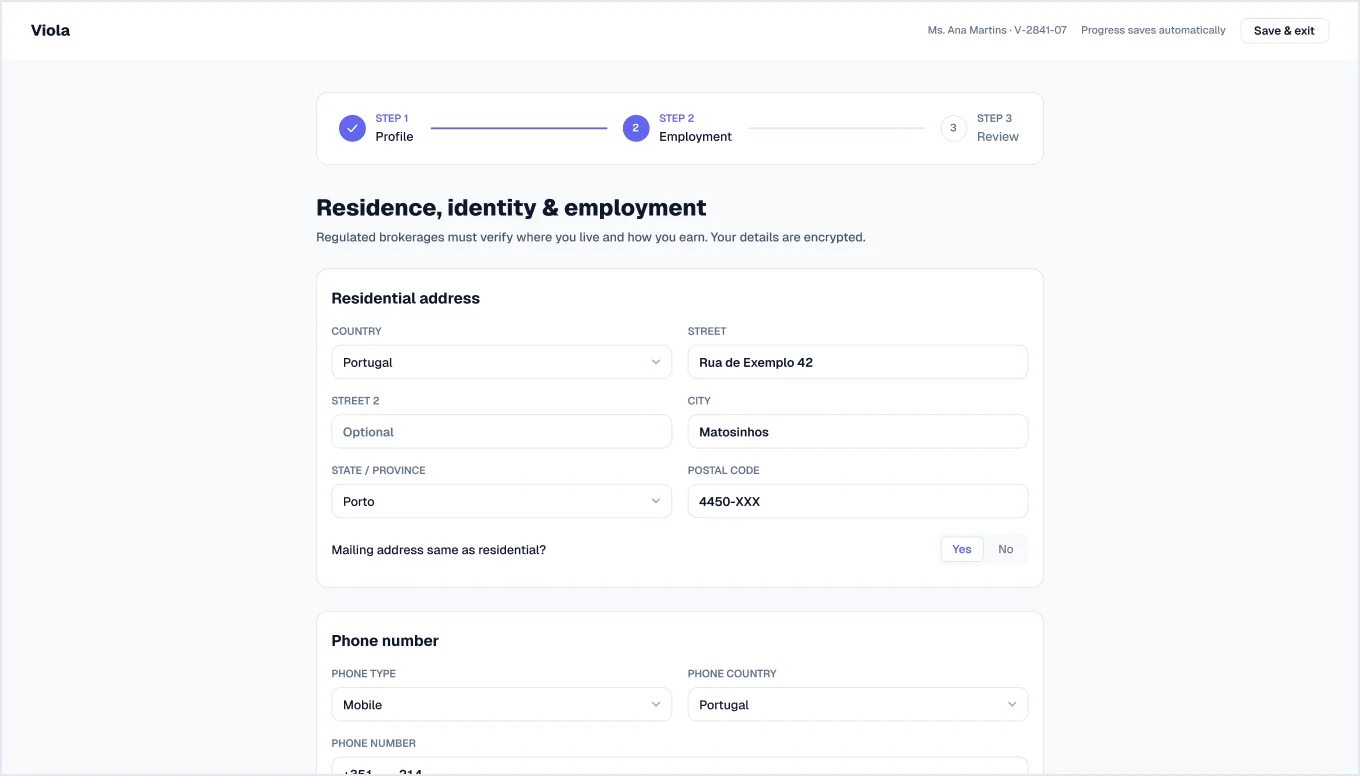
Step 2: Residence, identity & employment
Residential address, phone number, identification, tax residency and employment details.
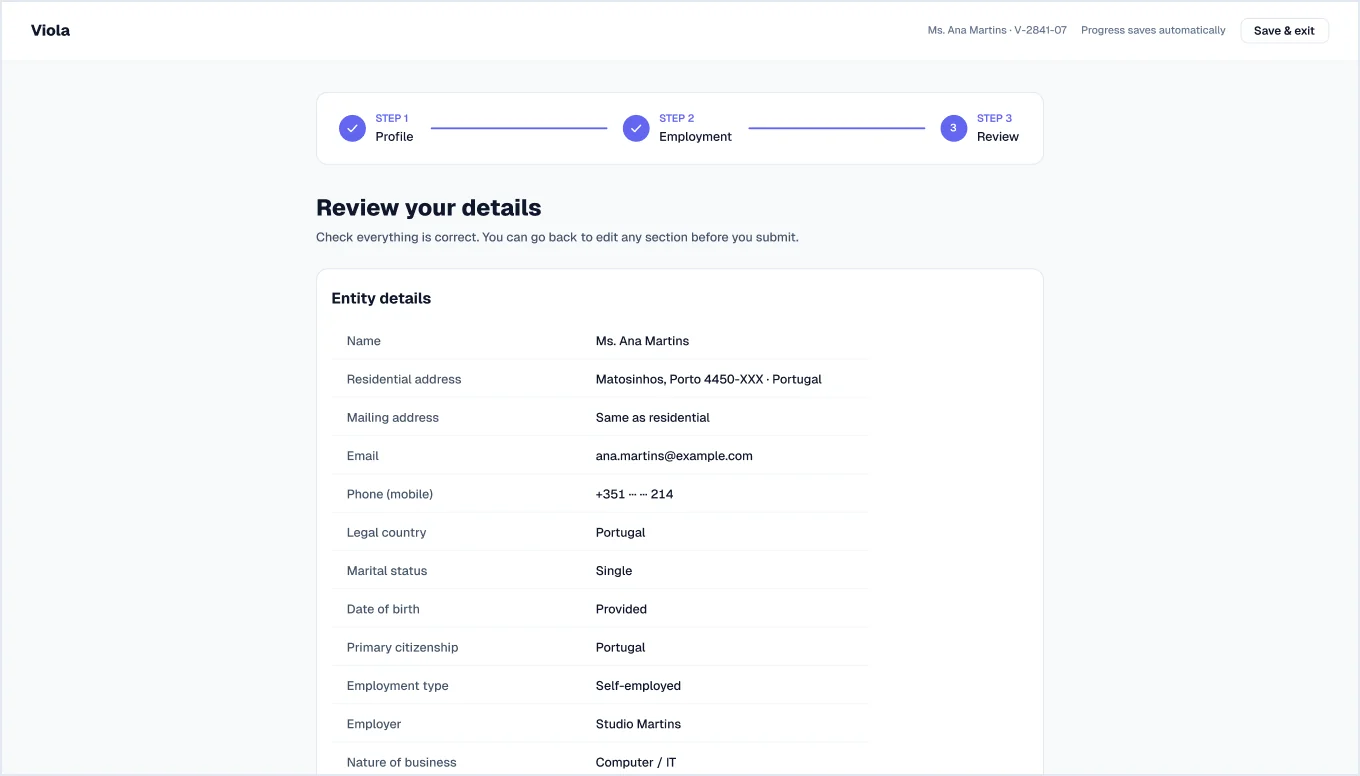
Step 3: Review
A summary of everything entered, with masked ID and tax numbers, before the application is submitted.
Sign in
2 screensTwo sign-in layouts.
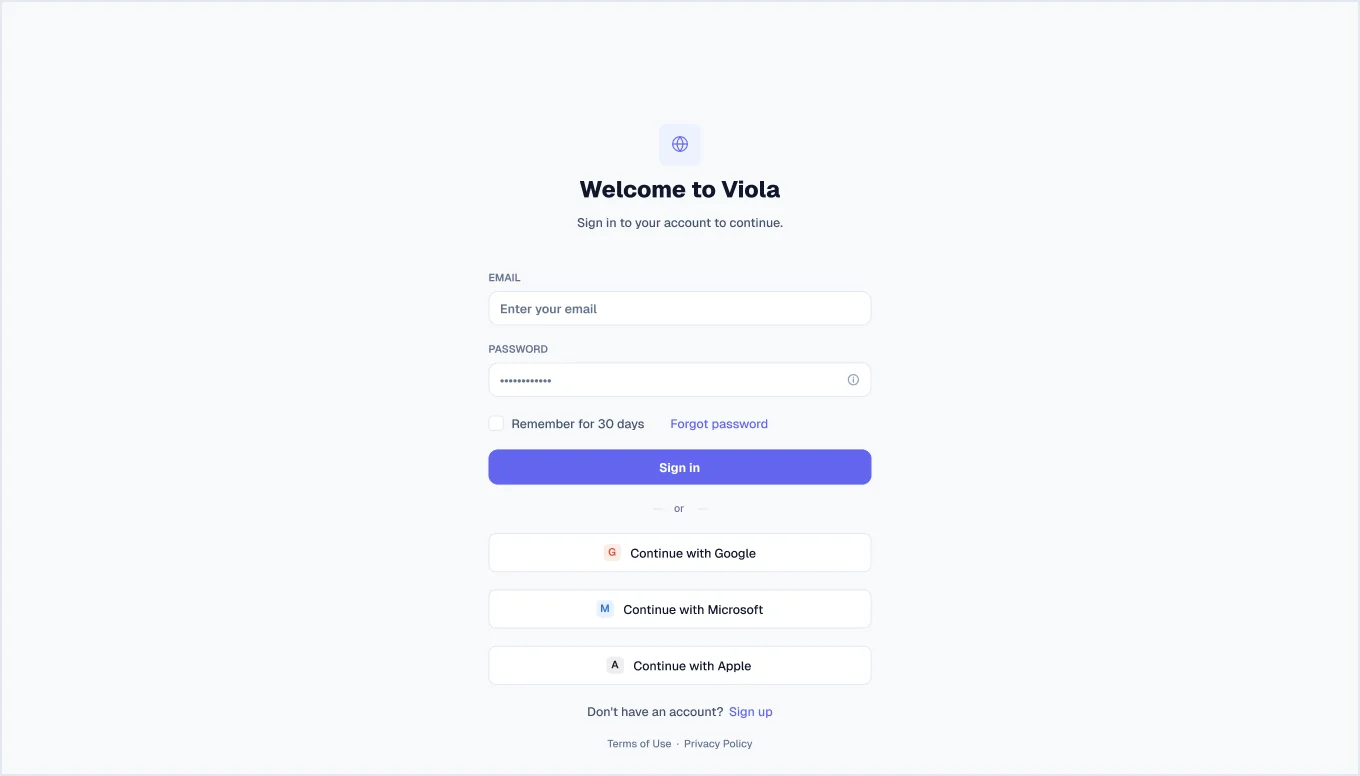
Sign in, centred
Email and password with remember-me and forgot-password, plus Google, Microsoft and Apple sign-in.
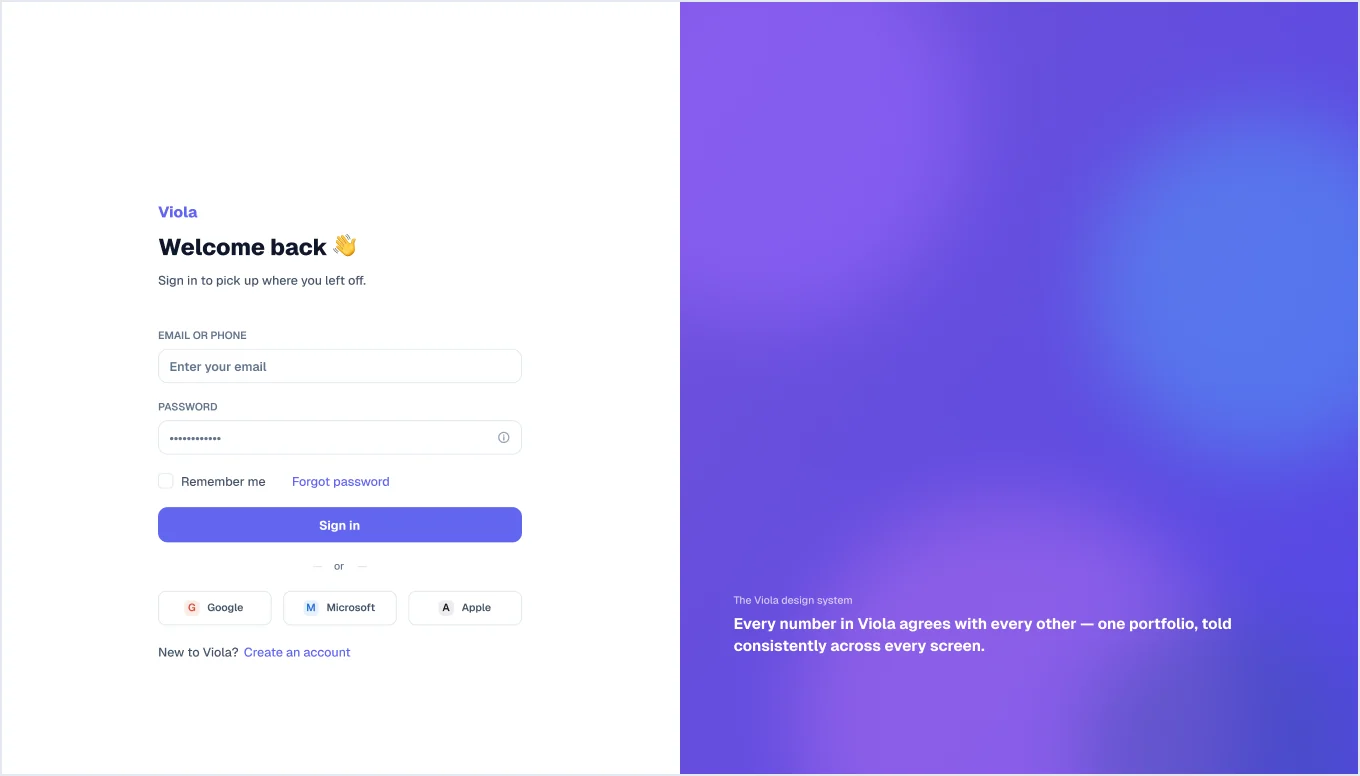
Sign in, split
The sign-in form beside a gradient brand panel with a tagline.
Months of design work,
ready today