Free fintech modals
for Figma
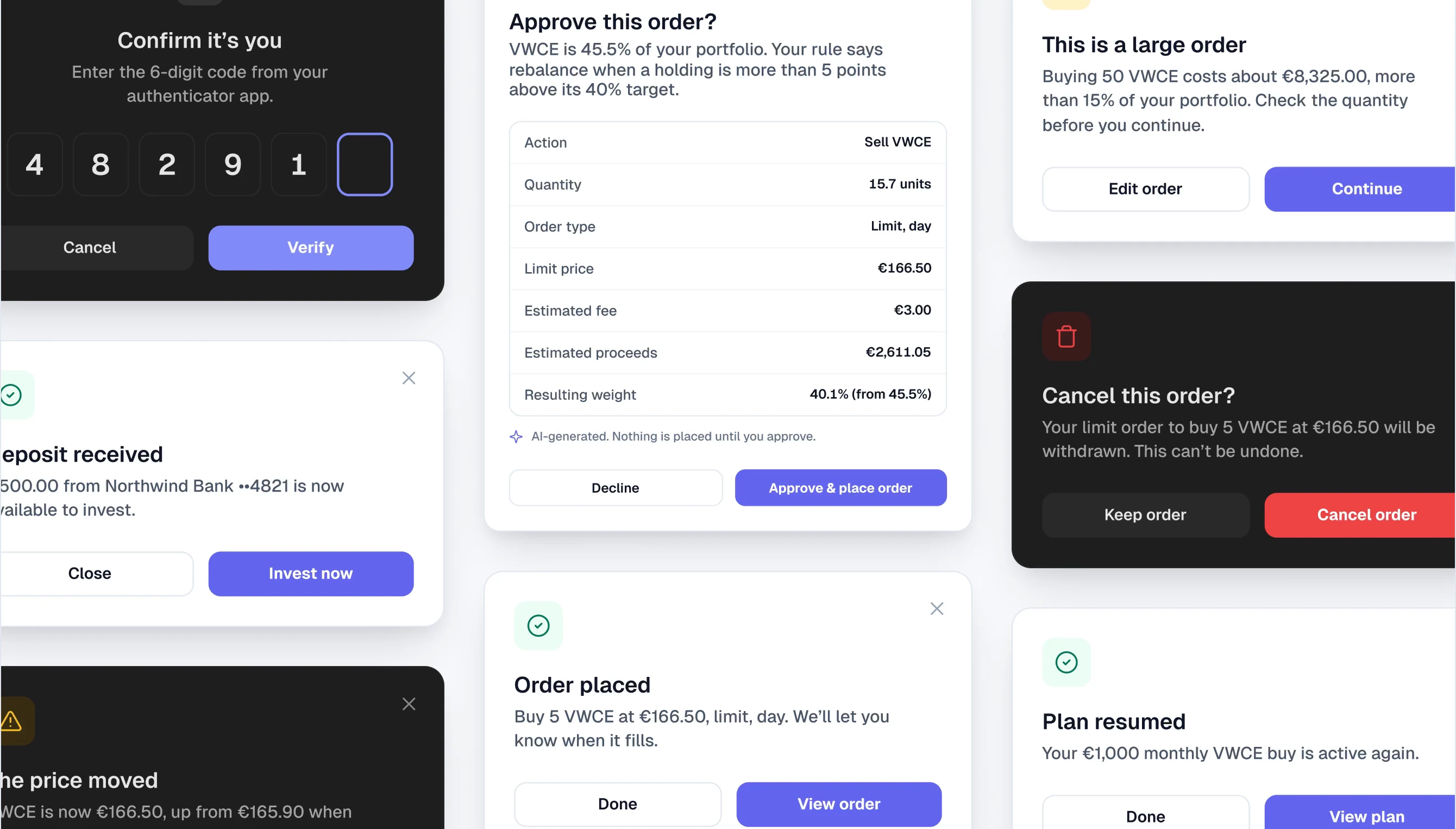
30 modals for investing and banking apps, in light and dark: orders, deposits and withdrawals, sign-in and security, plans and settings. Built with components and colour variables, and every number adds up.
What’s inside
30 modals, in light and dark
- Trading · 7
- Order placed, price moved, cancel order, large order, sell whole position, buy ticket and the AI approval.
- Money in and out · 6
- Deposit received, deposit source, scheduled deposit, add a card, withdraw and confirm with password.
- Account and security · 8
- Log in, risk checkboxes, address upload, 2FA code, email code, session timeout, statement download and close account.
- Plans and settings · 9
- Investing plan, pause plan, notifications, price alert, display currency, tags, invite link, invite adviser and read-only access.
- Built to edit
- One Modal component with a Type property, made from buttons, inputs, checkboxes, toggles, radio cards, tags and 35 icons. 26 colour variables switch everything to dark.
From the full kit
These modals come from Viola UI
- 1100+ screens in light and dark, from dashboard to documents.
- 2One portfolio behind every number, so the modals agree with the screens.
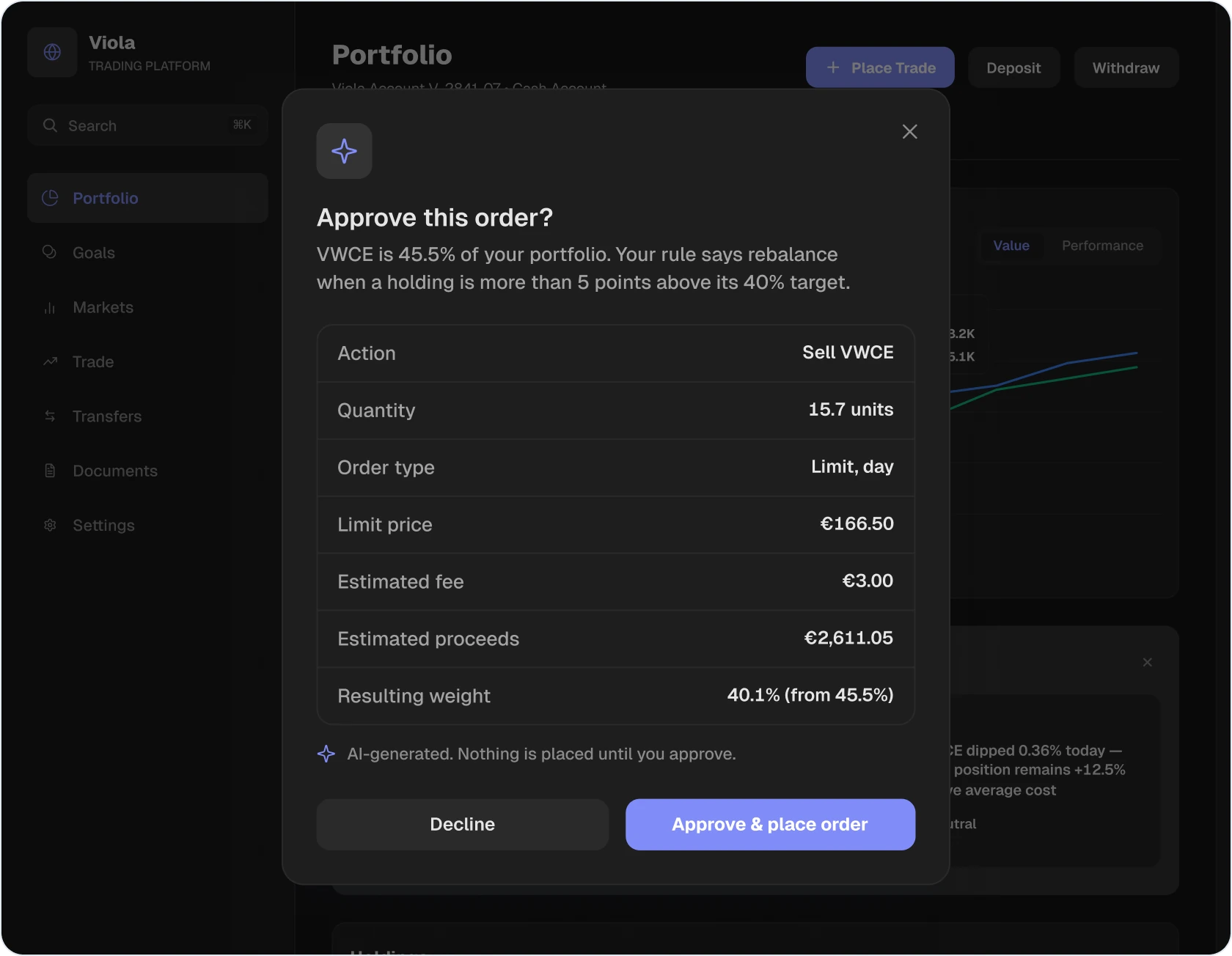
- 3An AI copilot with approval flows like the one on the right.
Modal rules
Built for money, not just layout
- Numbers in the modal
- Amount, instrument and account are in the text. 5 VWCE at €166.50 is €832.50, and it says so.
- The verb on the button
- “Buy VWCE”, “Sell all”, “Withdraw €1,200.00”, never just “Confirm”.
- Red only for what can’t be undone
- Cancel order, sell whole position and close account. Everything else uses the accent.
- Friction matched to the risk
- Results close in one click, withdrawals ask for a password, closing an account asks you to type CLOSE.
How to use it
From free file to your product in four steps
- 1. Duplicate the file
- Open it on Figma Community and duplicate it to your drafts.
- 2. Pick a modal
- Drop the Modal component into your design and choose one of 30 types from the Type property.
- 3. Make it yours
- Change accent/primary in the Viola Colors collection and every button and icon tile follows.
- 4. Switch to dark
- Set the frame’s Viola Colors mode to Dark. Nothing is redrawn.
FAQ
Free modals questions
- Is it really free?
- Yes. Duplicate it from Figma Community at no cost, for personal and commercial projects.
- How is it different from Viola UI?
- The free file has the 30 modals and the parts they’re built from. Viola UI adds the 100+ screens they open from, the full component library and the AI components.
- Do the modals work without the full kit?
- Yes. Components, colour variables and text styles are all inside the free file.
- Is there a dark mode?
- Yes. Every modal works in light and dark from the same 26 colour variables.
Modals that
show the numbers.