The short answer
There’s no single best free fintech kit. It depends on what you’re designing:
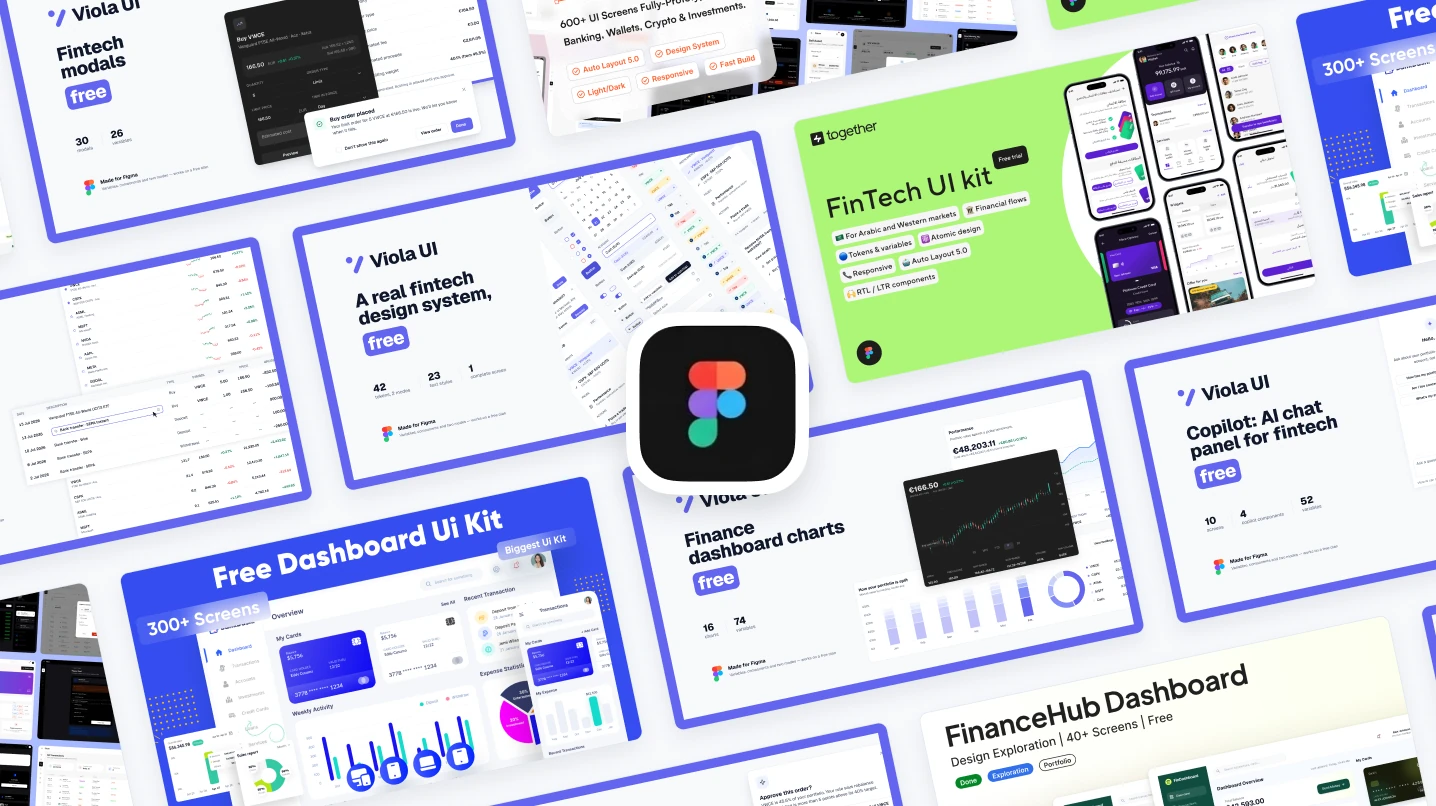
- Investing or portfolio dashboard, light and dark: Viola UI’s free kit.
- A big banking dashboard to learn from: BankDash.
- Web and mobile screens for banking, payments and crypto: Finvo’s community edition.
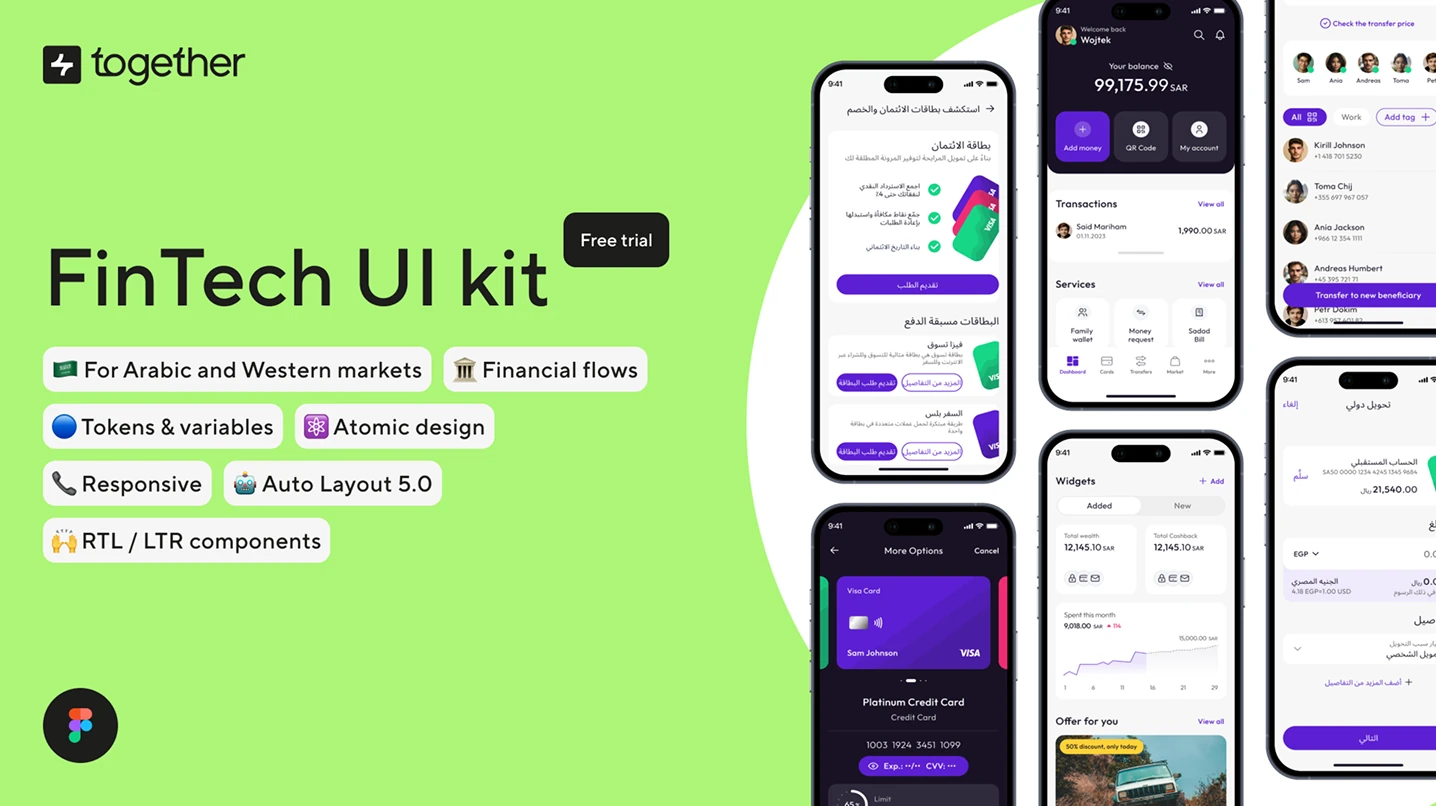
- Mobile banking for Arabic and Western markets: Together’s FinTech UI kit.
- One part of an existing product (charts, tables, modals or an AI copilot): the matching Viola UI file.
I’m the designer behind Viola UI, so read this with that in mind. Six of the ten files are mine. They’re listed separately as building blocks, not ranked against the full kits. Everything below comes from each file’s Figma Community page, read on 28 October 2026.
How we picked
Each file is checked against what a fintech product needs from a free kit:
| Check | What we looked for |
|---|---|
| Fintech screens | Real finance flows such as balances, transactions, cards, holdings or trades, not a general admin template |
| Light and dark | Whether both themes are included, and whether dark is a mode or a second set of screens |
| Built to reuse | Components, auto layout and variables, so screens can be edited rather than redrawn |
| Licence | What the Community badge and the description say about personal and commercial use |
| Last updated | How recently the file was updated on Figma Community |
Figma Community pages were read on 28 October 2026. User counts and update dates change, so check the page before you build on a file.
At a glance
| Kit | Made by | Built for | Platform | Dark mode | Last updated |
|---|---|---|---|---|---|
| Viola UI free kit | Viola UI | Investing and portfolio dashboards | Desktop | Yes | 10 days ago |
| BankDash | Seju | Banking dashboards | Desktop, tablet, mobile | Yes | 9 months ago |
| Finvo (community edition) | UxSculpt | Banking, payments, crypto, investing | Web and mobile | Yes | 7 months ago |
| FinanceHub | Zannen Design | Digital banking concept | Desktop | Not on its page | 8 months ago |
| FinTech UI kit | Free | Together Design Agency | Mobile banking, Arabic and Western markets | Mobile | Not on its page | 2 years ago |
| Fintech Dashboard Kit | Viola UI | Dashboard, AI copilot, tables and charts | Desktop | Yes | 10 days ago |
| Finance Charts | Viola UI | Chart cards | Desktop | Yes | 8 days ago |
| Data Tables | Viola UI | Finance tables | Desktop | Yes | 12 days ago |
| Copilot | Viola UI | AI chat panel | Desktop | Yes | 12 days ago |
| Fintech Modals | Viola UI | Modals and confirmations | Desktop | Yes | 2 days ago |
Every file here shows a CC BY 4.0 licence on Figma Community. FinanceHub’s own description limits it to learning and personal projects, so read each description as well as the badge.
Full free kits
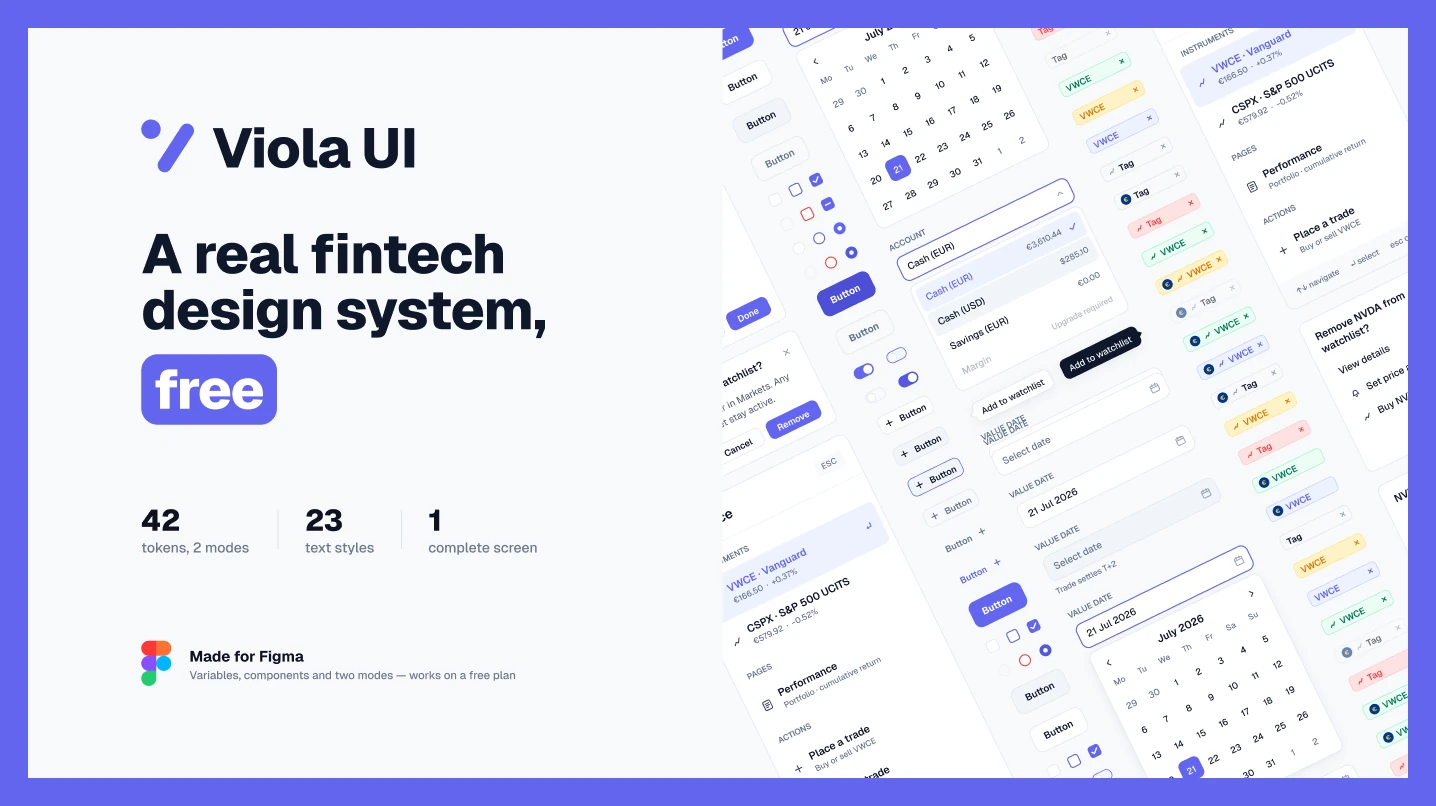
1. Viola UI — Fintech & AI UI Kit (Free)
Use it if you’re designing an investing or portfolio dashboard and want a working design system, not loose screens.
A free slice of Viola UI: the complete Portfolio dashboard in light and dark, 42 colour tokens, 23 text styles with tabular figures on every money style, and 190+ component variants, from buttons and table cells to tabs, tags, sidebar and charts. Switching between light and dark works on Figma’s free plan.
- Watch out for: one complete screen. The 100+ screens of the full kit, including trading, fund research and KYC onboarding, are in the paid kit.
- Licence: free for personal and commercial projects, including client work. Typeface: Geist (free, SIL OFL).
2. BankDash
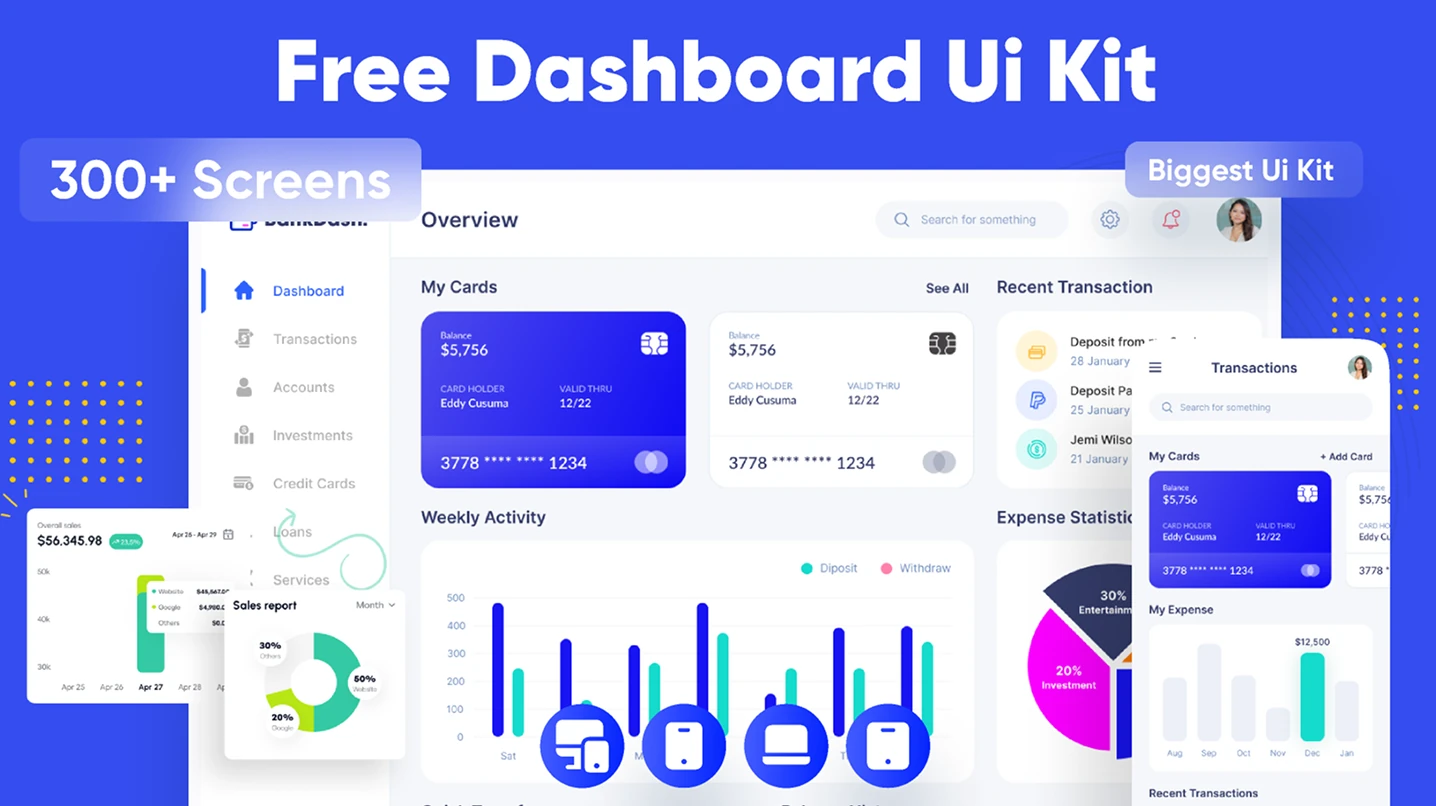
Use it if you want a large free banking dashboard to learn from or to start a concept.
A dashboard UI kit by Seju, and one of the most used fintech files on Figma Community, with 150k users. The sidebar covers transactions, accounts, investments, credit cards and loans, and the page lists variables, auto layout, a 4px grid, light and dark themes and mobile and tablet layouts. The cover says 300+ screens.
- Watch out for: it was last updated 9 months ago, so check the screens you need before you build on it.
- Licence: CC BY 4.0 on Figma Community, which means crediting the creator.
3. Finvo — community edition
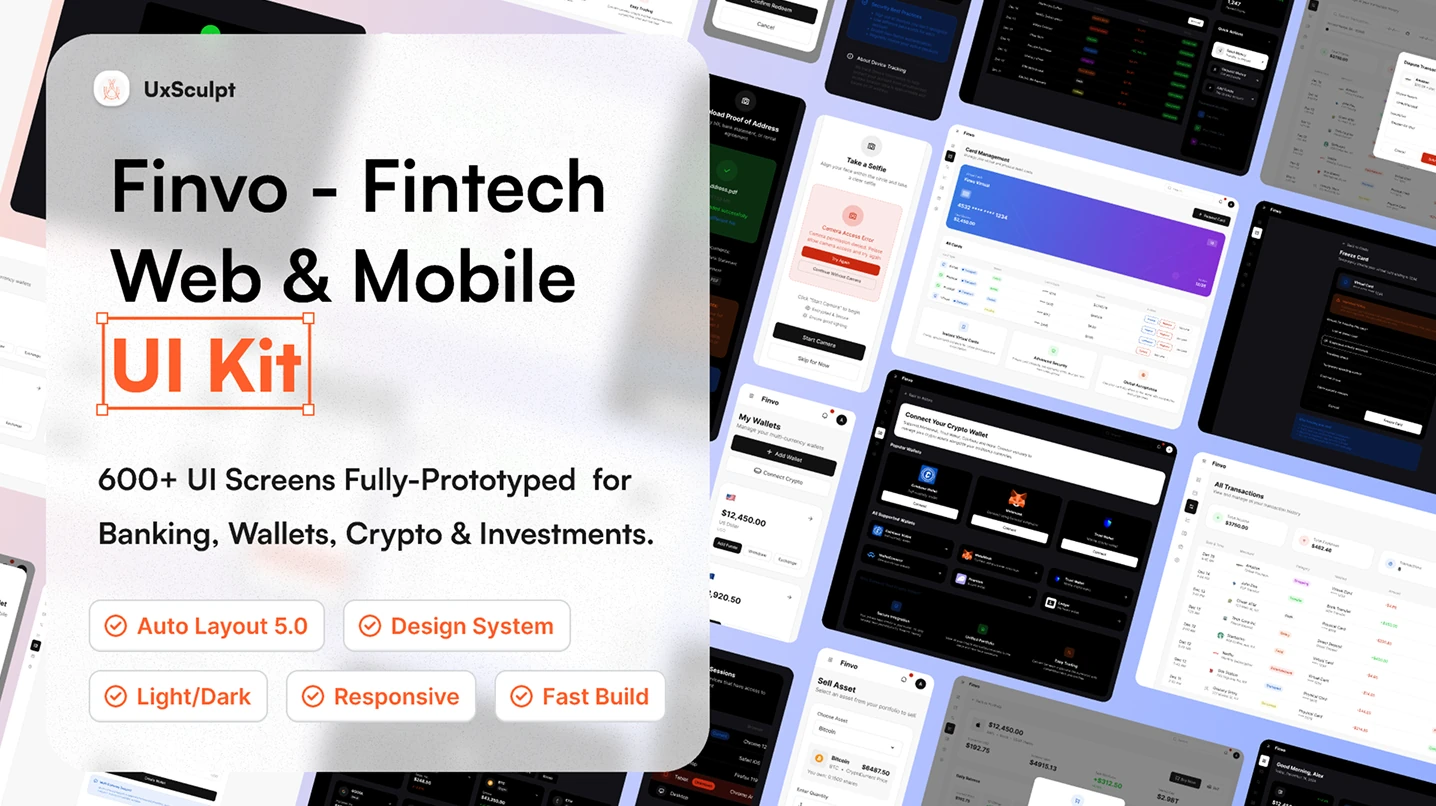
Use it if you need web and mobile screens across banking, payments, wallets, crypto and investing.
A fintech UI kit by UxSculpt. The free community edition includes authentication and onboarding flows, dashboard layouts with KPIs, charts and financial summaries, and light and dark theme examples, all built with auto layout.
- Watch out for: the cover advertises 600+ screens. Check which of them are in the community edition before you plan around it.
- Licence: CC BY 4.0 on Figma Community. Last updated 7 months ago.
4. FinanceHub
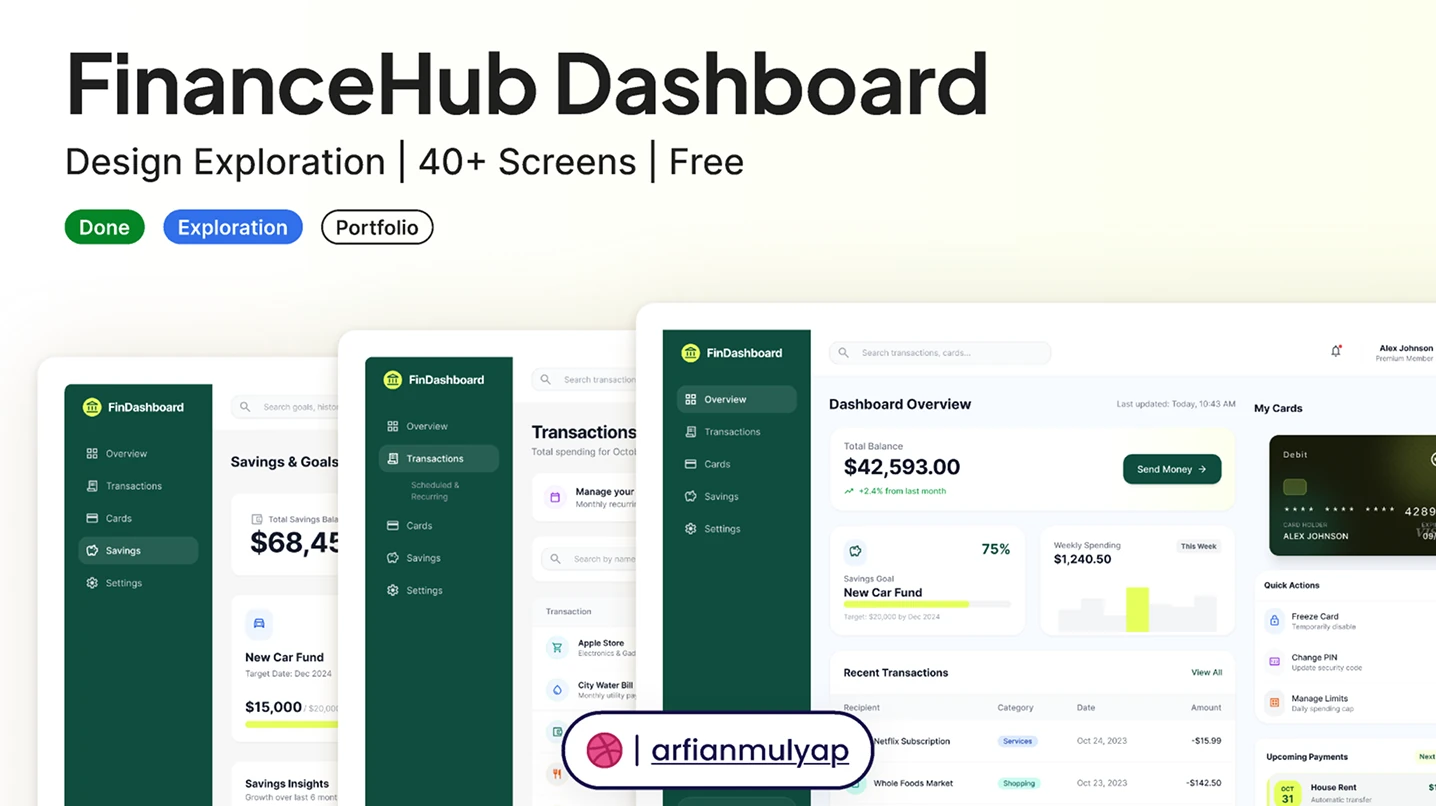
Use it if you’re exploring a digital banking concept, from landing page to dashboard.
A fintech dashboard exploration by Zannen Design with 40+ screens: a landing page, dashboard overview, transactions, savings goals, cards and settings, plus modal forms and filtering states. Set in Inter on a 12-column grid with 8px spacing.
- Watch out for: the badge says CC BY 4.0, but the description says it’s free for learning, inspiration and personal projects. Ask the creator before client work.
- Updated: 8 months ago.
5. FinTech UI kit | Free
Use it if you’re designing a mobile banking app for Arabic and Western markets.
A mobile component library by Together Design Agency, with a category for financial components and interactions, RTL and LTR components, and tokens for colours, spacing, corner radius and fonts.
- Watch out for: it’s described as an early-stage trial version and was last updated 2 years ago.
- Licence: CC BY 4.0 on Figma Community.
Free fintech building blocks
Smaller free files for one part of a product. All five come from Viola UI and use the same sample portfolio, so the numbers agree if you use more than one.
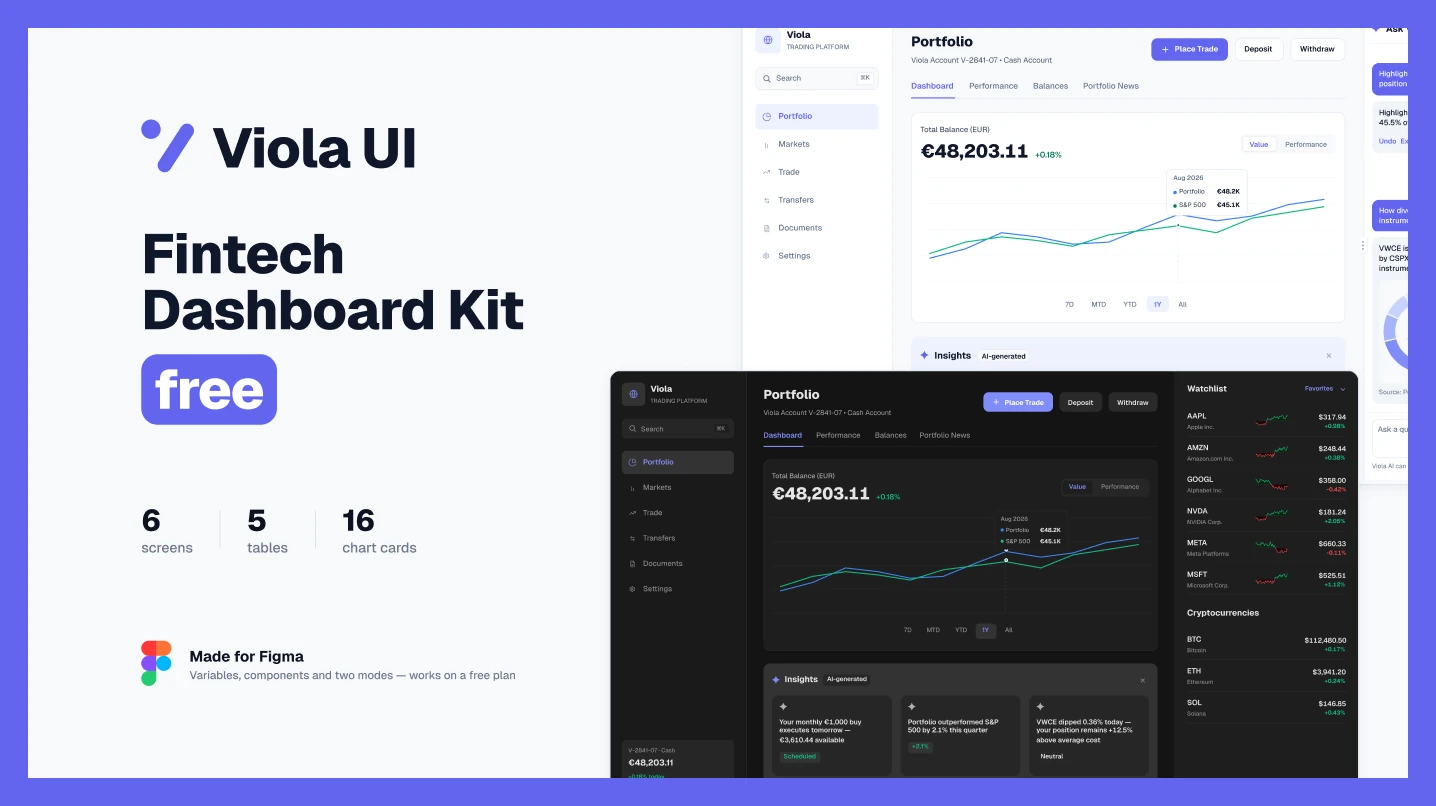
6. Fintech Dashboard Kit: Copilot, Tables & Charts
Use it if you want a dashboard, an AI copilot, tables and charts in one free file.
The portfolio dashboard and 5 AI copilot screens in light and dark, 5 tables built from real table cells, 16 chart cards, and AI components: an insights strip, a market brief and a copilot chat panel.
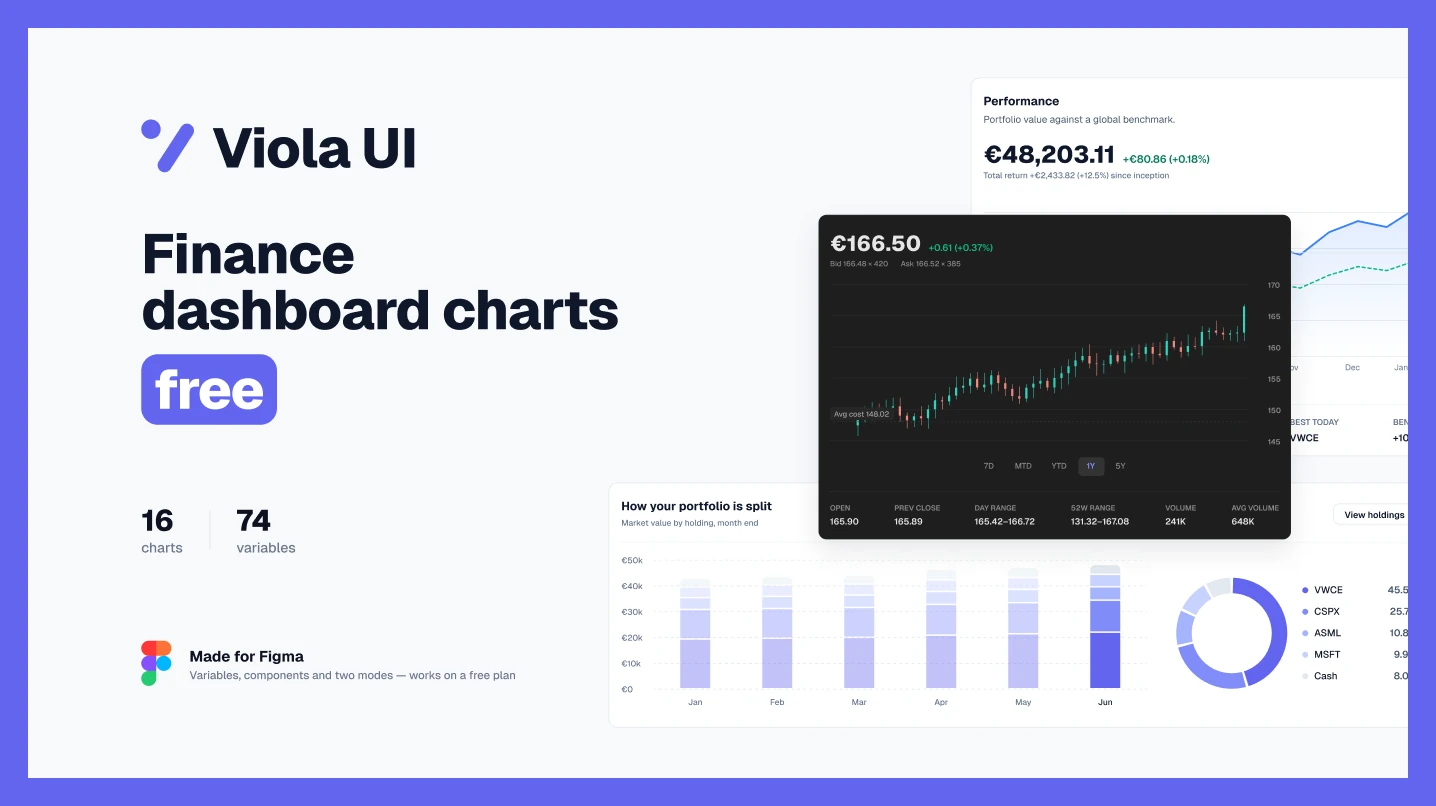
7. Finance Charts
Use it if you need chart cards for a portfolio or investing dashboard.
16 chart cards in light and dark: portfolio against a benchmark, allocation donuts, stacked bars, candlesticks and sparklines. The 12 chart tokens are separate from the green and red kept for gains and losses.
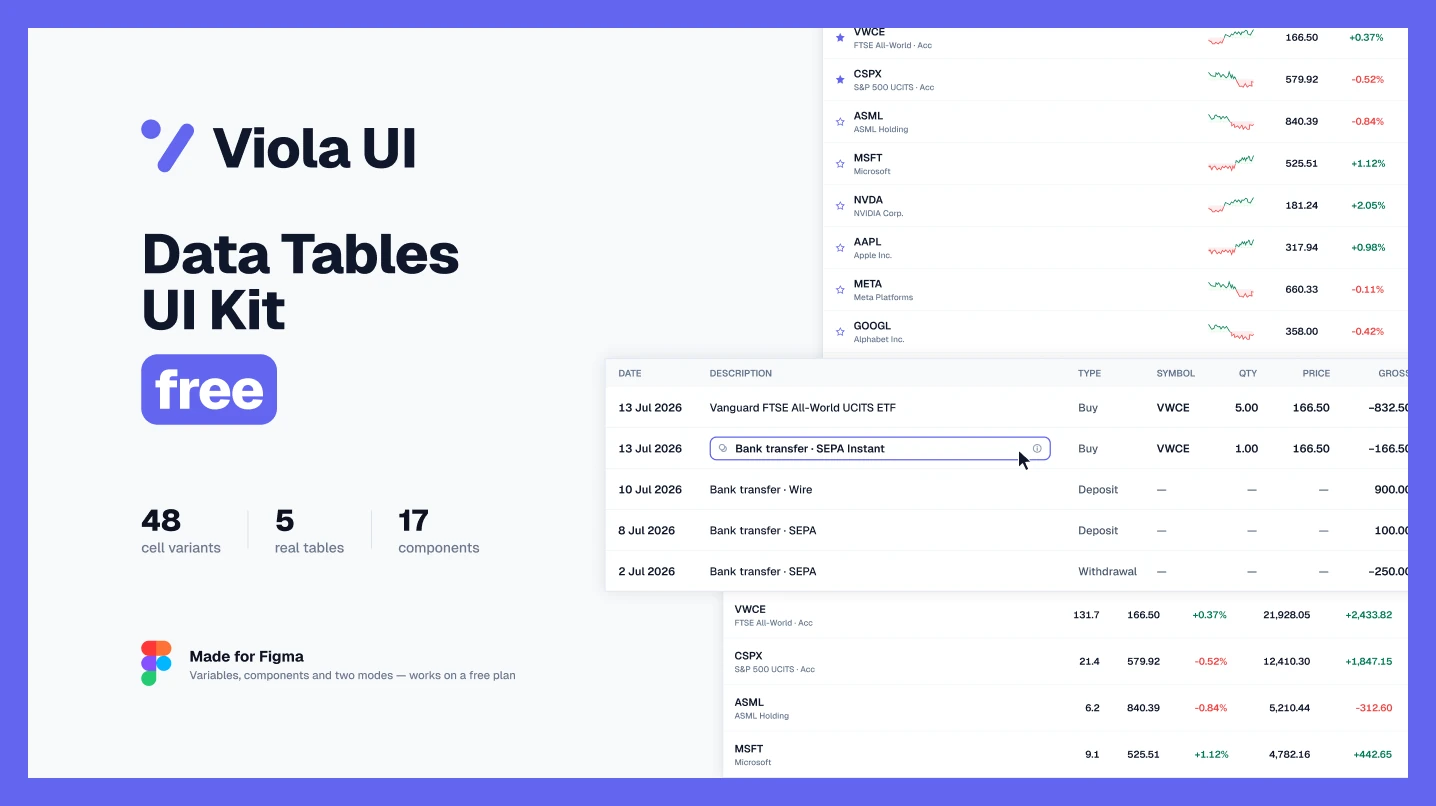
8. Data Tables
Use it if you need finance tables: holdings, watchlists, stock listings or transaction history.
48 table cell variants and 5 working tables, with the buttons, selects, tags and icons they use, in light and dark. The file is self-contained, so it doesn’t depend on any other library.
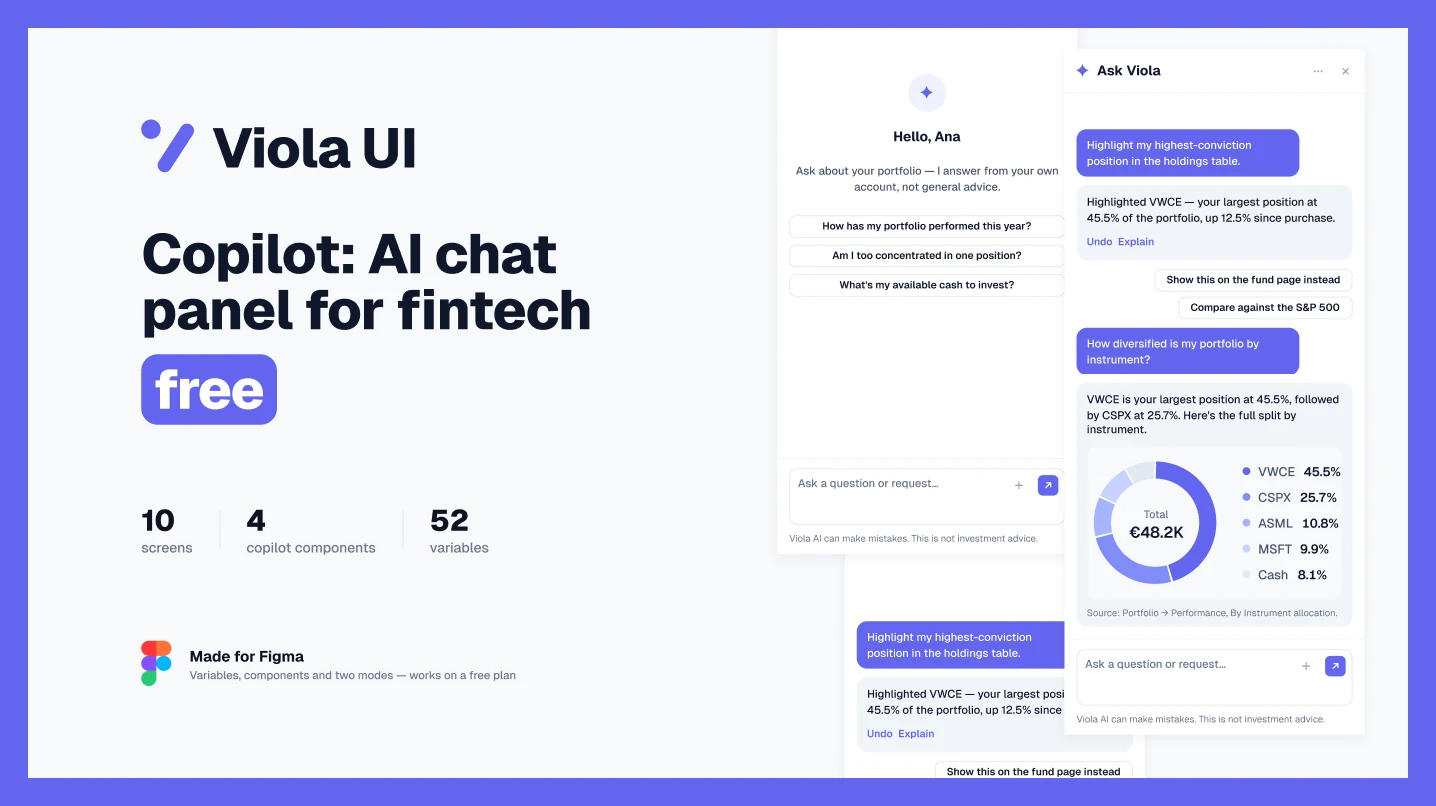
9. Copilot: AI chat panel
Use it if you’re adding an AI assistant to a finance product.
A docked chat panel with welcome, chart answer, action with undo, wider and collapsed states, in light and dark. The panel is labelled as AI, can be closed, and never gives investment or tax advice.
10. Fintech Modals
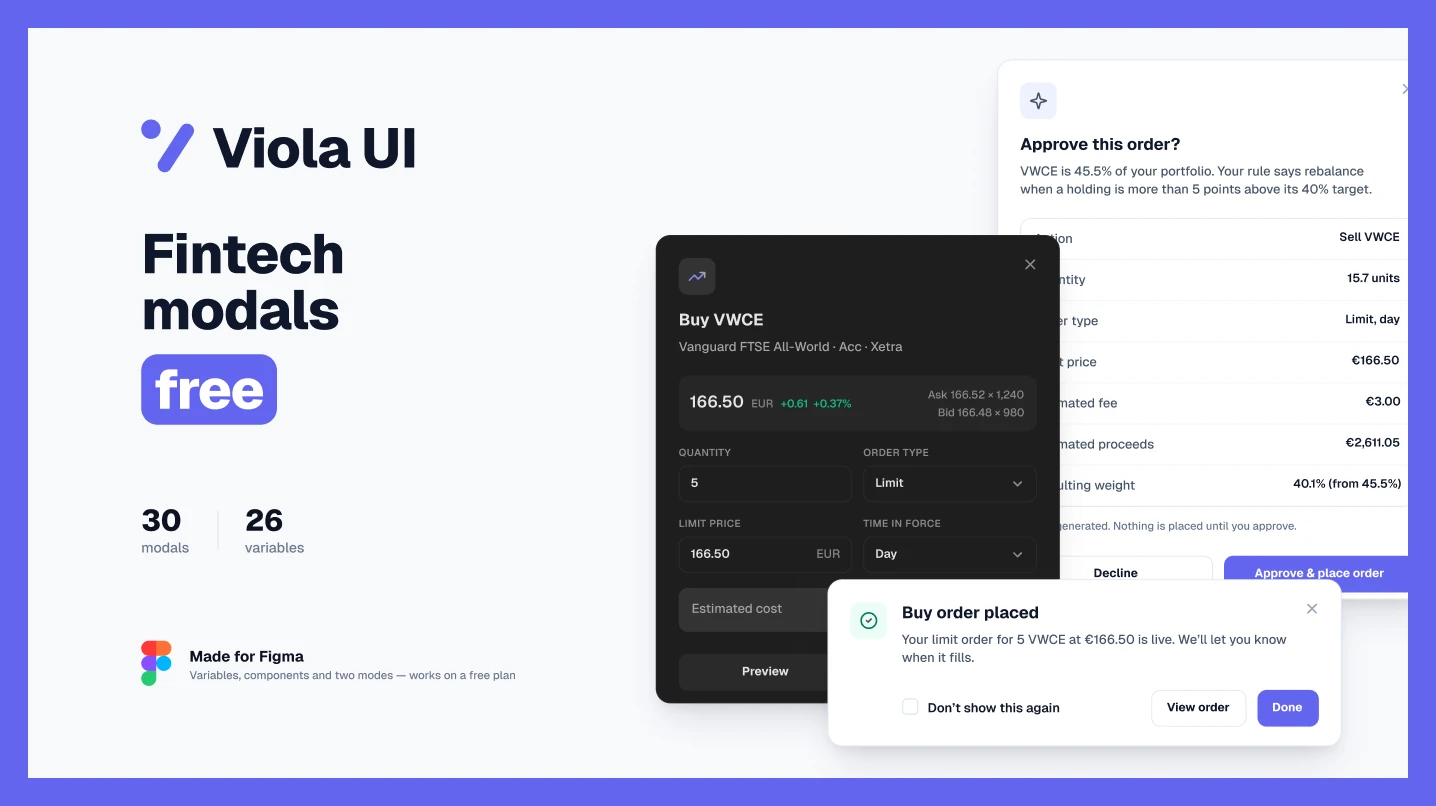
Use it if you need confirmations and dialogs for orders, transfers and security.
30 modals from one Modal component: orders, deposits and withdrawals, sign-in and security, plans and settings, plus an AI order approval. Light and dark, with buttons, inputs, toggles, radio cards and 35 icons.
A five-minute fintech test for any kit
Before you build on a free kit, open it and run these six checks:
- 1. Add up the dashboard. Does the total equal the holdings or accounts listed below it? Does the same figure appear on the detail screens?
- 2. Look at a column of amounts. Do the digits line up? If not, the money styles aren’t using tabular figures.
- 3. Find the colours on money. Are green and red used only for gains and losses, or also for buttons and badges?
- 4. Switch to dark mode. Does it switch through a mode, or is dark a second set of screens to maintain?
- 5. Follow one flow end to end. Sign-up to verification to first deposit. Missing steps are screens you’ll draw yourself.
- 6. Read the licence. “Free for personal use” doesn’t cover client work or a commercial product.
Which kit for your project
| Project | Start from | Why |
|---|---|---|
| Investing or portfolio dashboard | Viola UI free kit | A complete dashboard in light and dark, built on tokens |
| Banking dashboard concept | BankDash | Many screens and sections to learn from |
| Web and mobile banking, wallets or crypto | Finvo community edition | Covers both web and mobile |
| Banking landing page and dashboard | FinanceHub | Landing page and dashboard in one file |
| Mobile banking with Arabic support | Together’s FinTech UI kit | RTL and LTR components |
| AI assistant in a finance product | Viola UI Copilot | Labelled as AI, can be closed, and comes with undo |
| Charts, tables or modals for an existing product | Viola UI Finance Charts, Data Tables or Modals | One part, ready to drop into your file |
FAQ
What is the best free fintech UI kit for Figma?
It depends on the product. For investing and portfolio dashboards, Viola UI’s free kit. For a large banking dashboard to learn from, BankDash. For web and mobile banking, payments and crypto, Finvo’s community edition.
Can I use free fintech kits for client work?
All ten files show a CC BY 4.0 licence on Figma Community, which allows commercial use as long as you credit the creator. FinanceHub’s own description limits it to learning and personal projects, so check each file’s description as well as the badge.
Do free fintech kits work on a free Figma plan?
Yes. You can open and duplicate Community files on a free plan. Switching between a file’s existing light and dark modes also works on a free plan; creating new modes doesn’t.
Is there a free Figma kit for AI features in finance?
Viola UI’s free Copilot file has a docked AI chat panel for portfolio questions, and the Fintech Dashboard Kit adds an insights strip and a market brief.
Which free fintech kits include dark mode?
BankDash, Finvo and all six Viola UI files include light and dark. FinanceHub and Together’s FinTech UI kit don’t mention dark mode on their pages.
What does a paid fintech kit add?
Usually more screens and flows. Viola UI’s full kit, for example, adds 100+ screens to the free version, including trading, fund research, KYC onboarding, transfers and documents, with one dataset that reconciles across every screen. For paid options, see Best Figma UI kits for fintech, or how Viola compares with shadcn/ui.
Sources
- Viola UI — Fintech & AI UI Kit (Free), Figma Community, read 28 October 2026
- BankDash by Seju, Figma Community, read 28 October 2026
- Finvo by UxSculpt, Figma Community, read 28 October 2026
- FinanceHub by Zannen Design, Figma Community, read 28 October 2026
- FinTech UI kit | Free by Together Design Agency, Figma Community, read 28 October 2026
- Viola UI Fintech Dashboard Kit, Figma Community, read 28 October 2026
- Viola UI Finance Charts, Figma Community, read 28 October 2026
- Viola UI Data Tables, Figma Community, read 28 October 2026
- Viola UI Copilot, Figma Community, read 28 October 2026
- Viola UI Fintech Modals, Figma Community, read 28 October 2026

WRITTEN BY
Kseniya Savitsyna
Product designer working on fintech & AI products, and the designer behind Viola UI.