The short answer
If you’re designing a finance dashboard, shadcn/ui gives your developers free, open-source components and Viola gives you the finance screens already built. shadcn/ui is a set of React components you copy into your code; in Figma it comes as community kits. Viola is a Figma kit built for investing and trading products, with numbers that agree on every screen.
I’m the designer behind Viola, so read this with that in mind. I’ve tried to be fair: shadcn/ui is excellent, and for most React products it’s the right base. This comparison is about one job, designing a finance dashboard, not about which one is better overall.
The verdict: for the components in code, start from shadcn/ui. For the money screens, start from Viola.
In short
- shadcn/ui is a free, open-source set of React components under the MIT licence. Viola is a fintech Figma kit with 487 variants and 100+ finance screens.
- Viola runs every screen on one portfolio, so totals, tables and charts agree. General kits fill each screen separately.
- Viola includes the flows around a dashboard: KYC, trading, EUR/USD cash, transfers and tax documents.
- shadcn/ui is code first; its Figma kits are made by the community. Viola is Figma only, with tokens named to match Tailwind and shadcn.
- The shadcn/ui code is free. Viola costs $49 for one designer; shadcndesign’s Figma kit starts at $119.
How we compared them
We looked at one job: designing an investing or portfolio dashboard in Figma. Each section below covers one thing that job needs, and ends with a verdict.
- Data: do the numbers agree across screens?
- Coverage: are the screens around the dashboard included?
- Finance conventions: are money-specific rules built in?
- AI patterns: is there guidance for AI next to money?
- Cost and workflow: price for one designer and for a team, code, and AI tools.
shadcn/ui figures come from ui.shadcn.com and its GitHub repository; Figma kit figures from shadcndesign.com and Obra Studio’s Figma Community page, checked on 28 October 2026. Viola figures come from the kit itself.
A finance dashboard’s total has to equal its parts
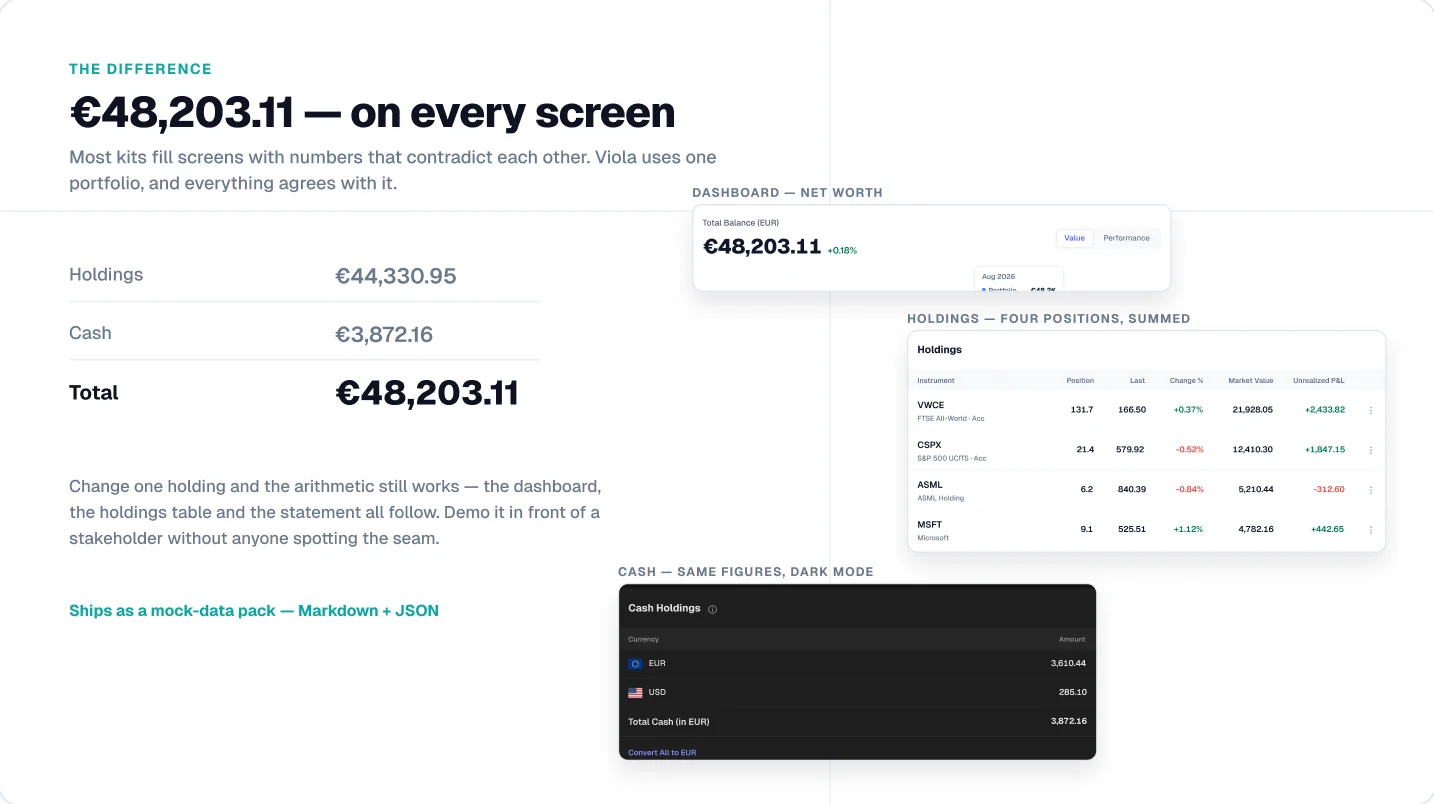
In a finance product, the first person to check the math is the one deciding whether to fund it. Most kits fill each screen with its own made-up numbers, so the dashboard total and the holdings table quietly disagree.
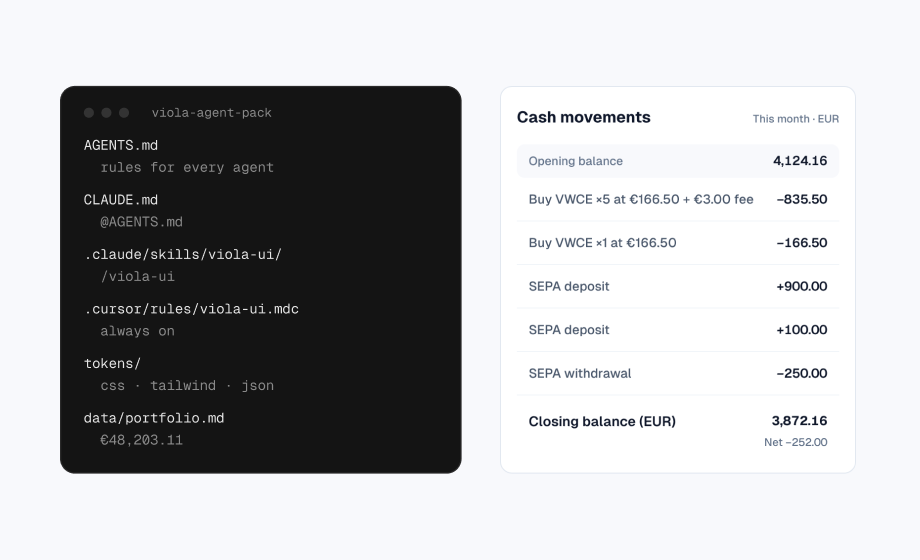
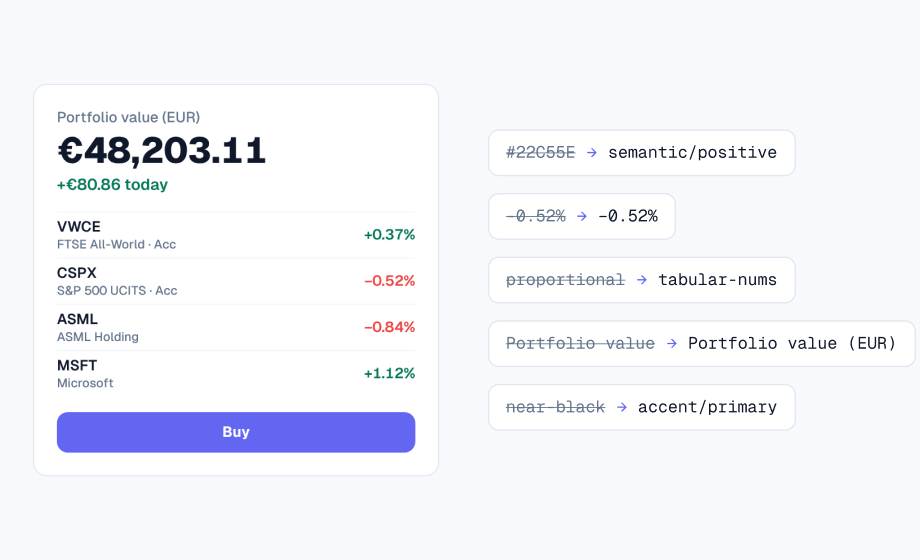
Viola runs every screen on one portfolio. €48,203.11 on the dashboard is €44,330.95 in holdings plus €3,872.16 in cash. The holdings table, fund page and cash account show the same figures, in light and dark, and the data ships as a Markdown and JSON pack for developers.
shadcn/ui’s dashboard block, dashboard-01, is a sidebar, a chart and a data table with sample data, built to show the components. If your numbers need to hold up in a demo, you’d replace that data and reconcile it yourself.
See it in the file
The free Viola UI file includes the portfolio dashboard with these numbers, in light and dark.
Verdict: Viola, if your numbers have to survive a demo.
A dashboard is only one screen of a money product
Users reach a finance dashboard through identity checks, fund it through transfers and leave it to place a trade. Designing the dashboard alone leaves most of the product still to draw.
Viola’s 100+ screens cover the journey around it: KYC onboarding with a stepper, markets, fund research, a trade ticket, transfers, cash in EUR and USD, tax documents and settings. Each screen exists in light and dark.
shadcn/ui has blocks for dashboards, sidebars and login pages, and paid Figma kits add hundreds more, but finance flows like KYC or a trade ticket aren’t their focus.
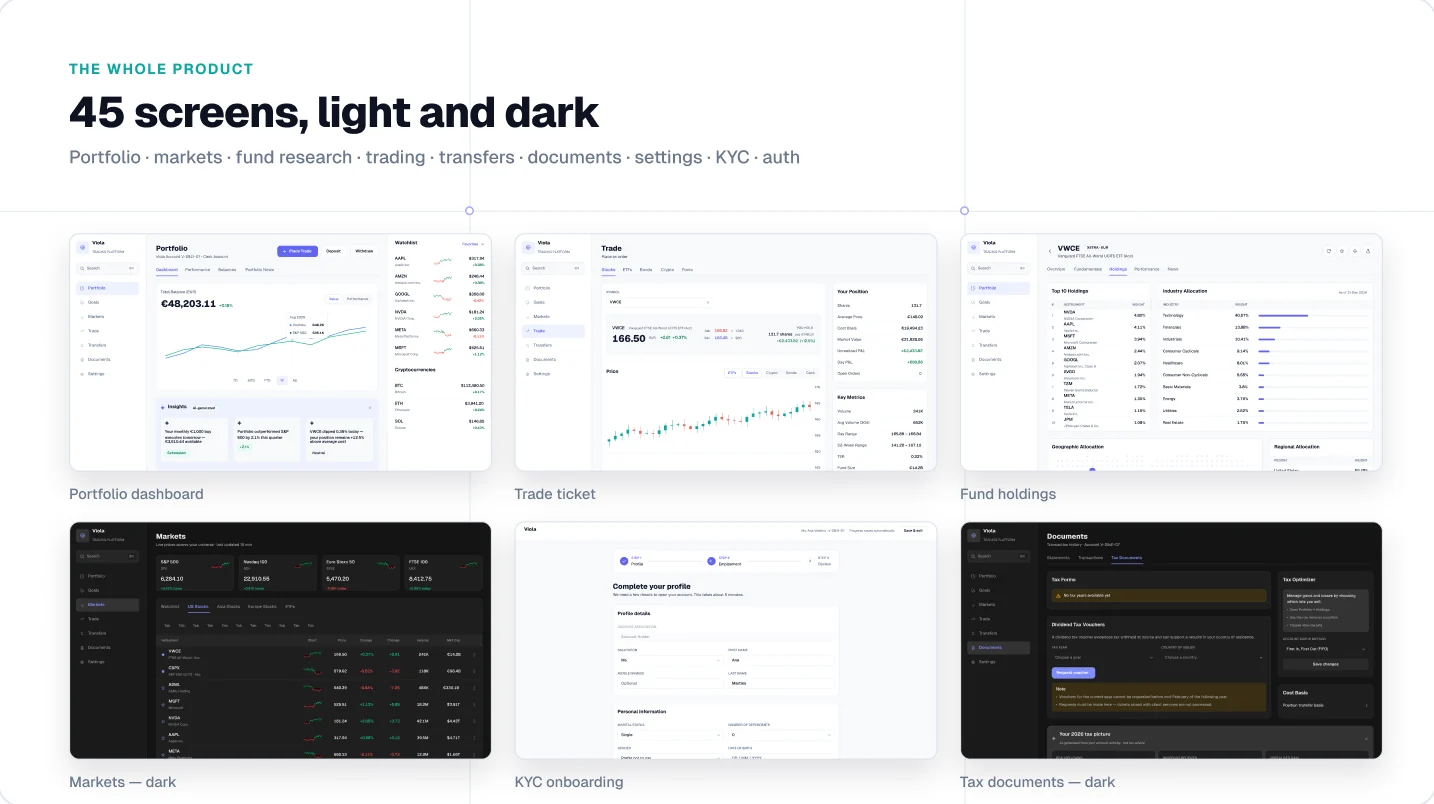
Verdict: Viola for the finance journey. shadcn/ui if you need general app pages in code.
Green and red mean profit and loss, nothing else
Finance screens follow conventions that general kits don’t need to care about. Break one and users misread their money. These are the rules Viola is built on; the full list is in the finance UI checklist.
| Convention | Why it matters | In Viola UI |
|---|---|---|
| Tabular figures | Digits share one width, so columns of amounts line up and values don’t jump when they update | Set on every money text style |
| P&L colour | Green and red already mean gain and loss, so using them for anything else sends a mixed signal | Reserved for profit and loss only |
| Accent colour | The brand colour on an amount reads as an action or a highlight, not a value | Never used on money |
| Signed changes | A change needs its sign and its percentage, not colour alone, to be readable | Shown as +€2,433.82 (+12.5%) |
| Currency | Mixed-currency balances must say which currency the total is in | Cash split by EUR and USD, total labelled “in EUR” |
| Number format | €48,203.11 in one locale is 48.203,11 € in another, so columns must fit both | Shown in English format; leave room if you localise |
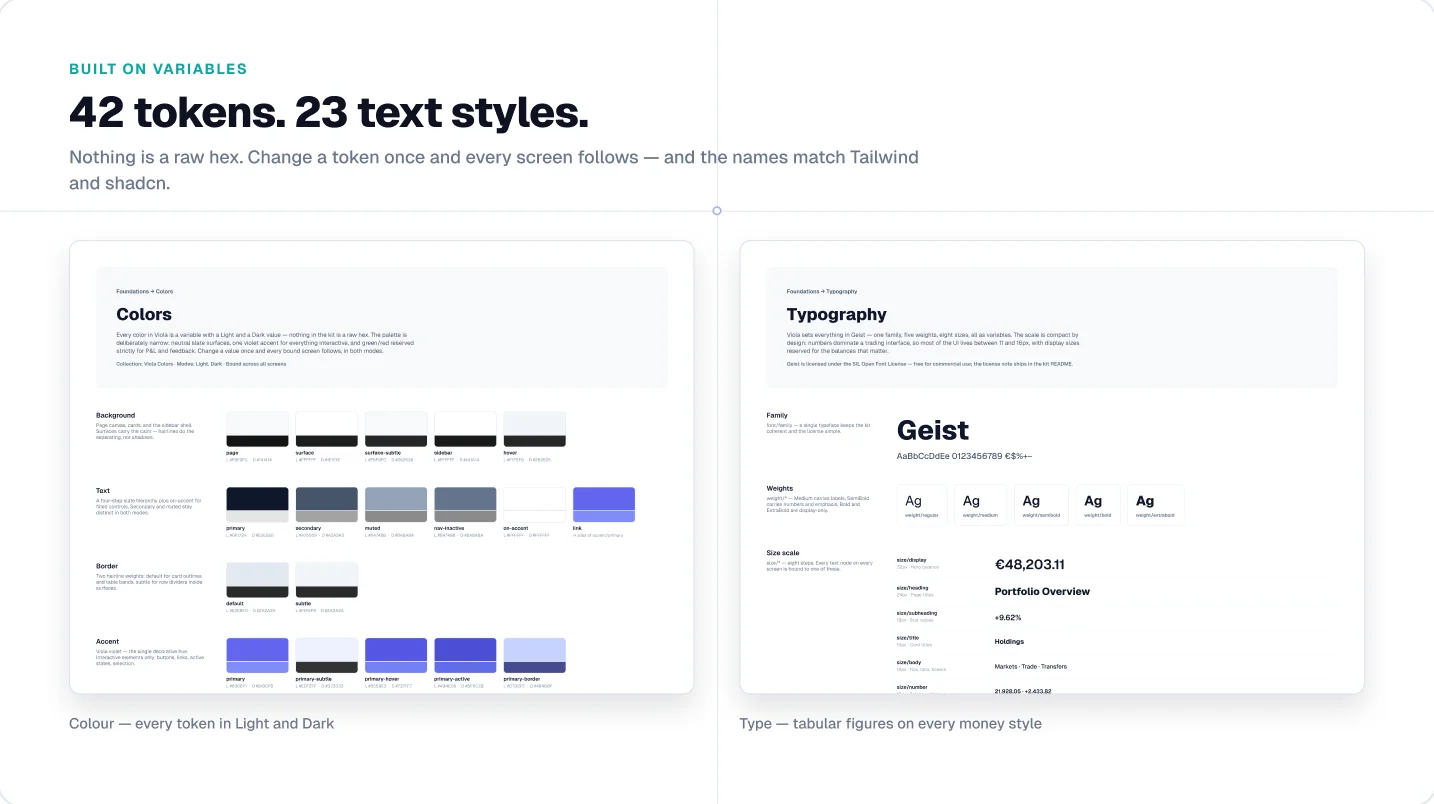
Verdict: Viola ships these rules. With shadcn/ui, you’d set them up in your theme yourself.
Left as it is, the default theme has a colour for destructive actions but none for a gain, so the green comes from wherever a builder finds one.
AI near money needs rules, not only components
An AI suggestion on a trade screen carries more weight than one in a writing app. Users need to know it came from AI, where the claim came from, and that nothing happens without them.
Viola’s five AI components follow four rules. They’re labelled with the AI icon and the words “AI-generated”. They’re sourced, saying where each claim came from. They’re dismissible, so AI is never the only path to a task. And they’re reversible: nothing destructive or automatic, and never investment or tax advice.
The five components are an insight strip, a market brief, order help, a tax summary and deposit help, each placed on the screen where it’s used.
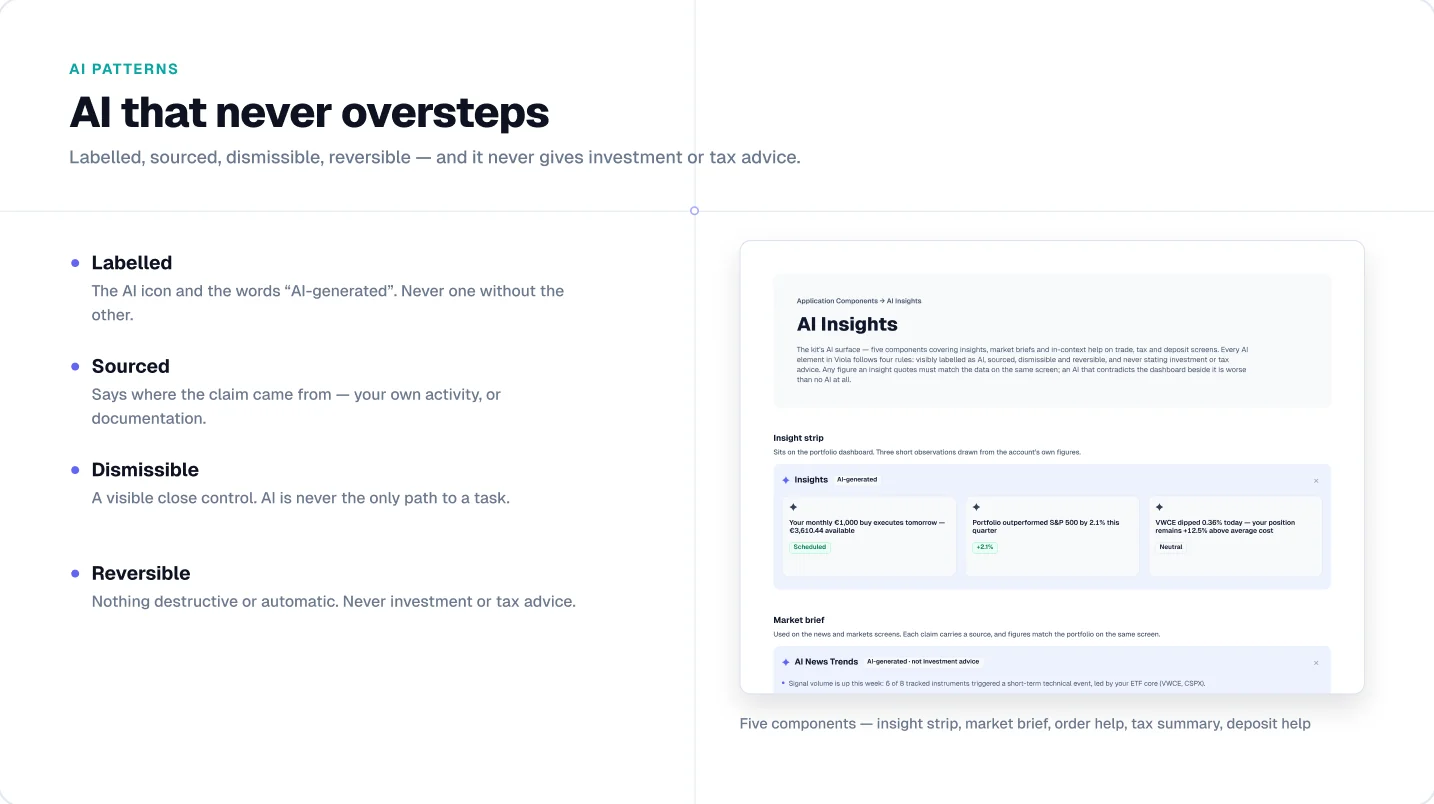
Verdict: Viola, if AI features sit next to money in your product.
At a glance
| shadcn/ui | Viola UI | |
|---|---|---|
| Built for | Any React product, as open-source components | Fintech and AI products: investing, trading, portfolio |
| Size | 65 components in code; Figma kits recreate them (shadcndesign: 2,000+ across 8 styles) | 487 component variants, 100+ screens |
| Dashboards | One dashboard block (dashboard-01) | Portfolio, markets, fund research, trading, cash, documents |
| Finance flows | Not the focus | KYC onboarding, trade ticket, EUR/USD cash, tax documents |
| Sample data | Sample data per block | One portfolio on every screen: €48,203.11 = €44,330.95 holdings + €3,872.16 cash |
| AI patterns | General components | 5 AI components: insights, market brief, order help, tax summary, deposit help |
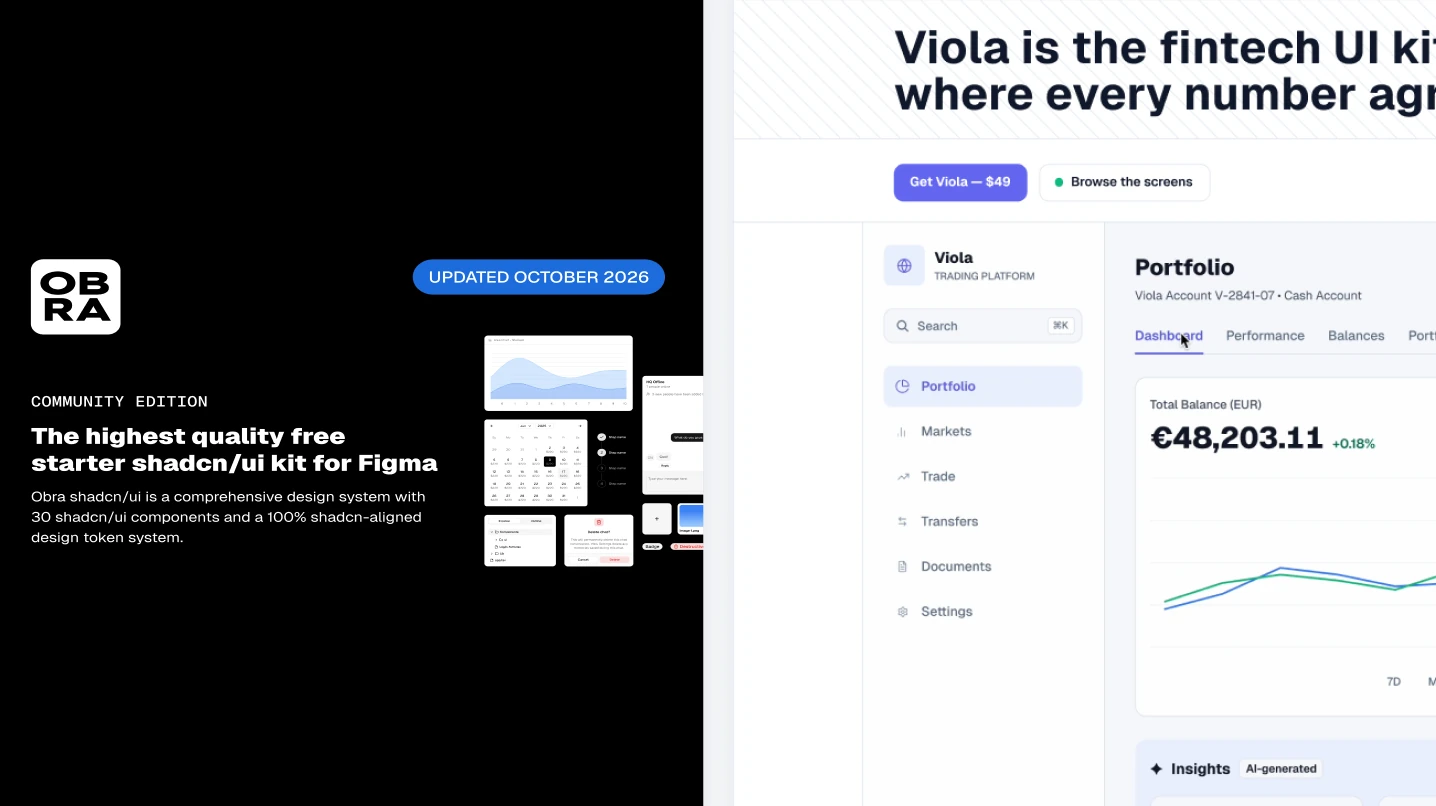
| Dark mode | Yes in code; Obra’s free Figma edition is light only (dark in Pro) | Yes, every screen, 45 colour tokens in Light and Dark |
| Code | React and Tailwind CSS, MIT licence | Figma only; tokens named to match Tailwind and shadcn |
| Free version | The code is free; free Figma kits include Obra’s community edition | Free Figma file: portfolio dashboard in light and dark, 190+ variants |
| Price (Figma, one user) | Code free; shadcndesign Figma kit from $119 | $49 |
| Team price | shadcndesign Basic from $359 (Team) to $999 (Enterprise) | $179, unlimited users in one company |
shadcn/ui figures from ui.shadcn.com, GitHub, shadcndesign.com and Obra Studio, checked 28 October 2026.
When shadcn/ui is the better choice
Pick shadcn/ui if your product is built in React and your developers want to own the code. It’s free, open source under the MIT licence and widely used, with 126k+ stars on GitHub.
It also wins on these:
- Code. You get the actual component code, built with React and Tailwind CSS, and a CLI to add components to your project.
- Price. The components are free, and free Figma kits such as Obra’s community edition cover the core components in light mode.
- Ecosystem. Many free and paid Figma kits, blocks and templates follow shadcn/ui, so new hires and AI tools may already know it.
- A non-finance product. For a CRM, an analytics tool or a SaaS admin panel, finance-specific screens would mostly go unused.
Pros and cons
| Pros | Cons | |
|---|---|---|
| shadcn/ui | Free, open-source React components; you own the code; large community; many Figma kits to choose from | No finance screens or shared dataset; the Figma kit is separate from the code and priced separately; the dashboard block uses sample data |
| Viola UI | One portfolio across 100+ screens; KYC, trading, cash and tax flows included; finance and AI rules built in; $49 | Figma only, no React components; 487 variants, so non-finance pages need another kit; desktop screens only; newer, smaller community |
Using both
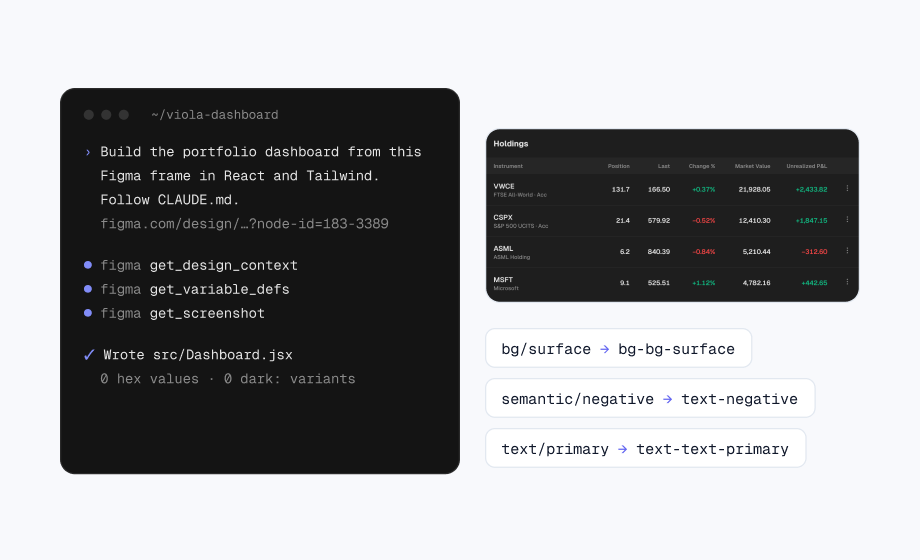
You don’t have to choose. A common setup is shadcn/ui in code, with a shadcn Figma kit for general components and Viola for the finance screens inside the product. Viola’s tokens follow Tailwind and shadcn naming, so the finance screens map onto the theme your developers already use.
What it costs
Both are one-time purchases. The gap grows with team size, because Viola’s Team licence covers unlimited users in one company.
| Team size | shadcndesign Figma kit | Viola UI |
|---|---|---|
| 1 designer | $119 (Basic, Personal) | $49 (Individual) |
| Small team | $359 (Basic, Team) | $179 (Team) |
| Larger team | $459 (Basic, Organization) | $179 (Team) |
| Enterprise | $999 (Basic, Enterprise) | $179 (Team) |
shadcndesign prices are its standard prices on 28 October 2026, before regional discounts. The Plus and Premium packages, with Pro Blocks and React code, start at $299 for one person. The shadcn/ui code itself is free.
Verdict: the shadcn/ui code is free. Among paid Figma kits, Viola costs less at every team size, if finance screens are what you need.
AI and agent workflows
More teams now hand a Figma file to an AI tool and ask it to build the screen. Two things decide how well that goes: whether the names in the file match the code, and whether the content makes sense.
- shadcn/ui has the stronger code story. Agents already know its components, and shadcndesign sells agent skills and a Figma plugin that turns designs into shadcn/ui code.
- Viola has no code, but its tokens are named to match Tailwind and shadcn, so an agent maps the finance screens onto shadcn/ui components without a translation layer. Viola UI’s agent pack gives Claude Code, Cursor and Codex its rules and tokens as files.
Verdict: shadcn/ui for the components in code. Viola for the finance content that sits on top of them.
For a worked example, see Claude Code and Figma: one screen, step by step.
Which fits your kind of project
| Project | Start from | Why |
|---|---|---|
| Investing or brokerage app | Viola UI | Portfolio, holdings, fund pages and trade ticket share one dataset |
| Trading platform | Viola UI | Markets, order entry and P&L conventions are already designed |
| Wealth or portfolio tracker | Viola UI | Multi-currency cash and reconciled totals |
| Neobank or payments app | Either | Viola UI covers transfers, cash and KYC; shadcn/ui has more general components in code |
| SaaS product with a billing or revenue page | shadcn/ui | Finance is one feature; you need the rest of the product |
| Product already built on shadcn/ui | Both | shadcn/ui for the components, Viola UI for the finance screens |
| You need production React components | shadcn/ui | Viola UI is Figma only |
| Pitch or investor demo on a tight budget | Viola UI | $49, and the numbers hold up when someone checks them |
Not sure yet? Both are free to try: the shadcn/ui code with a free Figma kit, and the free Viola file. Open each and see which is closer to what you’re building. For more options, see the best Figma UI kits for fintech.
FAQ
Is Viola an alternative to shadcn/ui?
Not really: they do different jobs. shadcn/ui is a set of React components you copy into your code. Viola is a Figma kit with finance screens and data that agrees. Many teams use both.
Does shadcn/ui have finance dashboards?
Its blocks include one dashboard, dashboard-01, with a sidebar, a chart and a data table. It’s general-purpose rather than built around a finance dataset or flows like KYC and trading.
Does Viola work on a free Figma plan?
Yes. Light and Dark modes switch through variables and work on a free Figma plan.
Is there a free version of Viola?
Yes. The free Figma Community file includes the portfolio dashboard in light and dark, 190+ component variants and 39 icons, free for personal and commercial projects.
Can I use Viola with shadcn/ui?
Yes. Viola’s tokens follow Tailwind and shadcn naming, so the finance screens map onto a shadcn/ui theme. Use shadcn/ui for the components in code and Viola for the money screens.
Try it
Start with the free Viola UI file: the portfolio dashboard, AI copilot screens, tables and chart cards, in light and dark. If it fits, the full kit is $49 for one designer or $179 for your whole company.
Sources
- shadcn/ui documentation, blocks and charts, opened 28 October 2026
- shadcn/ui on GitHub, opened 28 October 2026
- shadcndesign pricing, opened 28 October 2026
- Obra shadcn/ui kit community edition, Figma Community, opened 28 October 2026

WRITTEN BY
Kseniya Savitsyna
Product designer working on fintech & AI products, and the designer behind Viola UI.