6 screens · light and dark
AI copilot
Ask Viola, the AI copilot, docked beside the app. It answers from the customer’s own account, labels every answer, names its source and never gives investment advice. Six states, from the welcome panel to a collapsed launcher, in light and dark.
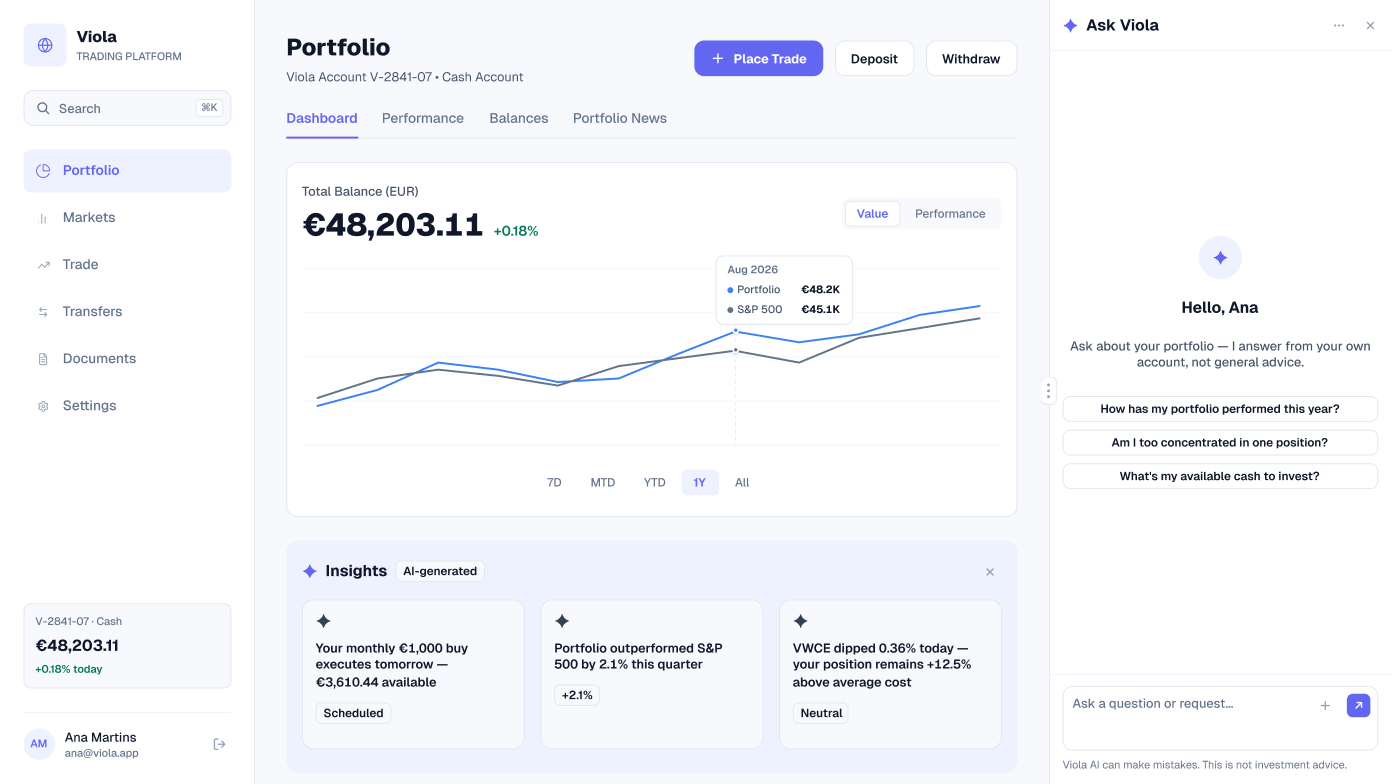
Copilot open
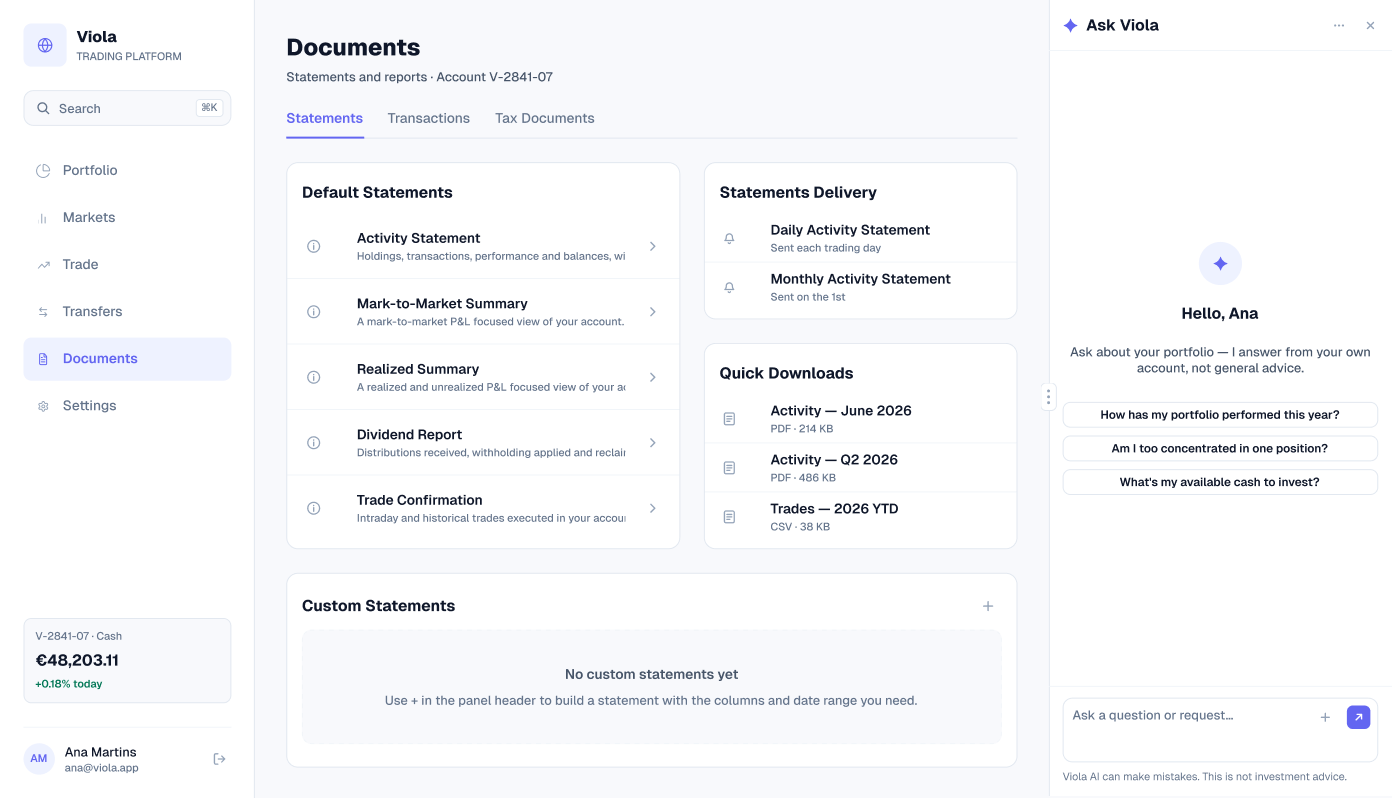
The copilot opens docked to the right of the portfolio dashboard and greets Ana by name. It says what it does — answers from her own account, not general advice — and offers three starter questions: how the portfolio has performed this year, whether it’s too concentrated in one position, and how much cash is available to invest.
The footer stays on every state: Viola AI can make mistakes, and this is not investment advice.
Inquiry
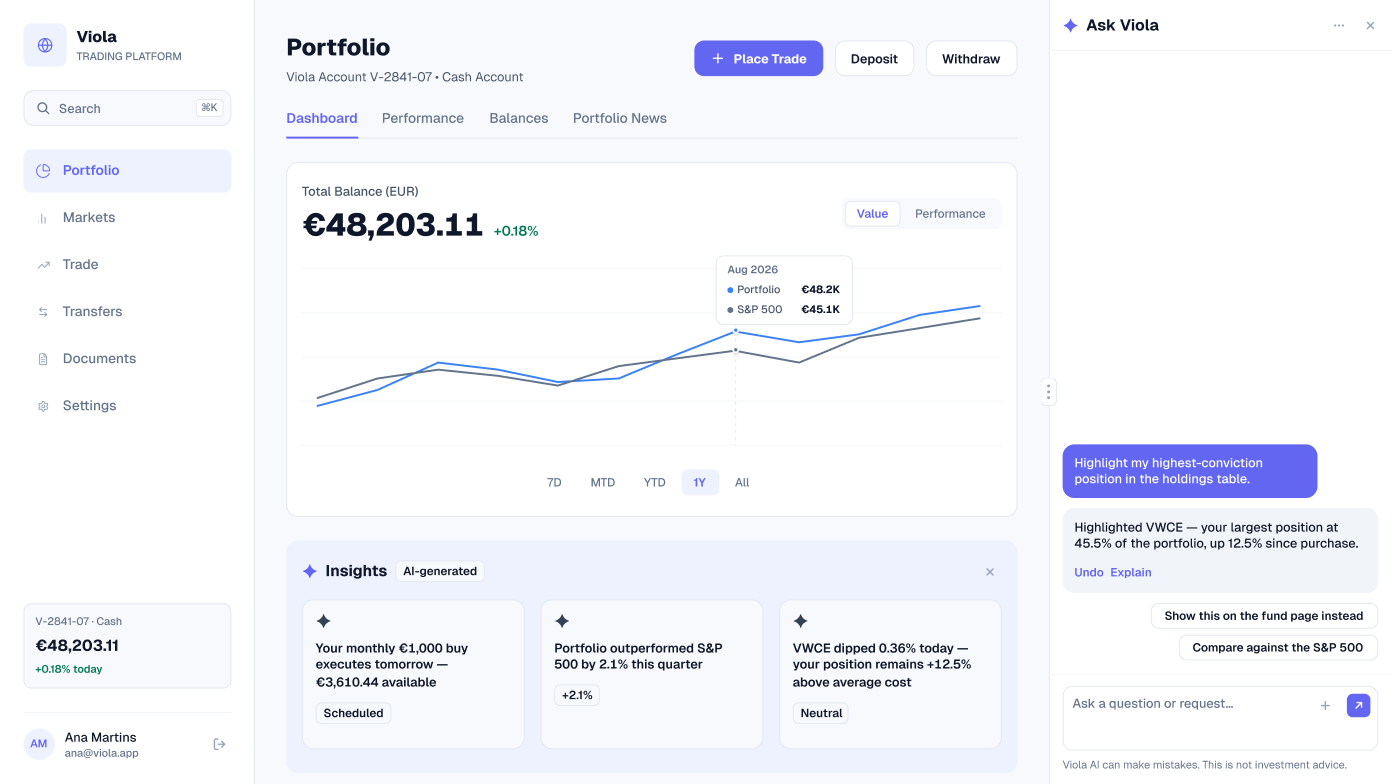
Ana asks the copilot to highlight her highest-conviction position. It highlights VWCE, her largest position at 45.5% of the portfolio and up 12.5% since purchase, and the change can be undone. Follow-up chips offer to explain, show it on the fund page instead, or compare it against the S&P 500.
Inquiry with a chart
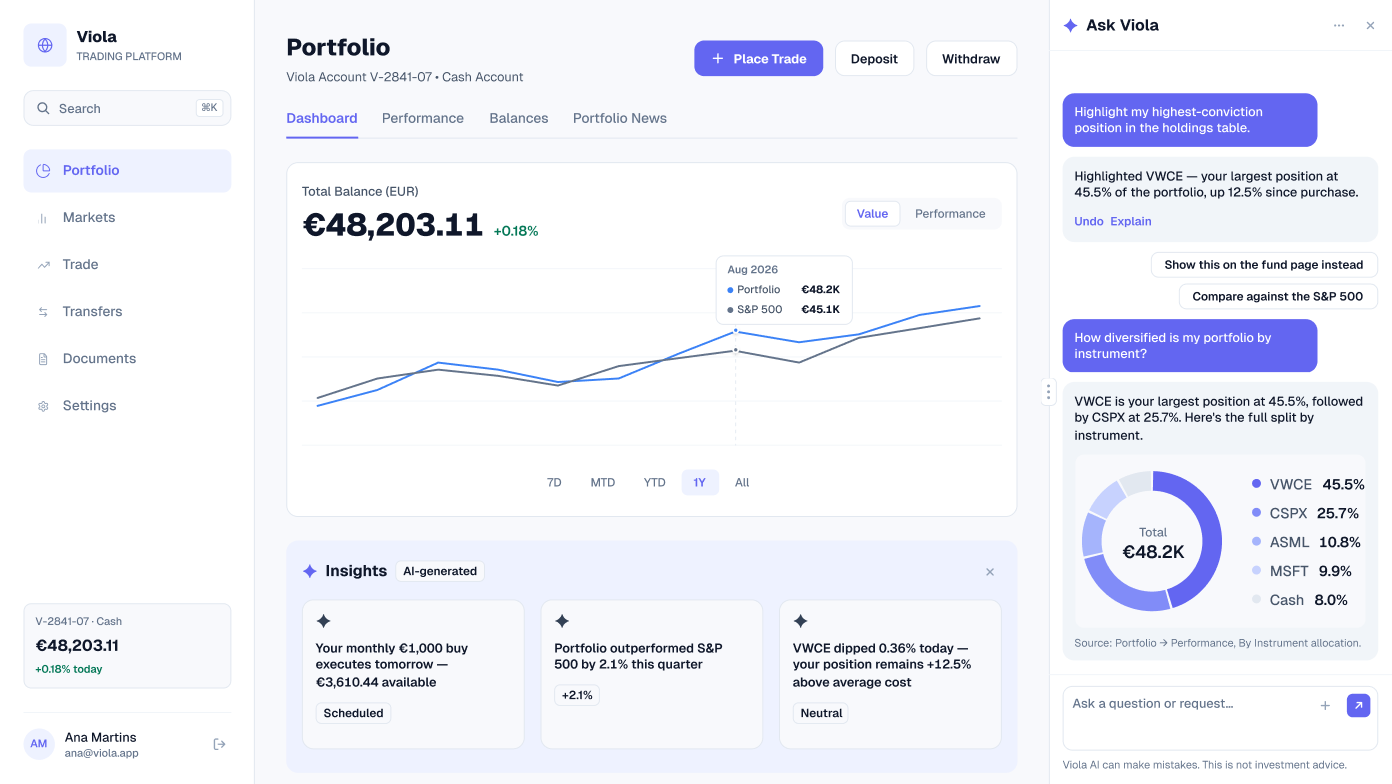
A second question, how diversified the portfolio is by instrument, gets an answer with a chart: VWCE 45.5%, CSPX 25.7%, ASML 10.8%, MSFT 9.9% and cash 8.0%. The answer names where the figures come from, Portfolio → Performance, By Instrument allocation, so the customer can check them.
Resizing the panel
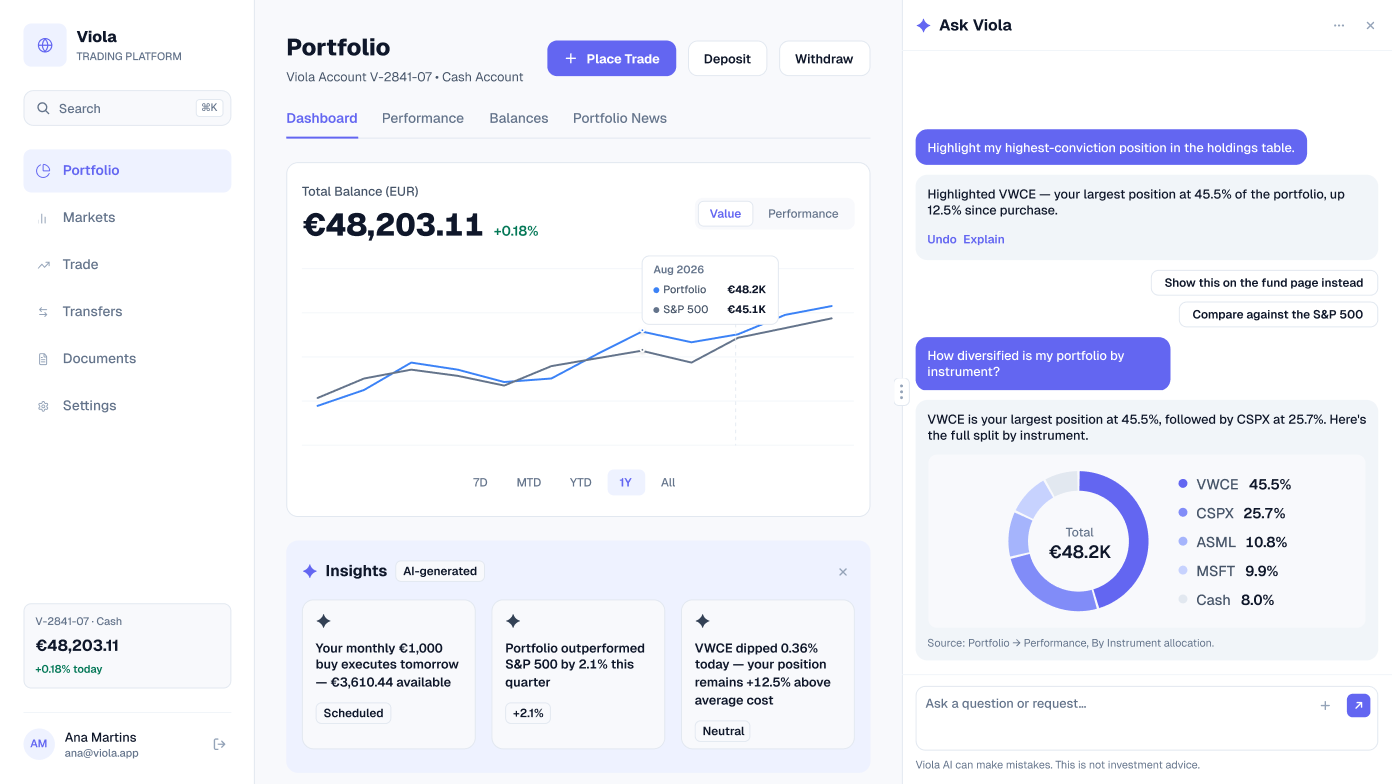
The same conversation while the panel is being resized, for designing the drag handle and how the dashboard sits beside the copilot.
Collapsed
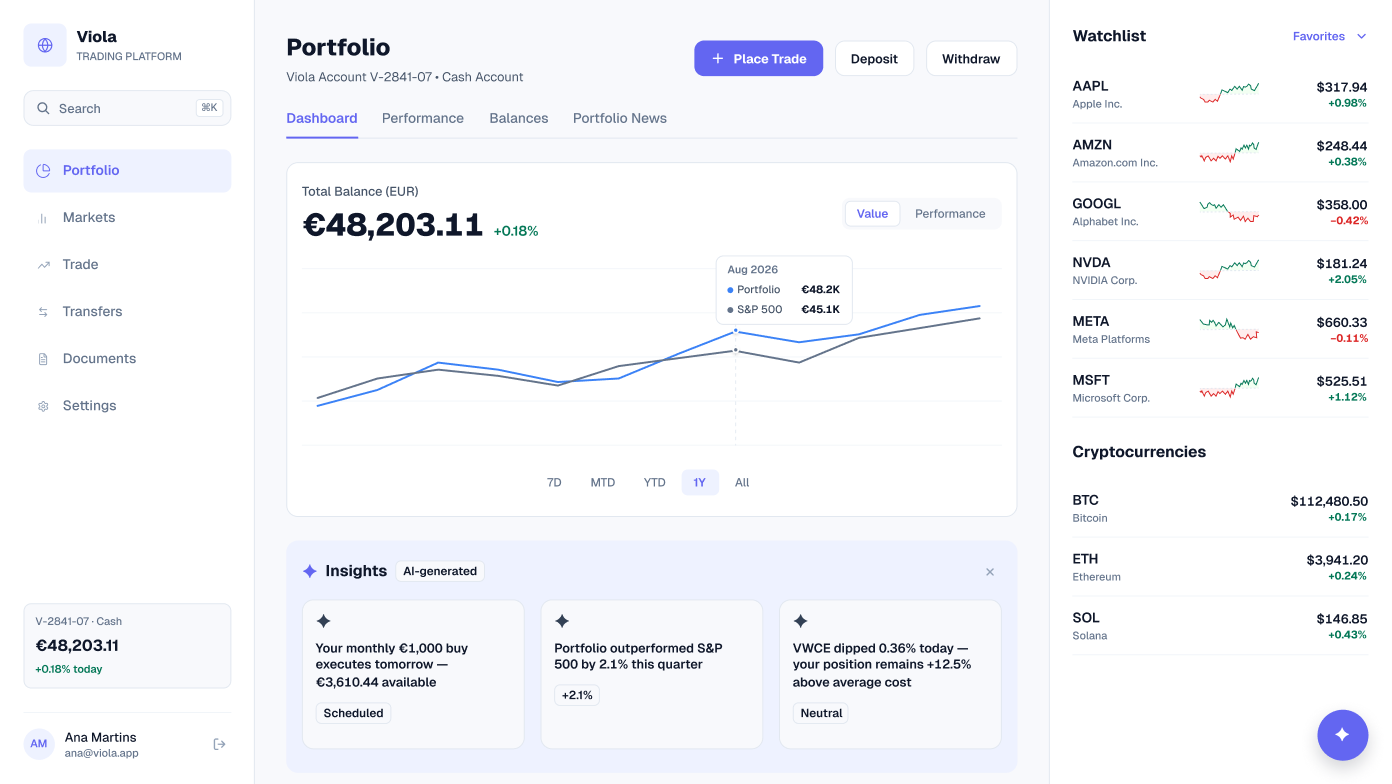
With the copilot closed, the dashboard returns to full width, with the watchlist and cryptocurrencies back in view. A launcher stays on screen to open the copilot again.
Beside Statements
The copilot isn’t tied to the dashboard. Here it sits beside Documents → Statements in its welcome state, with the same three starter questions.
Screens at a glance
| Screen | What it shows | Built from |
|---|---|---|
| Copilot open | Welcome panel with three starter questions | ai-chat-panel-welcome, sidebar, tab-bar, Charts, table/cell |
| Inquiry | A highlighted position with Undo and follow-ups | ai-chat-panel-conversation-3, sidebar, tab-bar, table/cell |
| Inquiry with a chart | An answer with an allocation chart and its source | ai-chat-panel-conversation-2, sidebar, tab-bar, table/cell |
| Resizing the panel | The conversation while the panel resizes | ai-chat-panel-conversation-2, sidebar, tab-bar, table/cell |
| Collapsed | Full-width dashboard with a launcher | ai-chat-launcher, sidebar, tab-bar, Charts, table/cell |
| Beside Statements | The copilot on the Documents page | ai-chat-panel-welcome, sidebar, tab-bar, table/cell |
Data that agrees
The copilot answers from the same portfolio as every other screen. The split it draws for “How diversified is my portfolio?” is the By Instrument allocation from the Performance screen, and the VWCE it highlights is the same 45.5% position in the holdings table.
| Holding | Name | Weight | Market value (EUR) |
|---|---|---|---|
| VWCE | FTSE All-World · Acc | 45.5% | 21,928.05 |
| CSPX | S&P 500 UCITS · Acc | 25.7% | 12,410.30 |
| ASML | ASML Holding | 10.8% | 5,210.44 |
| MSFT | Microsoft | 9.9% | 4,782.16 |
| Cash | EUR and USD | 8.0% | 3,872.16 |
| Total | 100% | 48,203.11 |
Built from
The six screens are built from Viola components, so a change in the library reaches every screen. Counts are for the light screens.
| Component | Instances | Used on | What it does |
|---|---|---|---|
| table/cell | 264 | All six | Holdings, cash and statement rows |
| button | 22 | All six | Trade, transfer and panel actions |
| sidebar | 6 | All six | App navigation and the account card |
| tab-bar | 6 | All six | Section tabs |
| Charts | 5 | Five dashboard states | Value chart against the S&P 500 |
| ai-insights-strip | 5 | Five dashboard states | Three AI-generated insights |
| ai-chat-panel-welcome | 2 | Copilot open, Beside Statements | Greeting and starter questions |
| ai-chat-panel-conversation-2 | 2 | Inquiry with a chart, Resizing | Two questions, one answered with a chart |
| ai-chat-panel-conversation-3 | 1 | Inquiry | A highlight with Undo and follow-ups |
| ai-chat-launcher | 1 | Collapsed | Opens the copilot again |
Get the file
The AI copilot screens are in the full Viola UI kit, with 100+ screens in light and dark. Open the Figma preview to see them all, or get the kit for $49.