6 screens · light and dark
Settings
Six settings pages for the same customer: profile, security, funding, statements, preferences and an activity log. The account, the bank account ending 4821 and the June transactions repeat across them and match the rest of the app.
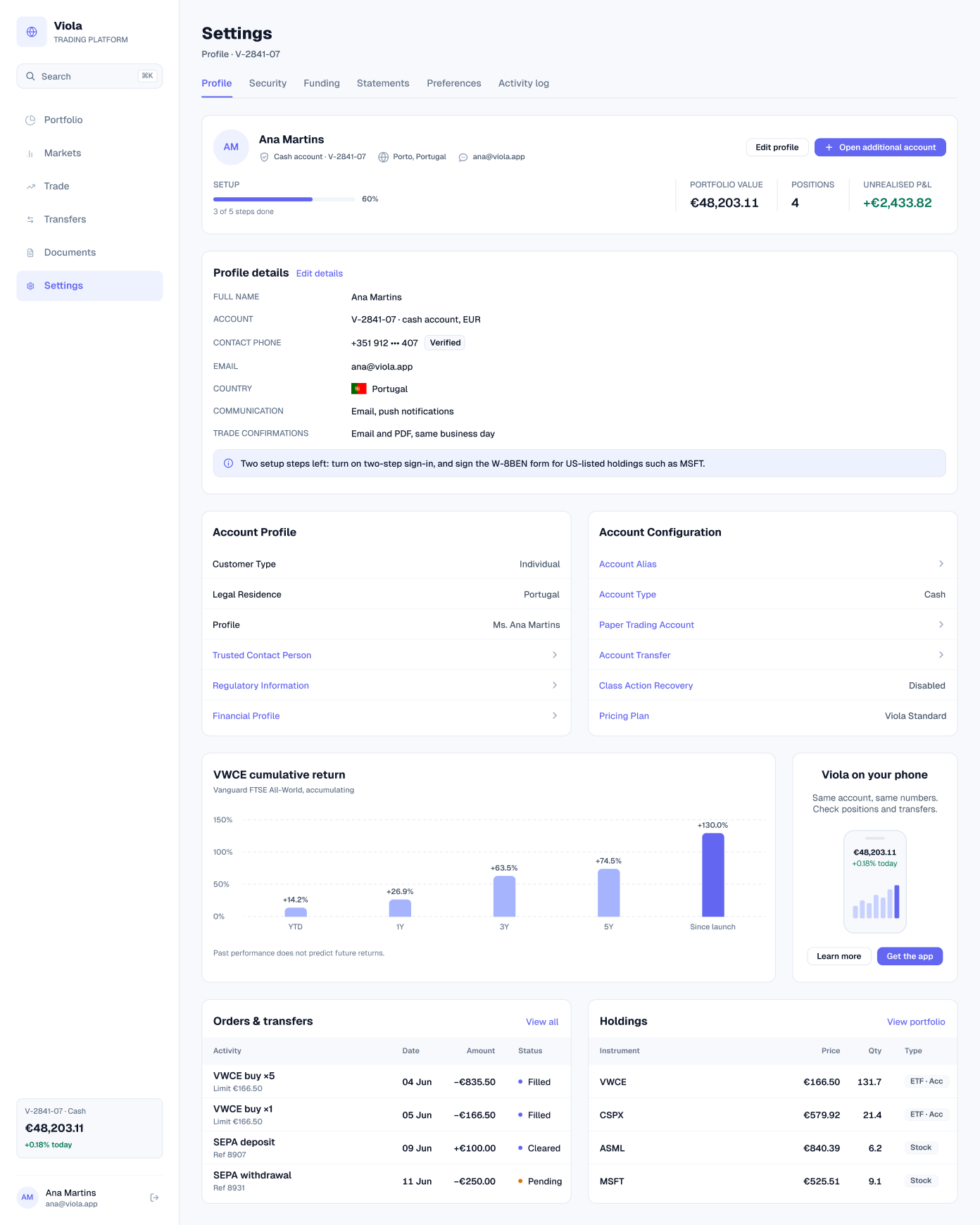
Profile
An account summary with setup progress (3 of 5 steps done), the portfolio value and 4 positions, then profile details, the account profile and its configuration. An alert lists the two setup steps left: two-step sign-in, and the W-8BEN form for US-listed holdings such as MSFT.
A VWCE cumulative return chart and recent orders and transfers close the page.
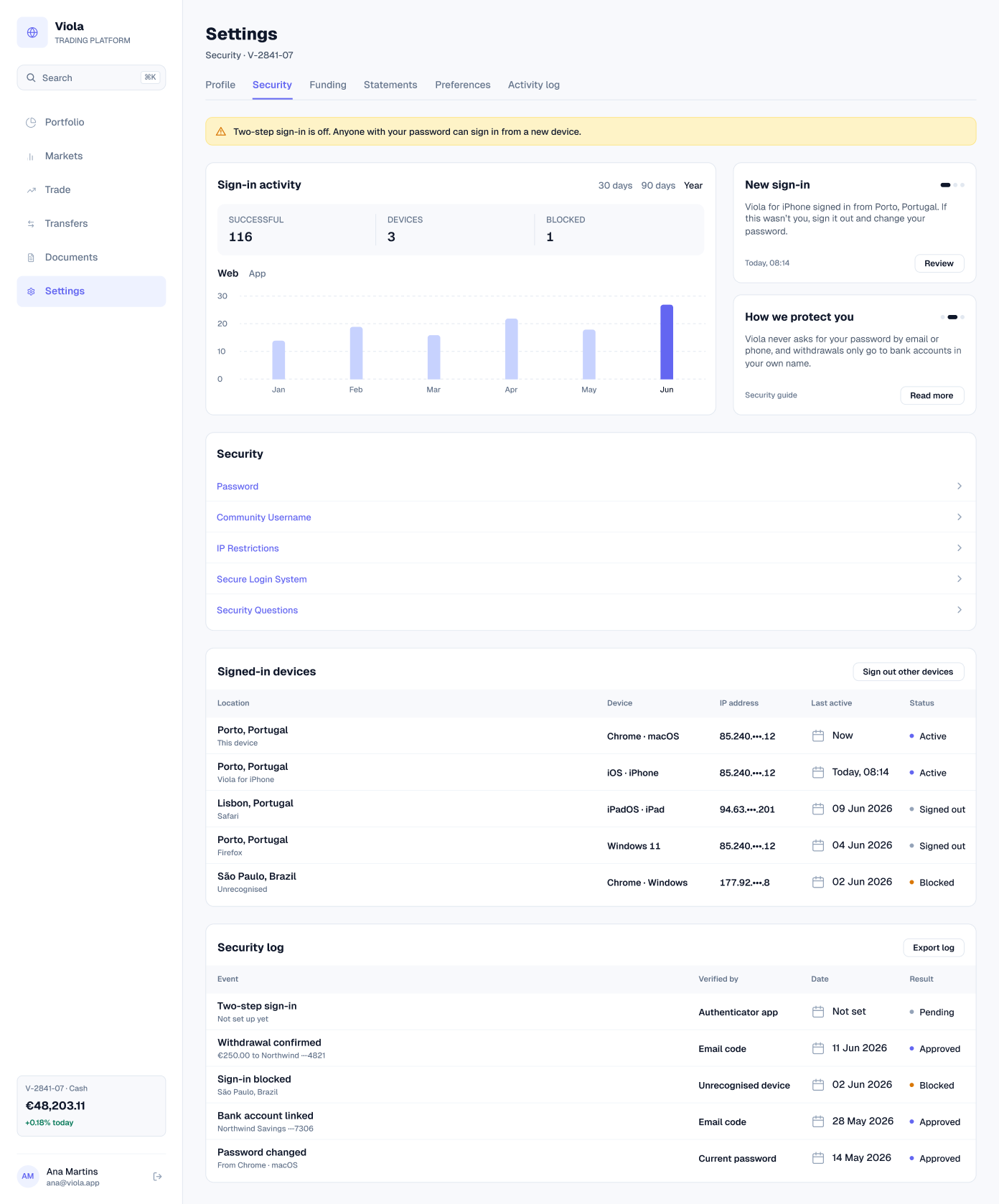
Security
An alert that two-step sign-in is off, a sign-in activity chart (116 successful, 3 devices, 1 blocked), a new sign-in notice, the signed-in devices with their status, and a security log.
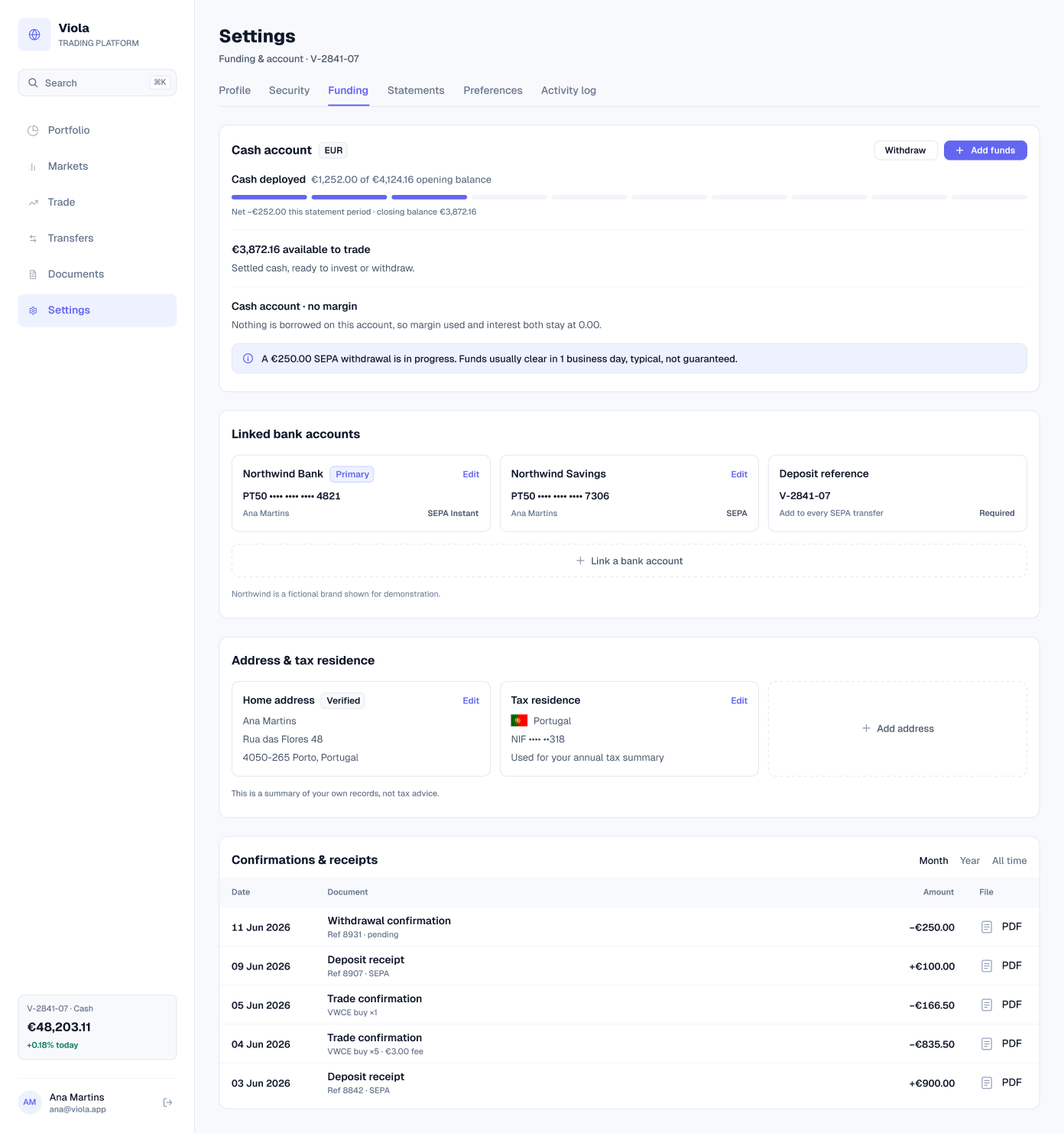
Funding
The cash account with €3,872.16 available, cash deployed (€1,252.00 of the €4,124.16 opening balance), linked bank accounts, the deposit reference, address and tax residence, and a confirmation or receipt for every transaction. The bank, Northwind, is labelled as a fictional brand.
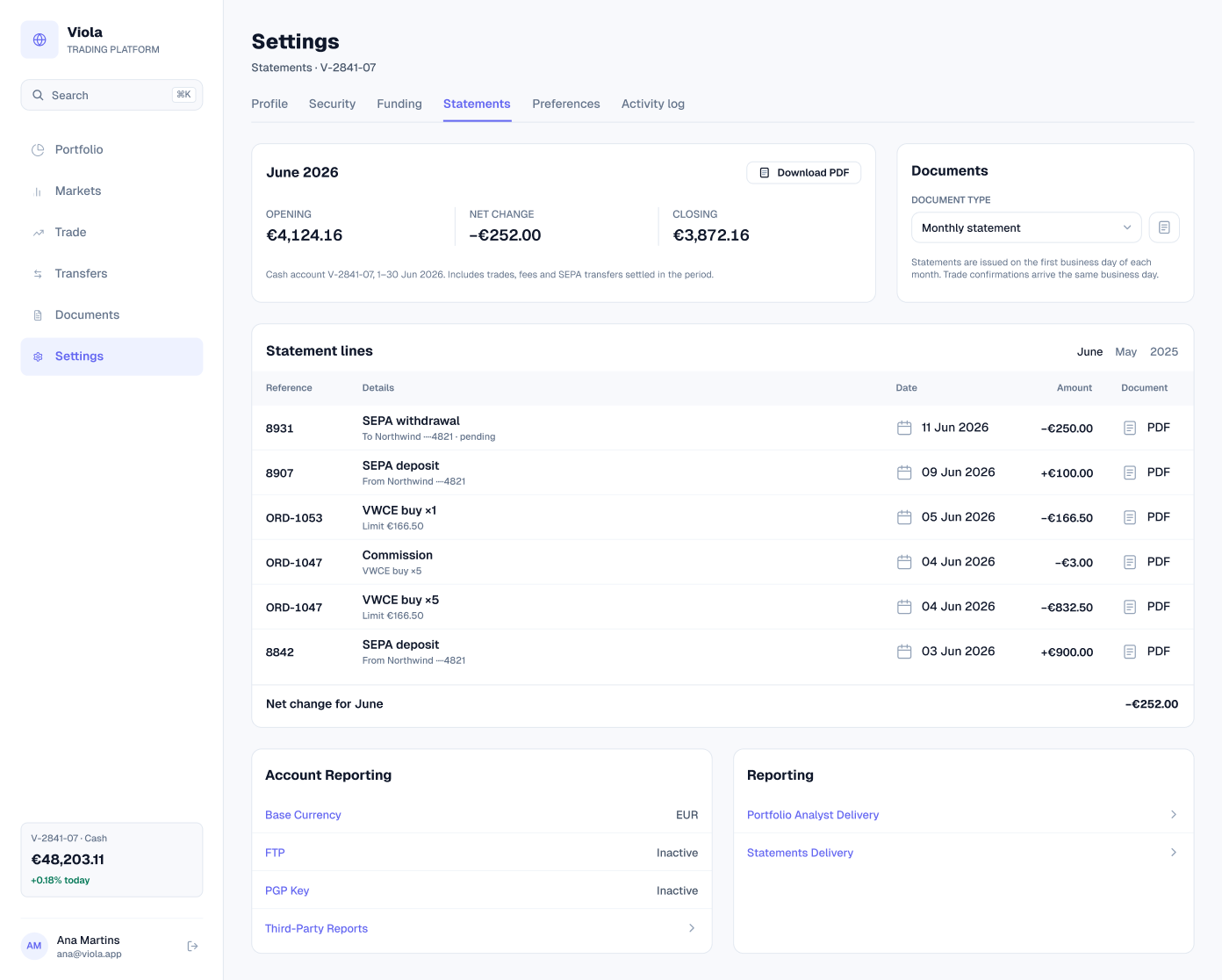
Statements
The June 2026 statement, with an opening balance of €4,124.16, a net change of −€252.00 and a closing balance of €3,872.16. Its statement lines list the €3.00 commission separately, and account reporting settings follow.
Preferences
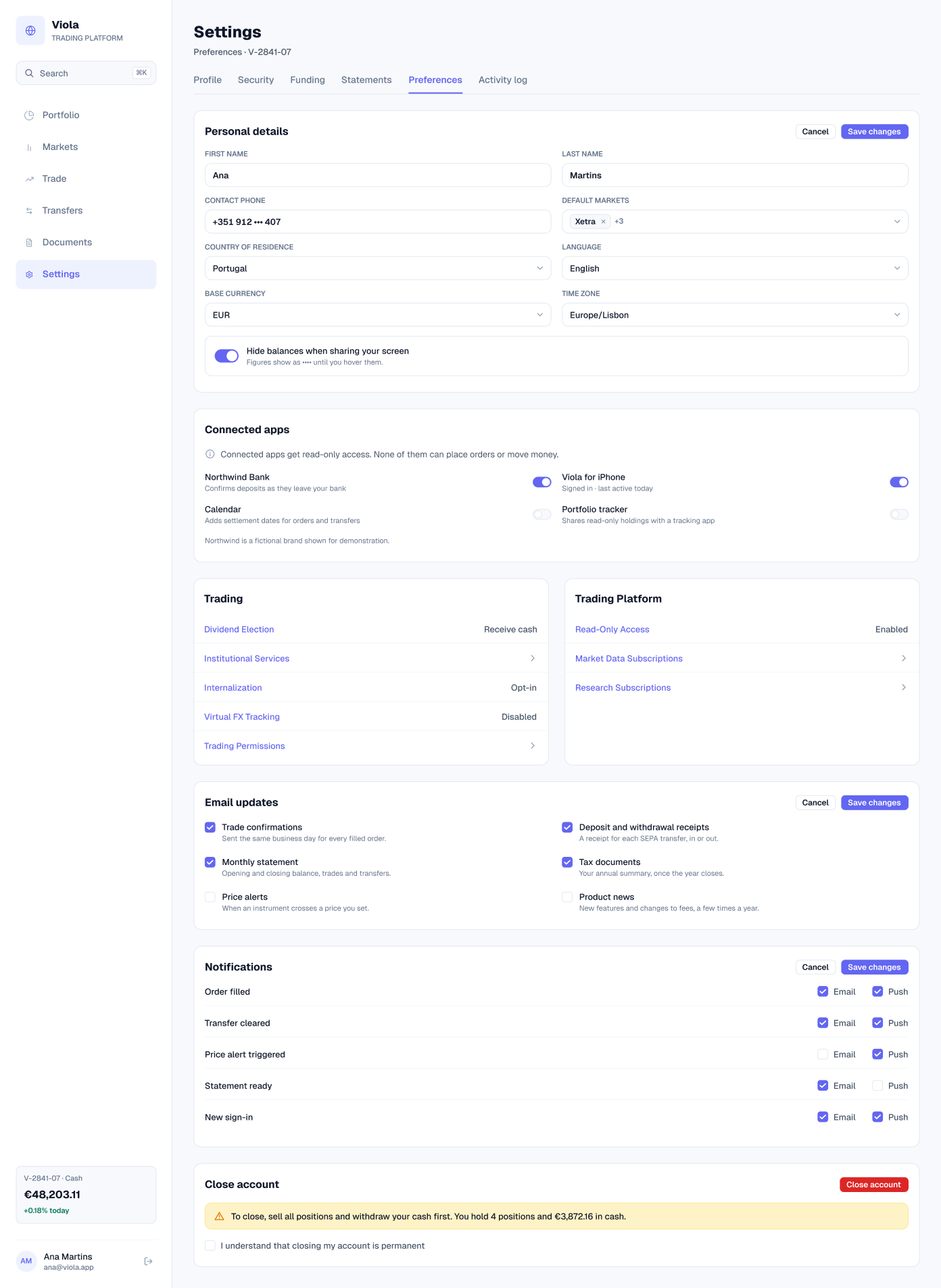
Personal details, language, base currency (EUR) and time zone, an option to hide balances when sharing the screen, connected apps with read-only access, trading settings and email updates.
Activity log
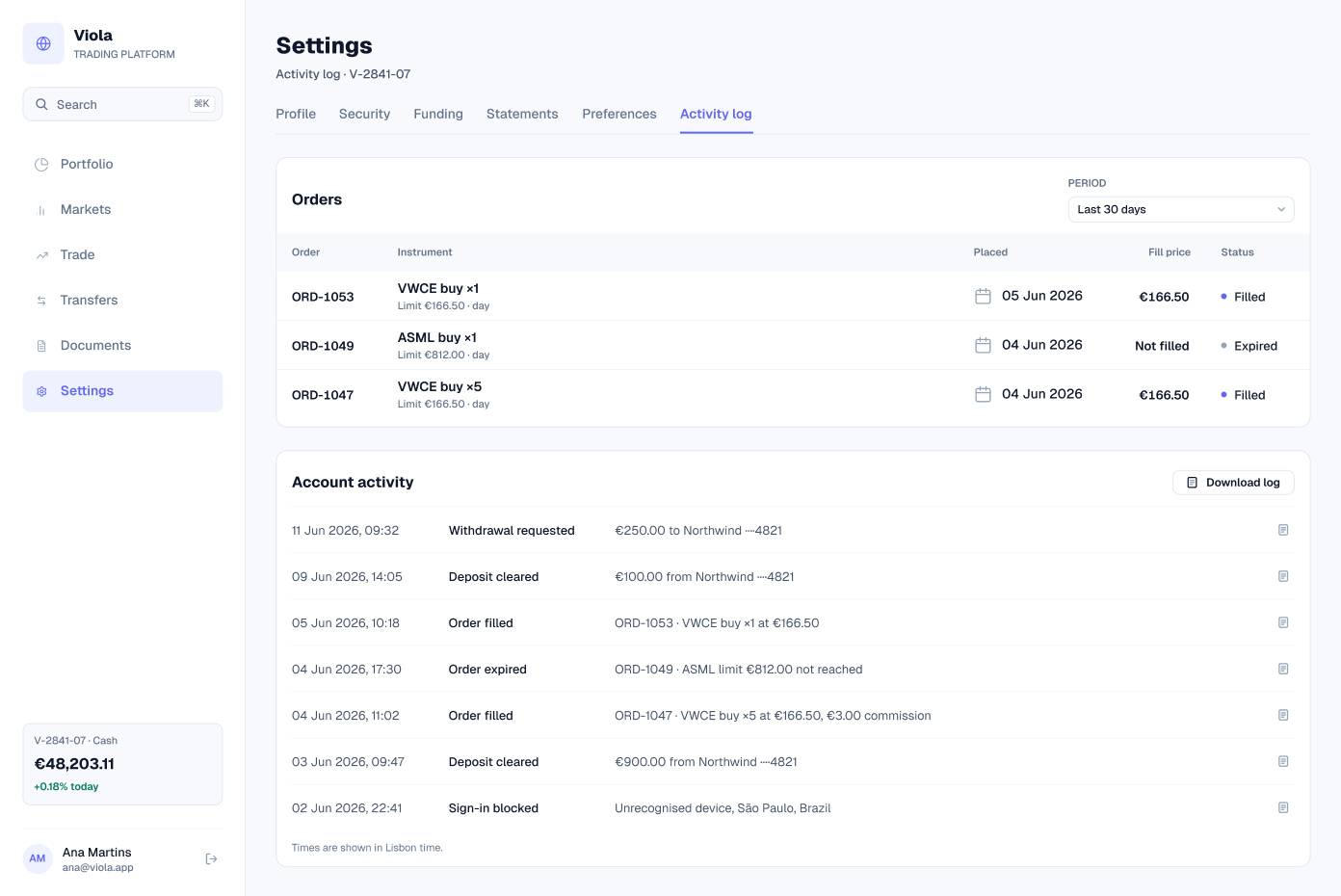
Orders from the last 30 days, including an ASML limit order that expired unfilled, and a timestamped log of account activity, from sign-ins to deposits and withdrawals.
Screens at a glance
| Screen | What it shows | Built from |
|---|---|---|
| Profile | Account summary, setup progress and profile details | sidebar, tab-item, progress-bar, alert, tag, table/cell |
| Security | Sign-in activity, devices and a security log | sidebar, tab-item, alert, button, table/cell |
| Funding | Cash, linked banks, address and receipts | sidebar, tab-item, alert, tag, table/cell |
| Statements | The June statement and reporting settings | sidebar, tab-item, select, button, table/cell |
| Preferences | Details, display, connected apps and emails | sidebar, tab-item, input, select, checkbox, toggle |
| Activity log | Recent orders and account activity | sidebar, tab-item, select, table/cell |
Data that agrees
The settings pages repeat the same ledger. The statement lines, the receipts in Funding and the activity log all list the June deposits, the two VWCE orders and the pending withdrawal, and they net to −€252.00.
| Reference | Details | Date | Amount (EUR) |
|---|---|---|---|
| 8842 | SEPA deposit | 03 Jun 2026 | +900.00 |
| ORD-1047 | VWCE buy ×5 | 04 Jun 2026 | −832.50 |
| ORD-1047 | Commission | 04 Jun 2026 | −3.00 |
| ORD-1053 | VWCE buy ×1 | 05 Jun 2026 | −166.50 |
| 8907 | SEPA deposit | 09 Jun 2026 | +100.00 |
| 8931 | SEPA withdrawal, pending | 11 Jun 2026 | −250.00 |
| Net change for June | −252.00 |
Built from
The six screens are built from Viola components, so a change in the library reaches every screen. Counts are for the light screens.
| Component | Instances | Used on | What it does |
|---|---|---|---|
| table/cell | 240 | All six | Details, devices, ledger and log rows |
| tab-item | 36 | All six | Settings tabs |
| button | 31 | All six | Edit, save, export and download |
| checkbox | 17 | Preferences | Email updates and options |
| select | 7 | Statements, Preferences, Activity log | Dropdowns |
| sidebar | 6 | All six | App navigation and the account card |
| toggle | 5 | Preferences | On and off settings |
| tag | 4 | Profile, Funding | Status labels |
| alert | 4 | Profile, Security, Funding, Preferences | Notices |
| input | 3 | Preferences | Personal details |
| progress-bar | 1 | Profile | Account setup progress |
Get the file
The Settings screens are in the full Viola UI kit, with 100+ screens in light and dark. Open the Figma preview to see them all, or get the kit for $49.