22 screens · light and dark
Trade
The full order flow, as a page and as a 420-pixel order ticket drawer: choosing an instrument, review, confirmation, orders and order detail, plus every way an order can fail. Every screen draws on the same cash account, so €3,872.16 is available to trade and 5 shares at €166.50 come to €832.50.
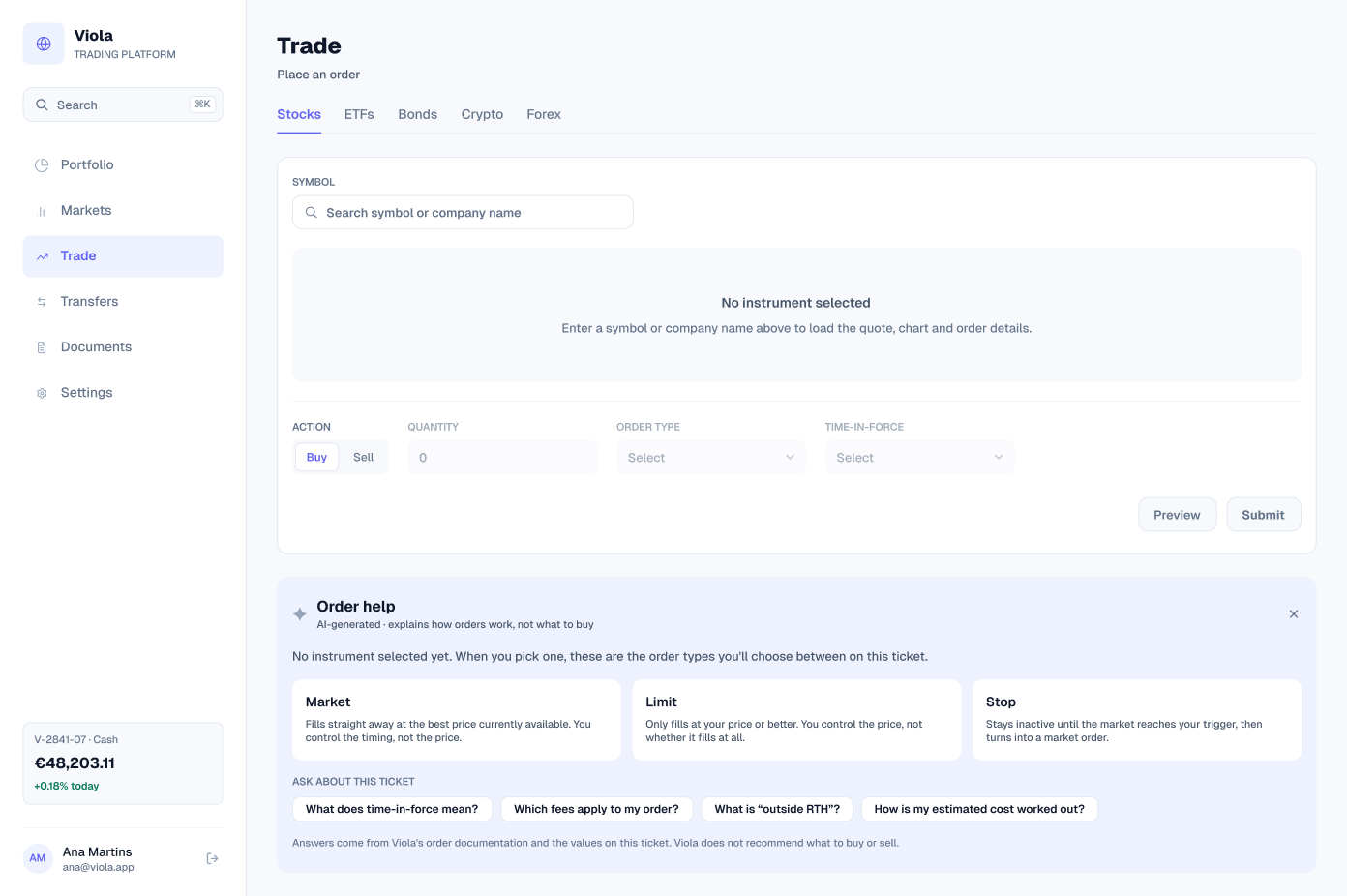
Trade page, empty
The page before an instrument is chosen: asset class tabs, a symbol search and a ticket with buy and sell, quantity, order type and time-in-force.
Order help sits beside it, labelled AI-generated. It explains market, limit and stop orders and answers questions about the ticket, such as what time-in-force means. It explains how orders work, never what to buy.
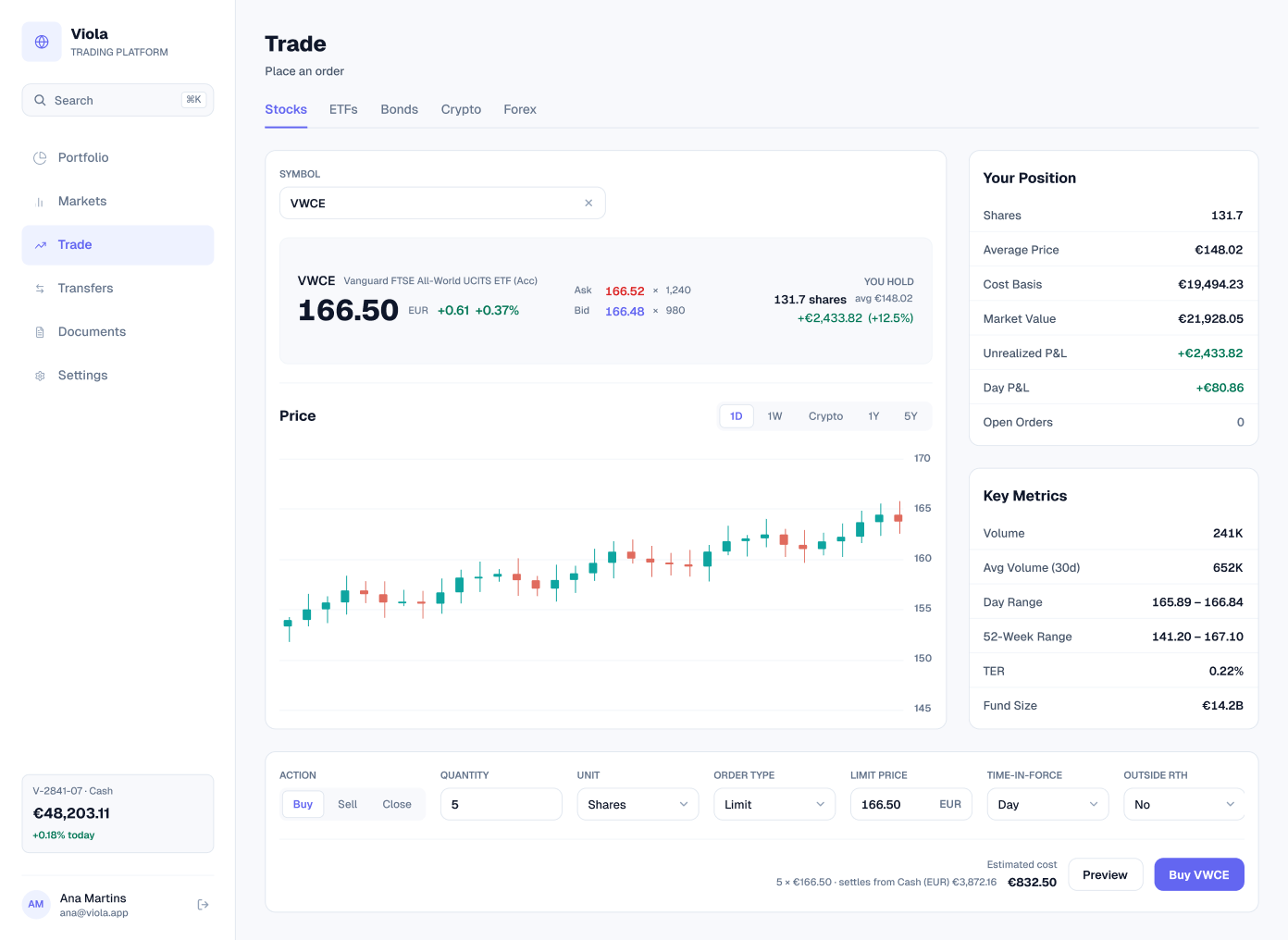
Trade page, buying VWCE
With VWCE chosen, the page shows the quote with bid and ask, what the customer already holds (131.7 shares at an average of €148.02, +€2,433.82, +12.5%), a price chart, the position and key metrics. The ticket is a limit buy of 5 shares, and the estimated cost of €832.50 settles from the €3,872.16 in cash.
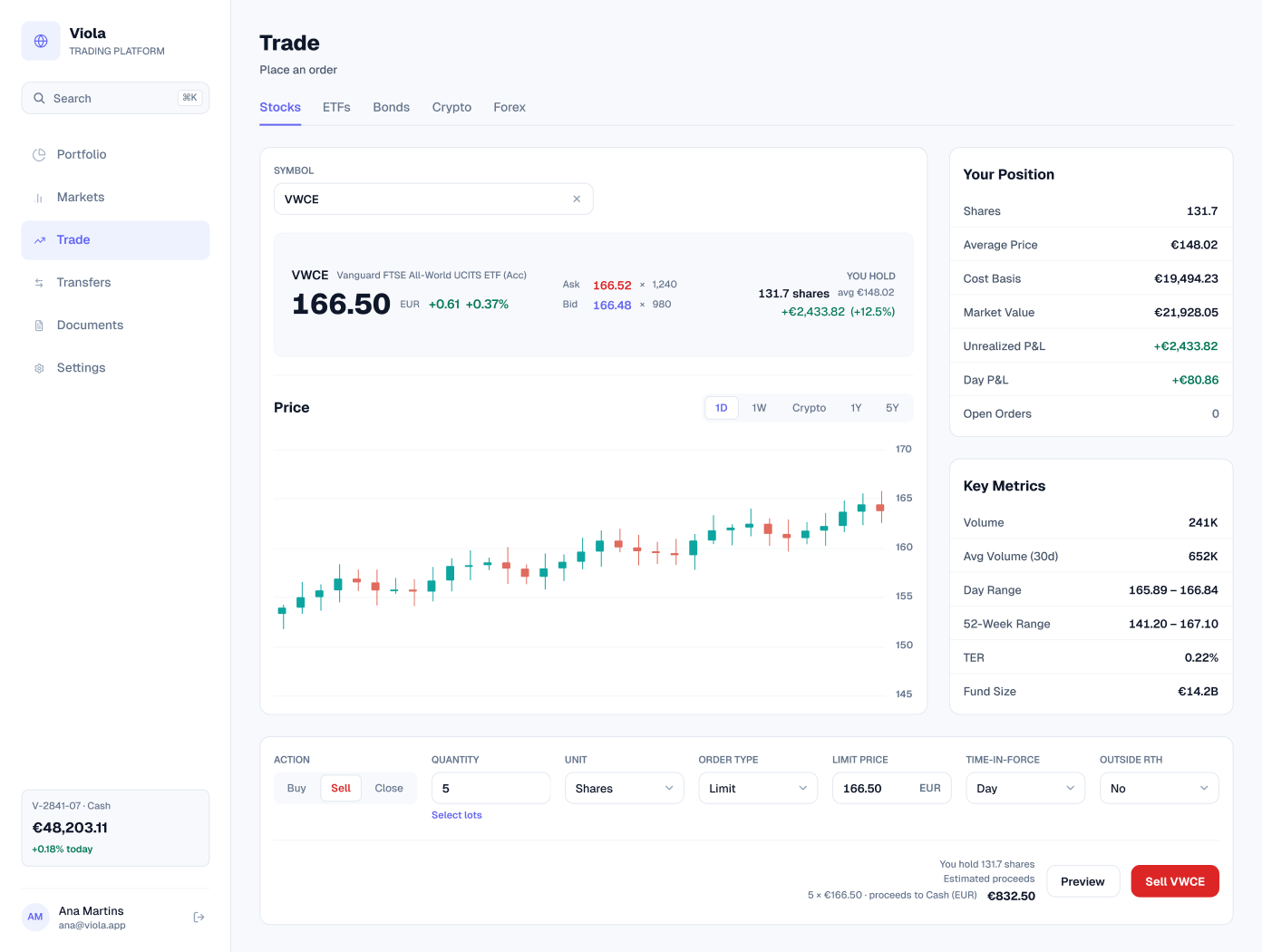
Trade page, selling VWCE
The same page set to sell. Lot selection appears, the ticket reminds the customer they hold 131.7 shares, and the estimated proceeds of €832.50 go to cash in EUR.
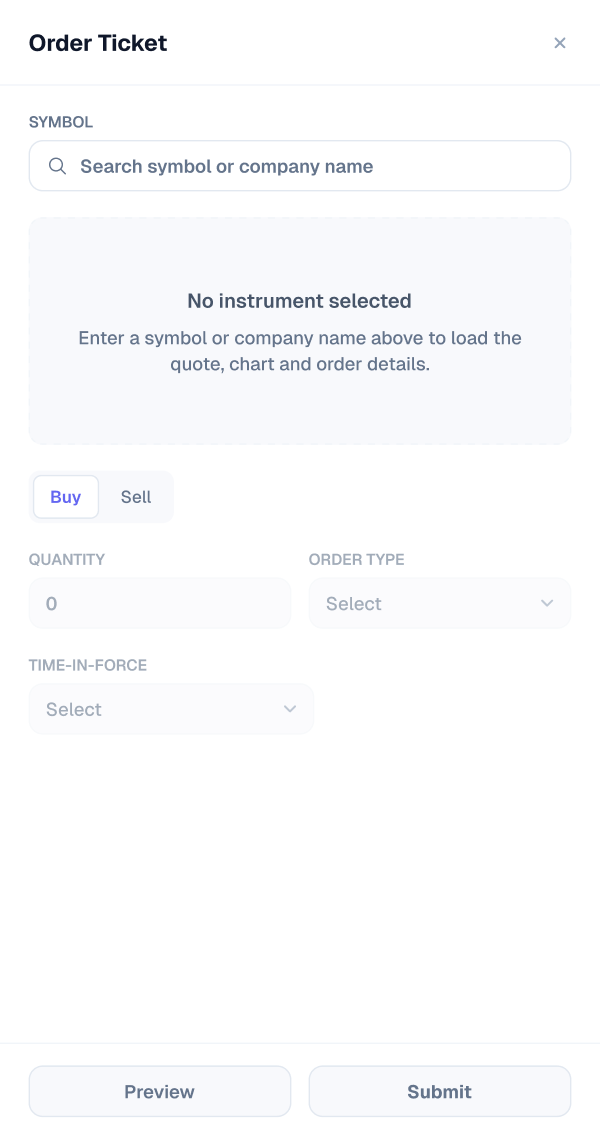
Order ticket, empty
The order ticket as a drawer that can open from anywhere in the app. Empty, it asks for a symbol before it shows the quote and order details.
Order ticket, buy
The drawer with a VWCE limit buy: the quote, bid and ask with size, and the account panel, with €3,872.16 available to trade, margin at €0.00 on a cash account, the 131.7 / 148.02 position and no open orders. The estimated cost is €832.50.
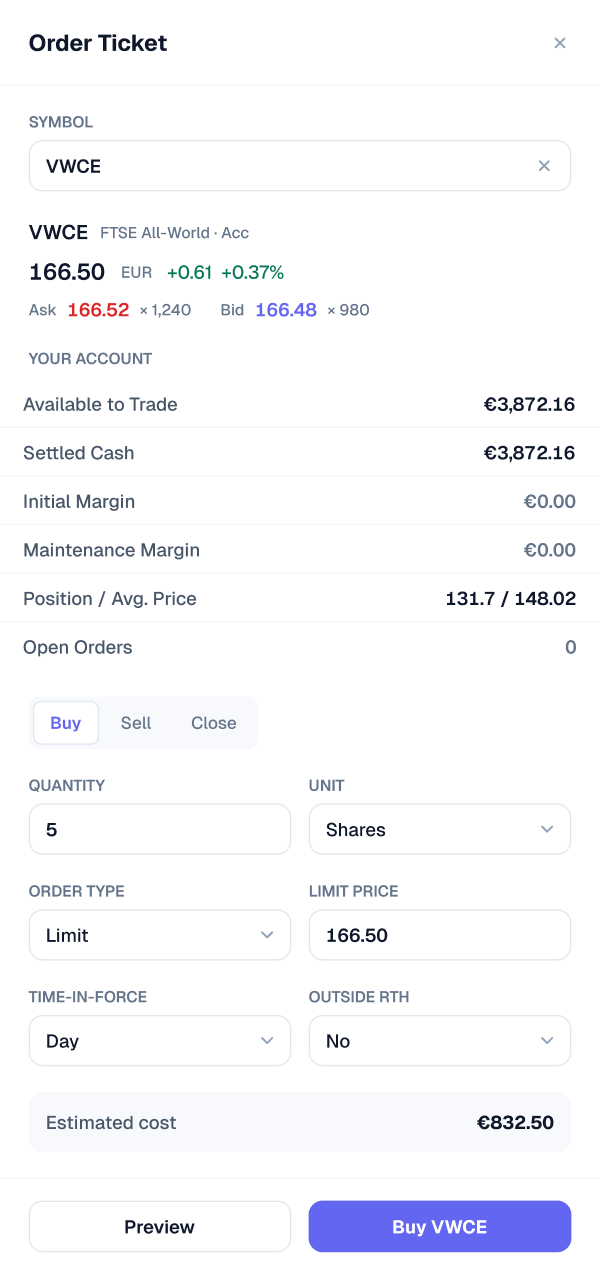
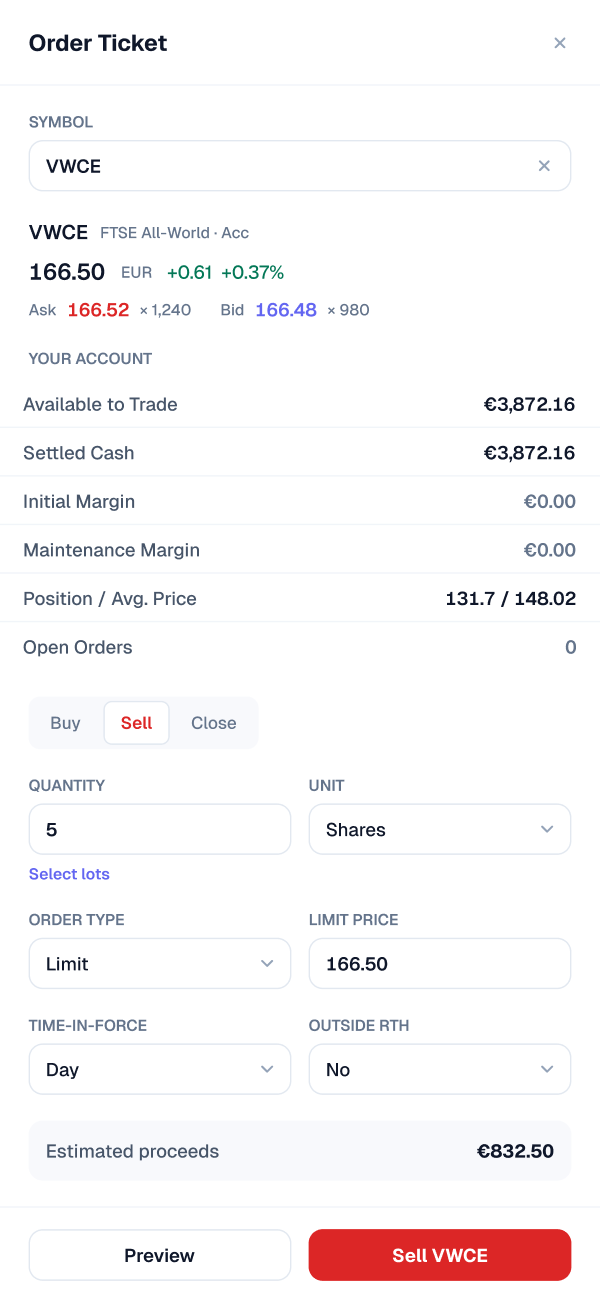
Order ticket, sell
The sell version adds lot selection and shows estimated proceeds of €832.50.
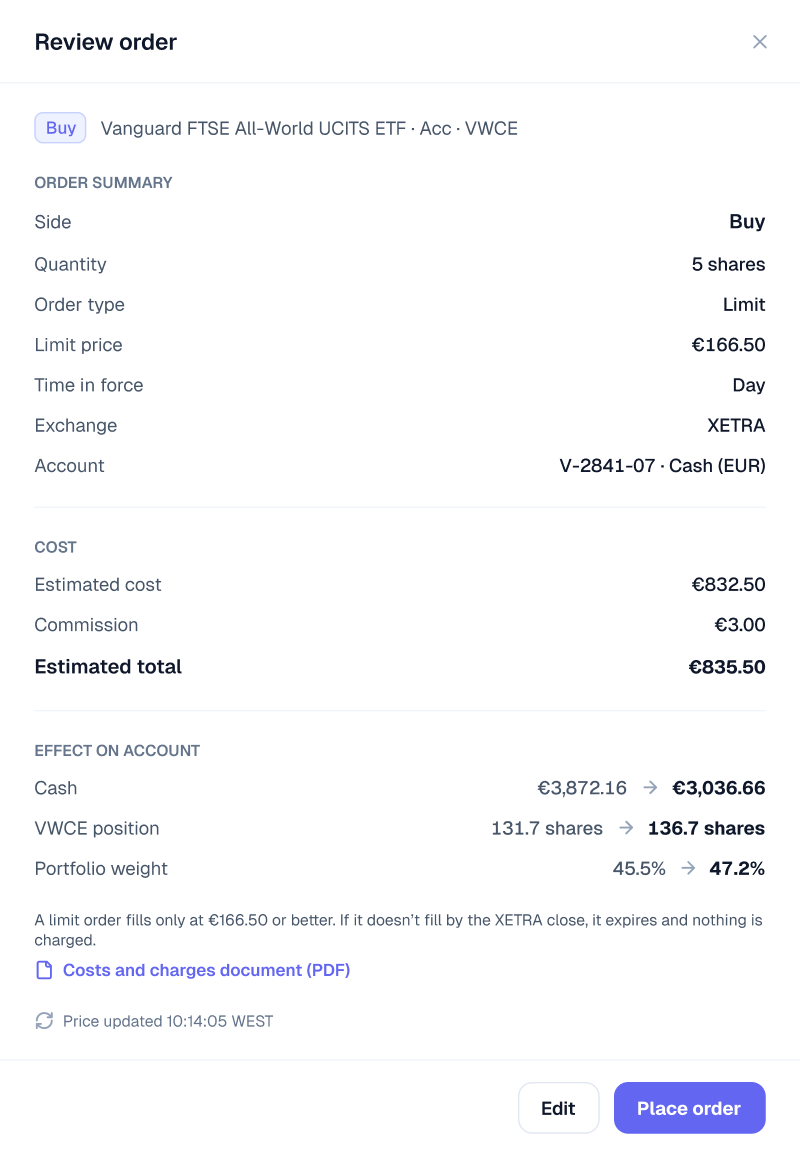
Review, buying VWCE
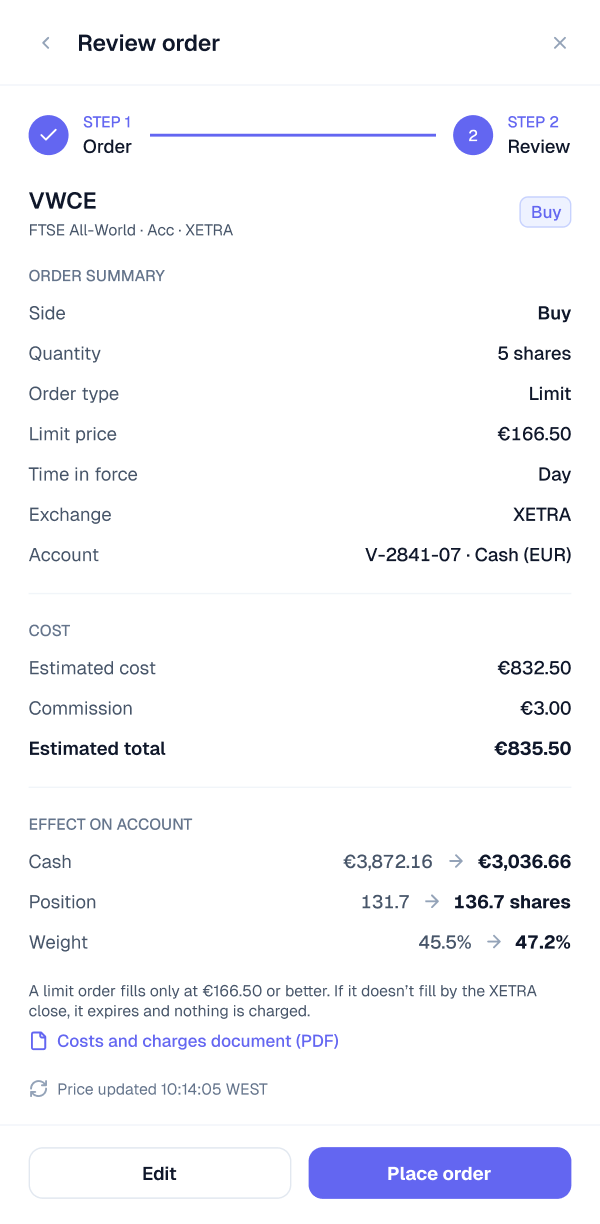
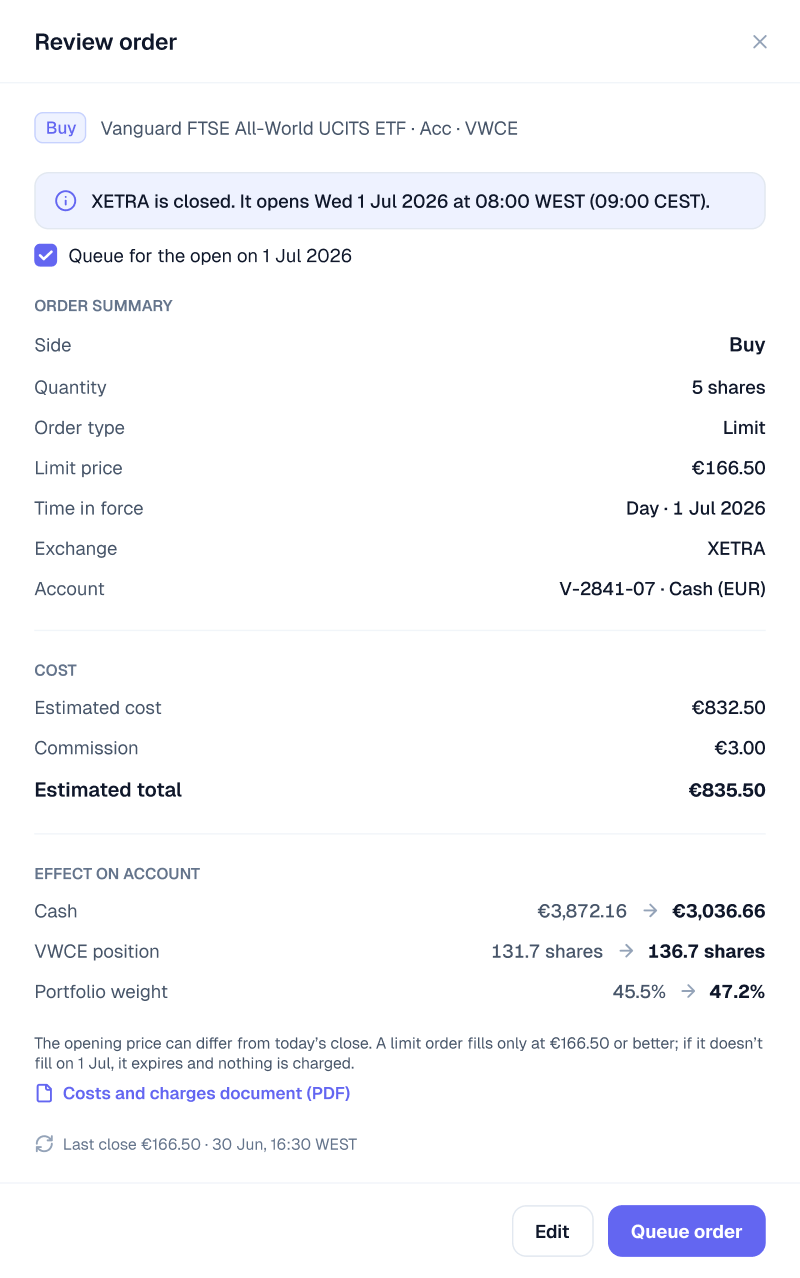
The step between the ticket and the order. Review restates everything the customer chose for the same 5-share VWCE buy: quantity, limit price, the estimated total with fees, the venue and how long the order stays open. Edit goes back to the ticket with every value kept.
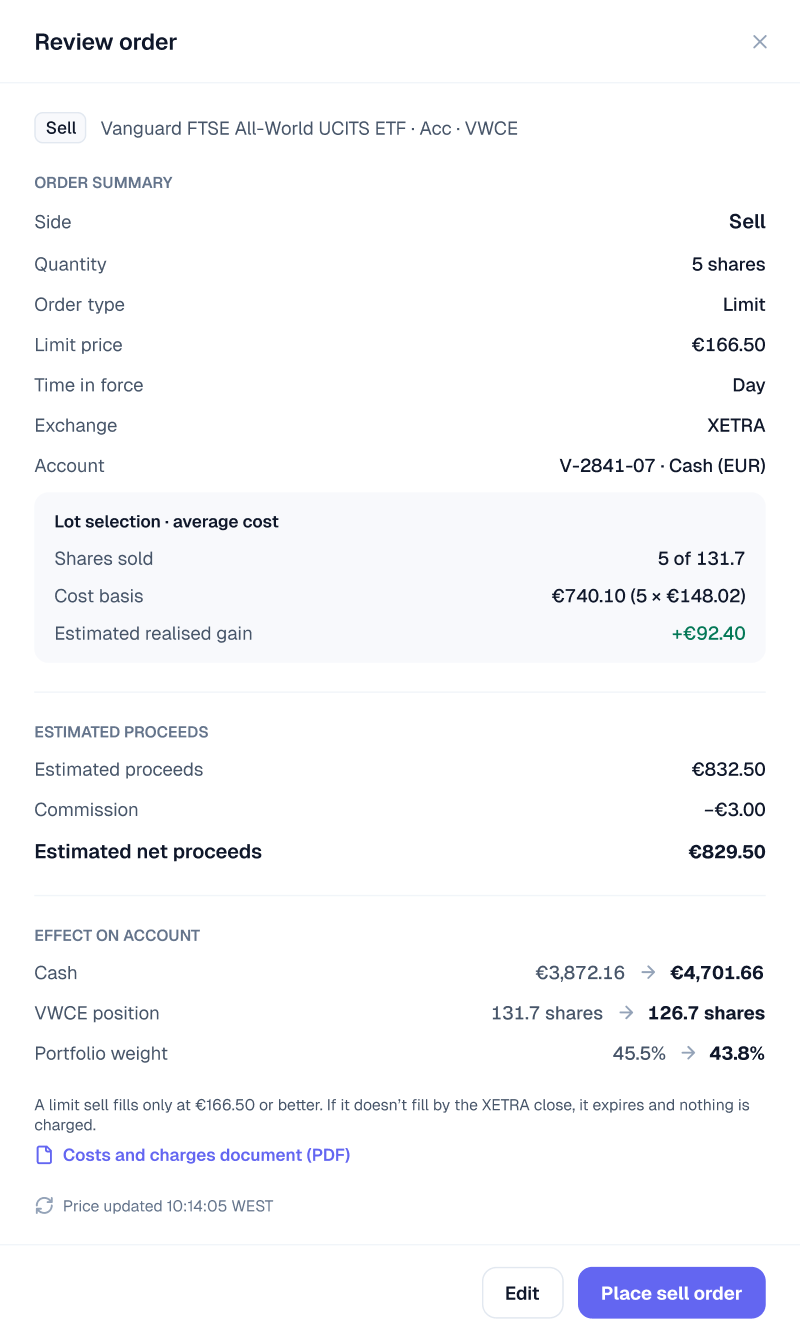
Review, selling and with a warning
Selling shows the lots being sold and the estimated realised gain. When an order would take one position above the account’s single-position level, review adds a warning the customer must acknowledge before placing the order.
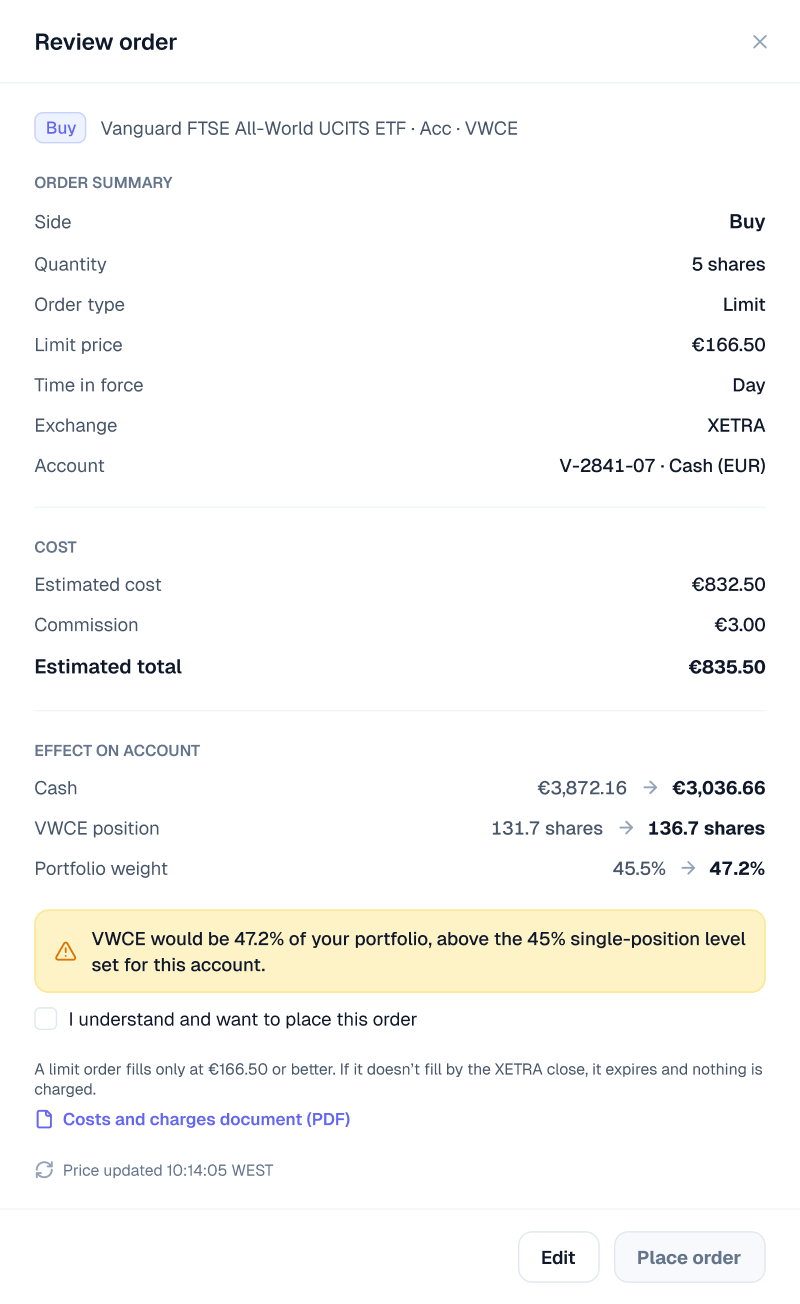
Order ticket, review
The same review step inside the drawer, for orders placed from anywhere in the app.
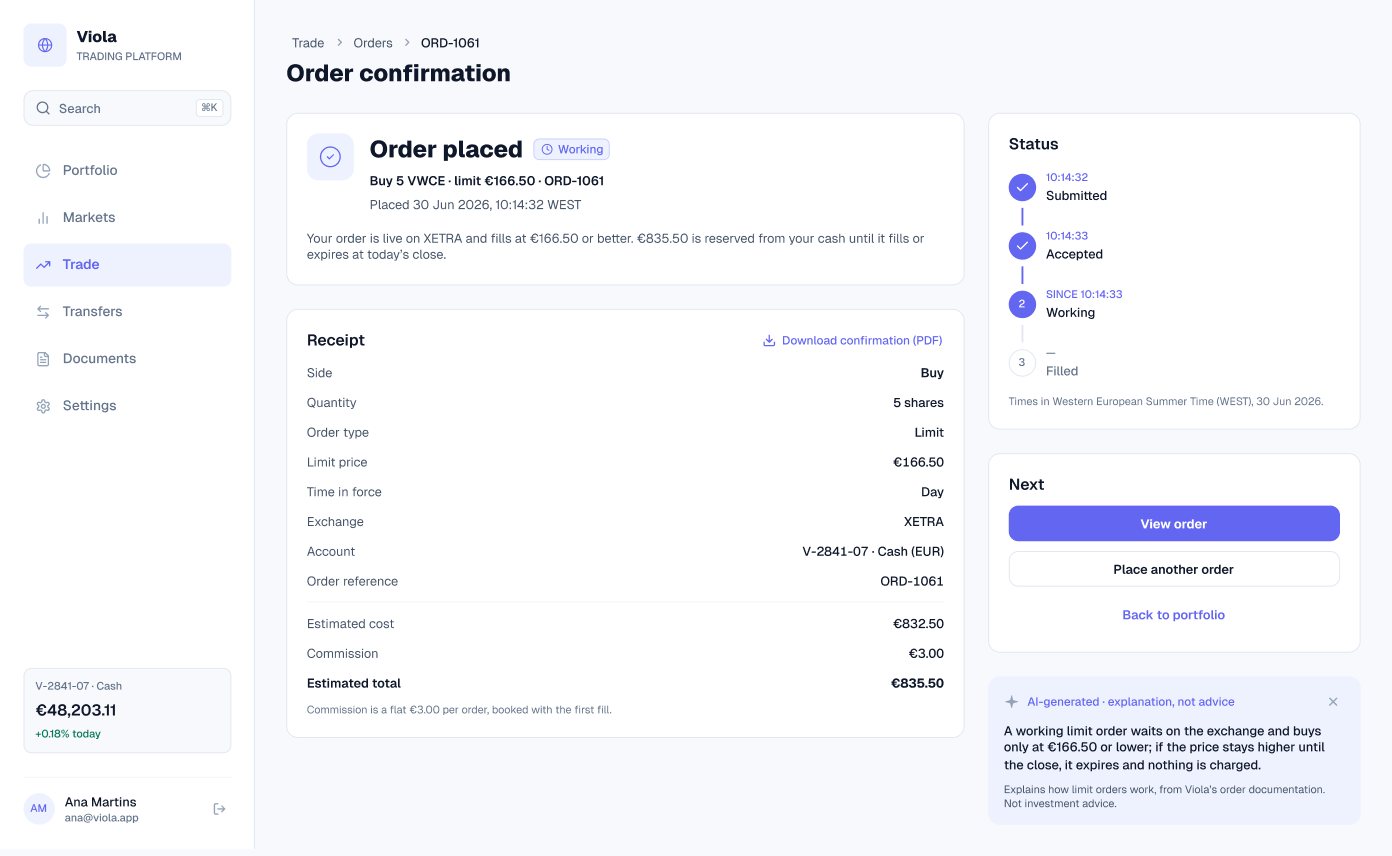
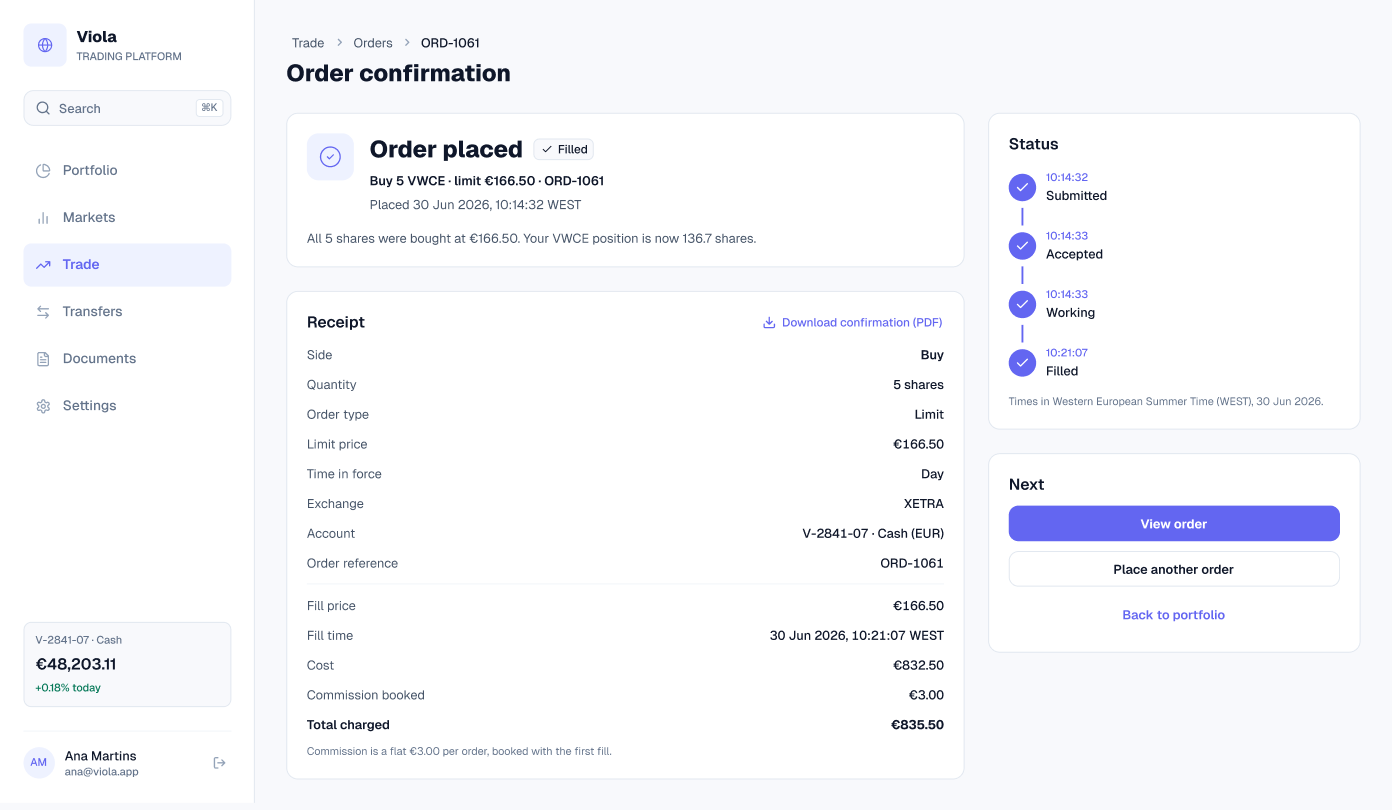
Confirmation
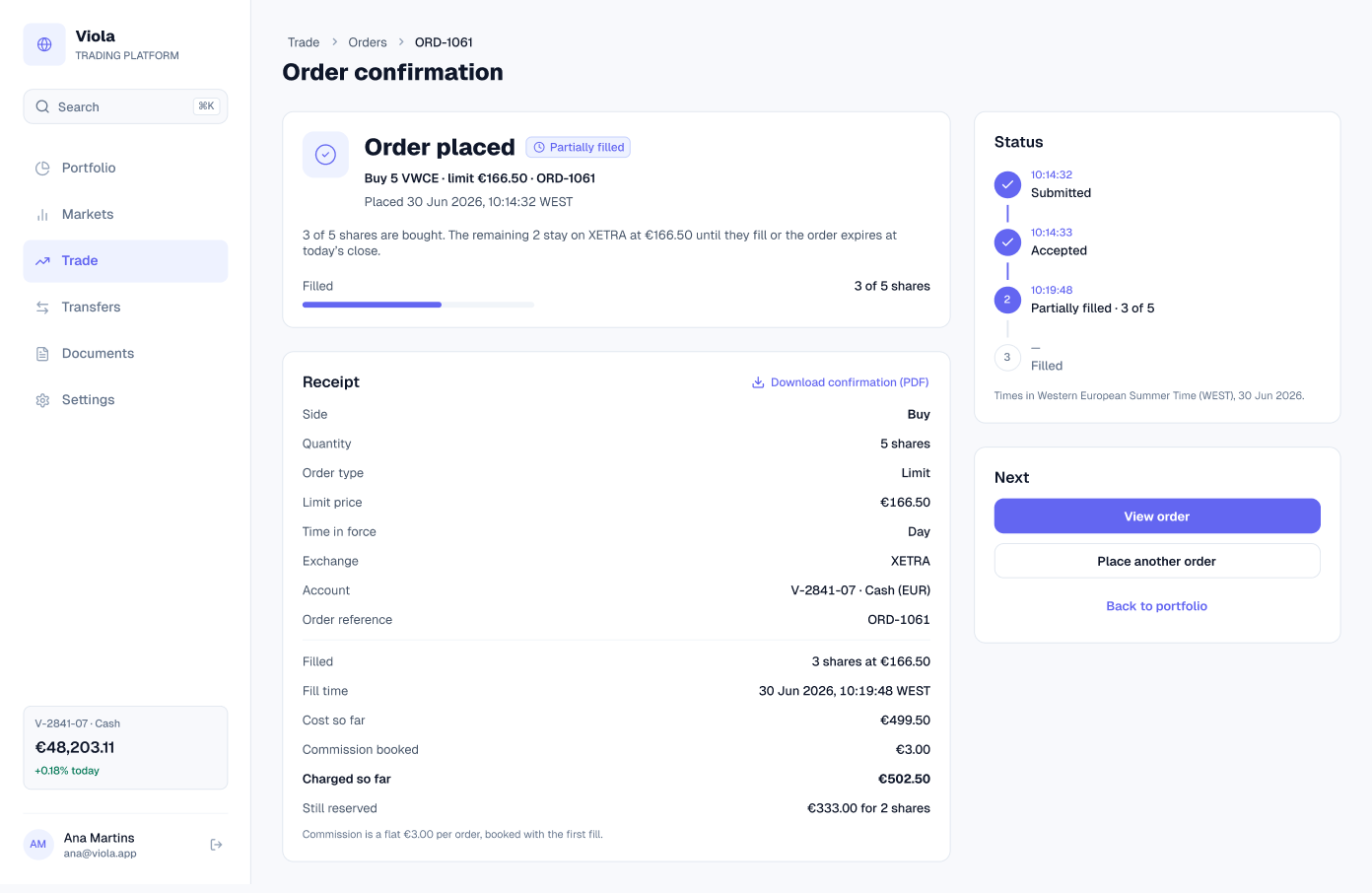
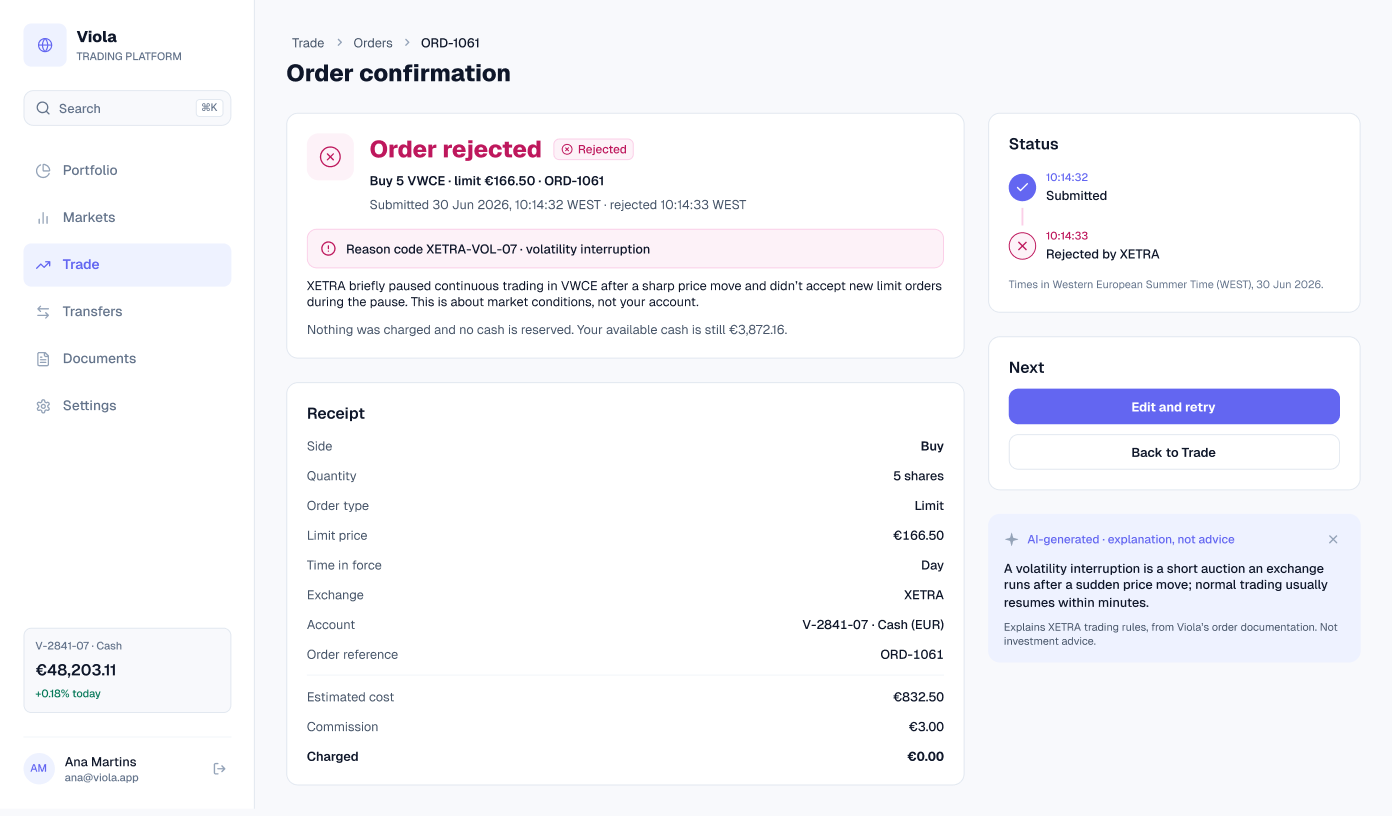
After the order is placed, confirmation shows its status and a receipt. A working order waits for its limit, a filled order shows the fill price and time, and a partial fill shows what is done and what is still reserved.
Orders
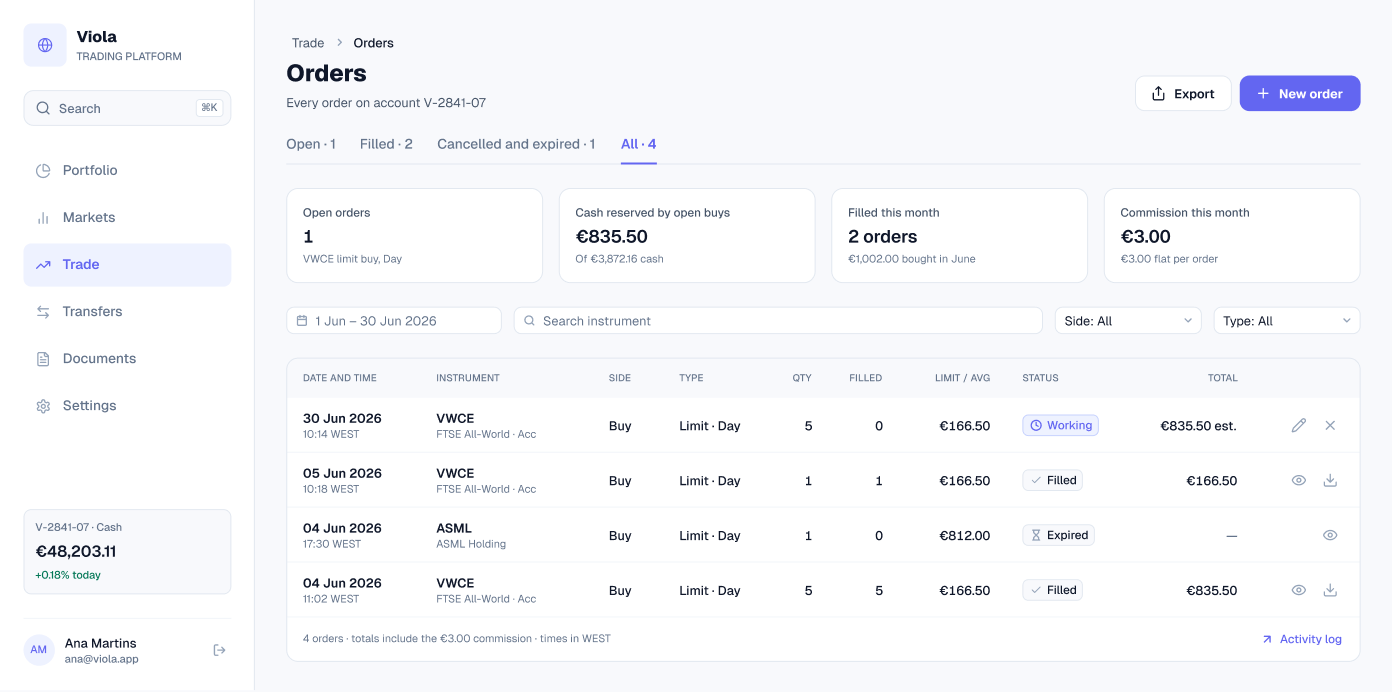
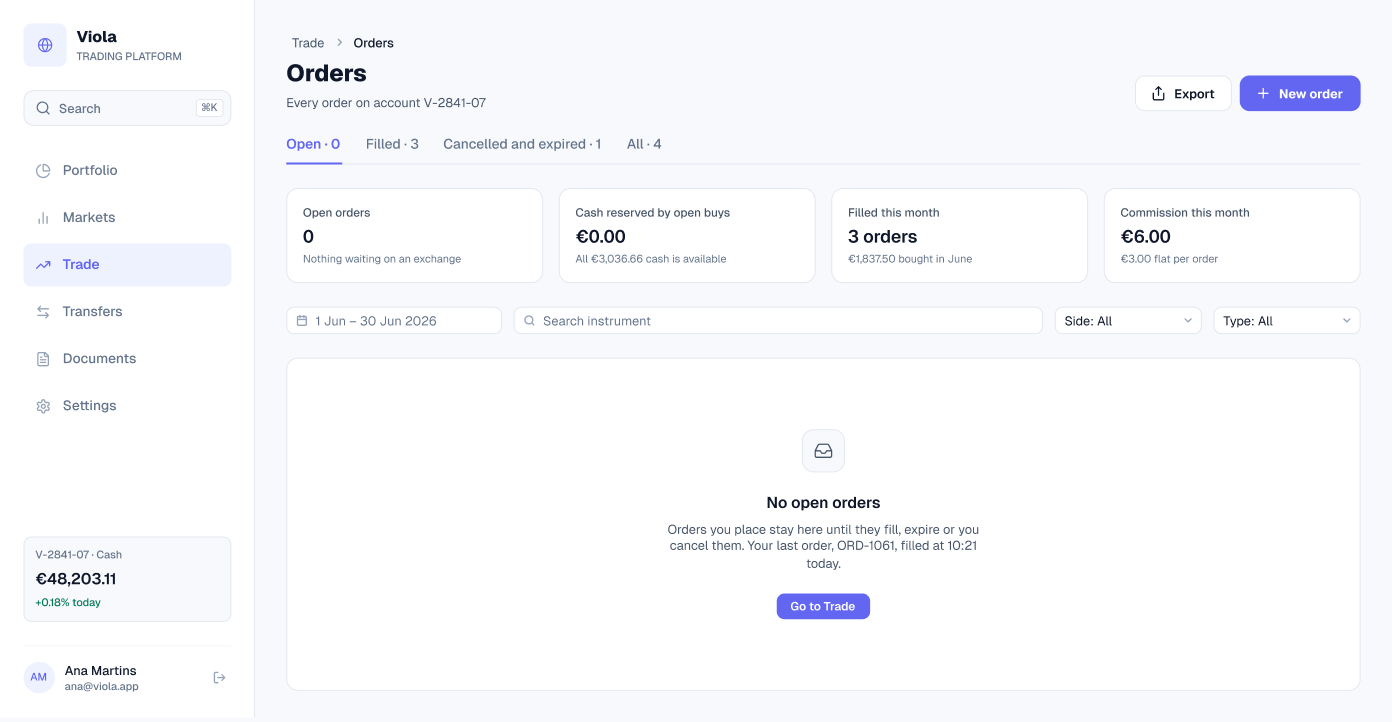
Every order in one table, with open, filled and cancelled filters, and an empty state for a new account.
Order detail
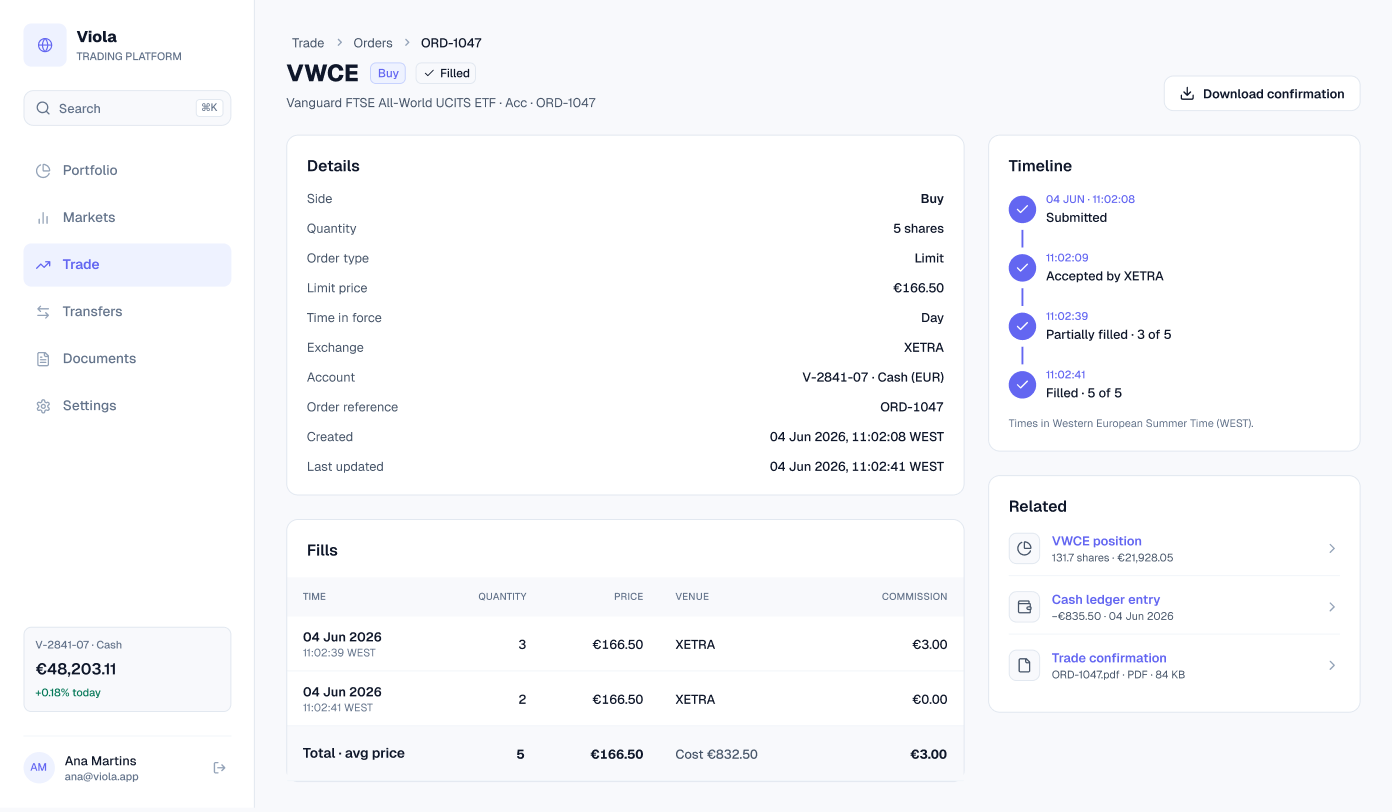
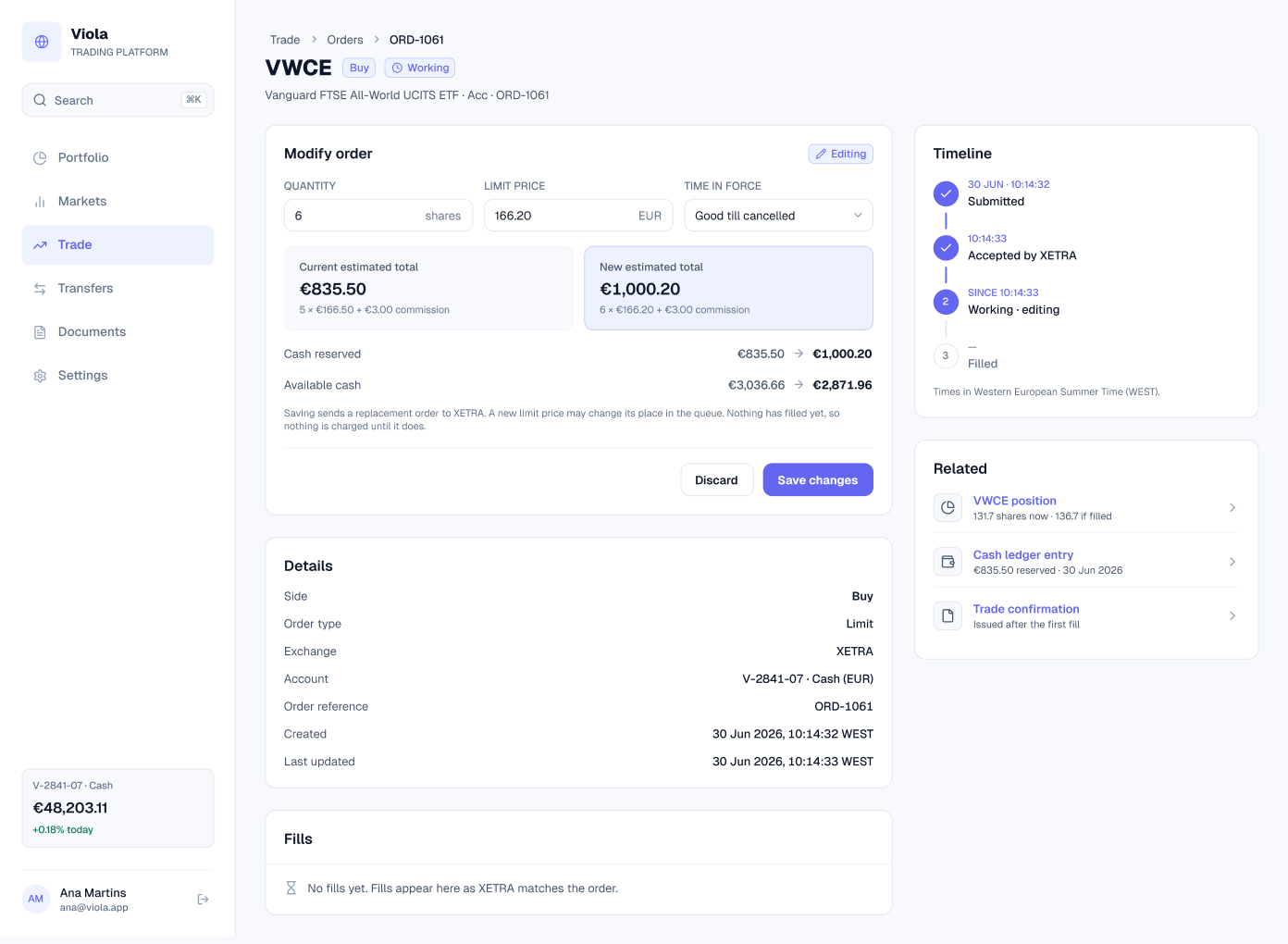
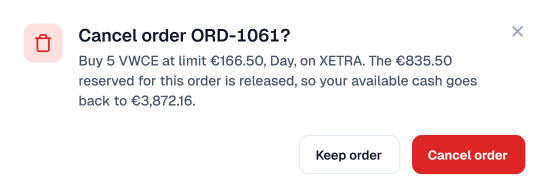
The detail of a single order: its timeline from submitted to filled, each fill with its venue and commission, and links to the position, the cash ledger entry and the trade confirmation. Open orders can be modified, with the new total and cash shown before saving, or cancelled with a confirmation.
When an order can’t go through
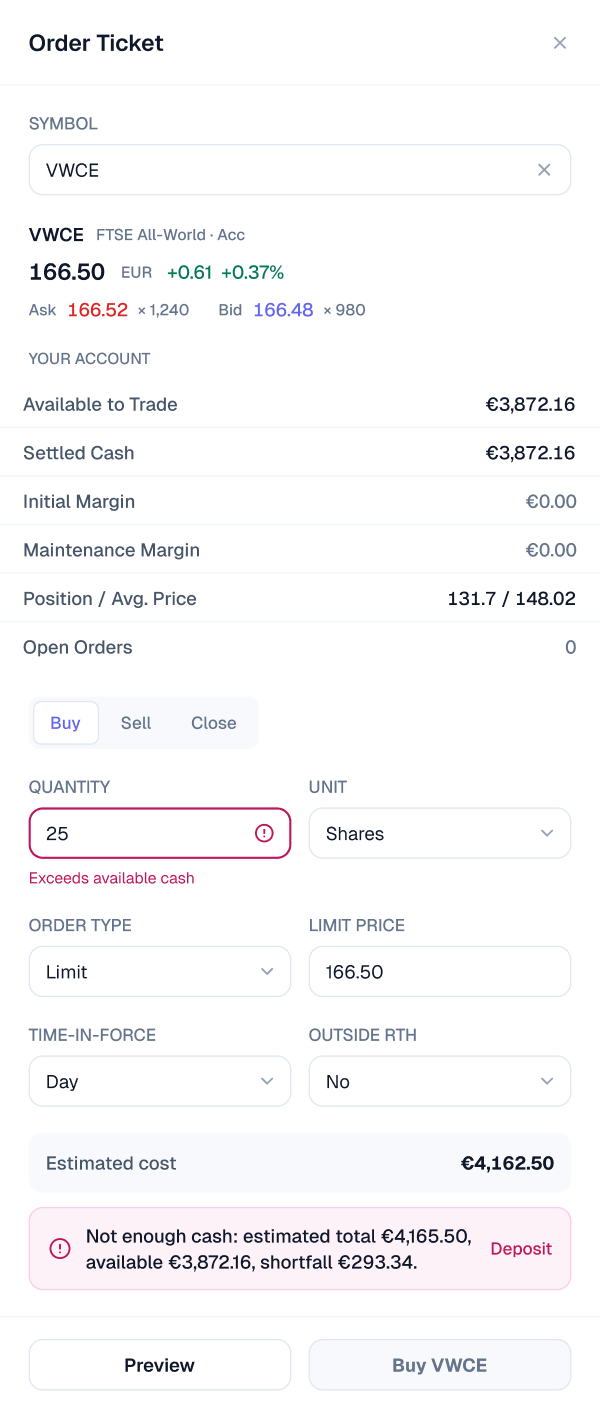
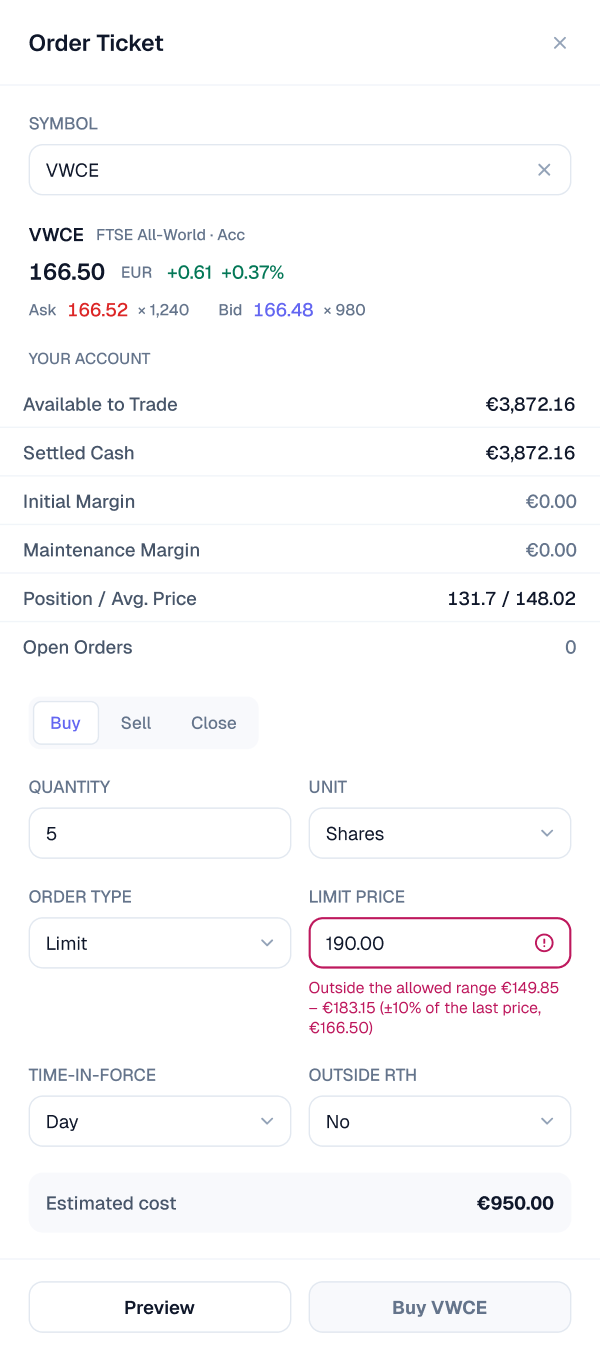
Every way an order can fail, each with a plain reason and a next step. The ticket blocks an order larger than the available cash, or a limit outside the allowed price range. When the exchange is closed, review offers to queue the order for the open, and an order rejected by the exchange says why and what was charged. Error colours are never the red used for losses.
Screens at a glance
| Screen | What it shows | Built from |
|---|---|---|
| Trade page, empty | Order entry with AI order help | sidebar, tab-bar, input, select, button-group, button |
| Trade page, buying VWCE | Quote, position, chart, key metrics and a buy ticket | sidebar, tab-bar, input, select, button-group, table/cell |
| Trade page, selling VWCE | The same page with a sell ticket | sidebar, tab-bar, input, select, button-group, table/cell |
| Order ticket, empty | The drawer before a symbol is chosen | input, select, button-group, button |
| Order ticket, buy | Quote, account panel and a buy order | input, select, button-group, table/cell |
| Order ticket, sell | Quote, account panel and a sell order | input, select, button-group, table/cell |
Data that agrees
The ticket follows the same numbers as the ledger. The 5-share VWCE buy at €166.50 appears in Documents and Settings as €832.50 plus a €3.00 commission, €835.50 in total, and the cash it draws on is the same €3,872.16.
| Figure | How it’s worked out | Value | Also on |
|---|---|---|---|
| Estimated cost | 5 × €166.50 limit | €832.50 | Documents, Settings |
| Commission | Charged on the fill | €3.00 | Documents, Settings |
| Cash debited | €832.50 + €3.00 | −€835.50 | Cash & transfers, Settings |
| Available to trade | Settled cash, no margin | €3,872.16 | Portfolio, Cash & transfers |
| Position | Held in V-2841-07 | 131.7 shares | Portfolio, Fund page |
Built from
The screens are built from Viola components, so a change in the library reaches every screen. Counts are for the light screens.
| Component | Instances | Used on | What it does |
|---|---|---|---|
| table/cell | 76 | Buy and sell screens | Quote, account and position rows |
| select | 20 | All six | Order type, unit and time-in-force |
| button | 19 | All six | Preview, submit and buy or sell |
| input | 16 | All six | Symbol, quantity and limit price |
| button-group | 8 | All six | Buy, Sell and Close |
| sidebar | 3 | Trade pages | App navigation and the account card |
| tab-bar | 3 | Trade pages | Asset class tabs |
Get the file
The Trade screens are in the full Viola UI kit, with 100+ screens in light and dark. Open the Figma preview to see them all, or get the kit for $49.